Xbox Series X|S Storage: Expansion Cards vs. USB Drives
Which Xbox games can run from external USB drives, when you need an official expansion card, and how to manage storage on Series X and Series S.
Which Xbox games can run from external USB drives, when you need an official expansion card, and how to manage storage on Series X and Series S.
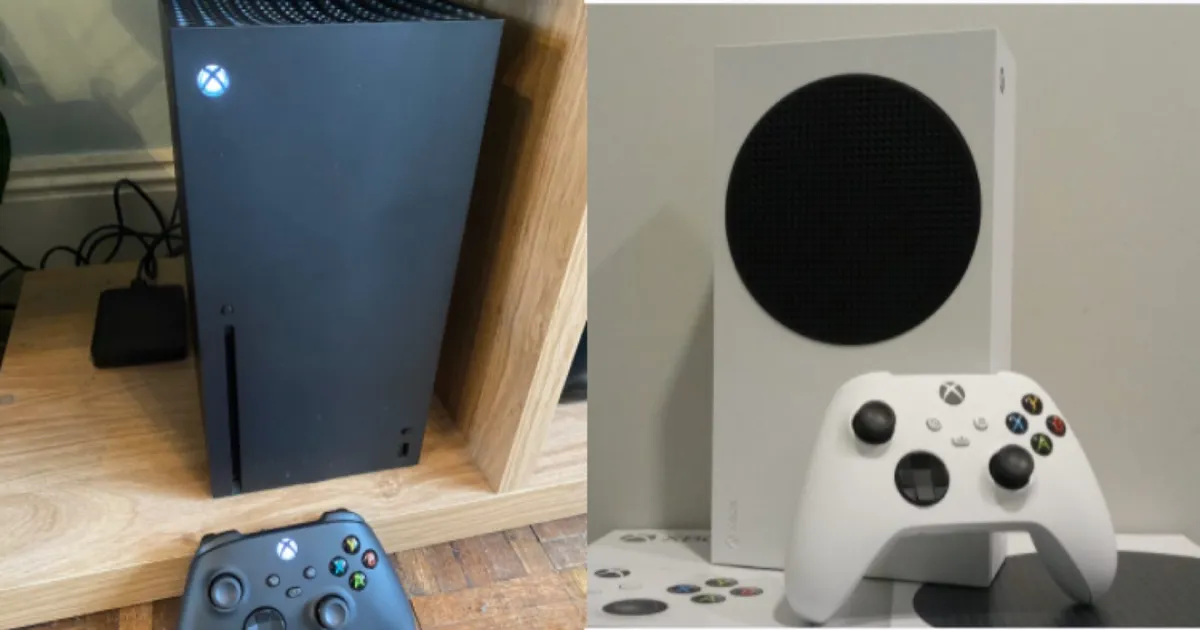
Photo by User:AsmodeanUnderscore (Series S), Ian Hughes https://www.flickr.com/photos/epr / Wikimedia Commons / CC BY-SA 4.0
Affiliate links.As an Amazon Associate I earn from qualifying purchases. Links below go to Amazon; prices and availability change, so check Amazon for current pricing.Affiliate disclosure
Xbox Series X|S games are large, and the Series S in particular fills up fast. You can add storage with an official expansion card or a USB drive, but they work differently. This guide explains which to choose, based on listed specs and Xbox’s storage rules, not lab testing. Links go to Amazon’s current listings.
Quick answer
| Storage | Play Series X|S games from it? | Play Xbox One / 360 games? | Best for |
|---|---|---|---|
| Seagate Storage Expansion Card | Yes | Yes | Expanding playable storage |
| WD_BLACK C50 expansion card | Yes | Yes | Same, alternative brand |
| USB SSD (Samsung T7 2TB) | No, storage only | Yes | Backward-compatible games and archiving |
Why the difference
Xbox Series X|S games are designed for the console’s fast internal storage. They can only run from the internal SSD or an official expansion card. USB drives can store them, but you have to move them to internal storage to play.
Expansion cards
- Plug into the back of the console.
- Perform like internal storage.
- Cost more per terabyte than USB drives.
USB drives
- Play Xbox One, Xbox 360 and original Xbox games directly.
- Store Series X|S games for quick transfers instead of redownloading.
- USB SSDs load and transfer faster than hard drives.
A smart combination
- Internal plus expansion card for the Series X|S games you play now.
- USB SSD or hard drive for backward-compatible games and archived games.
Series X or Series S?
The Series S has less internal storage, so expansion matters more. See Xbox Series X vs Series S.
Game Pass
Game Pass makes it easy to install many games, which fills storage quickly. See Xbox Game Pass explained.
FAQ
Can I play Series X games from a USB drive? No. Only store them; play from internal storage or an expansion card.
Is a USB SSD worth it for Xbox? Yes, for backward-compatible games and faster transfers.
Bottom line
Use an official expansion card to play more Series X|S games, and a USB SSD for older games and archiving. More in external SSDs for PC and console.
Our picks: Xbox
Shop on Amazon
Affiliate links.As an Amazon Associate I earn from qualifying purchases. Links below go to Amazon; prices and availability change, so check Amazon for current pricing.Affiliate disclosure
Illustrative photos: Photo by Der. Bellemer / Wikimedia Commons / CC BY-SA 4.0; Photo by Microsoft / Wikimedia Commons / CC BY-SA 4.0; Photo by Evan-Amos / Wikimedia Commons / Public domain