Keychron vs. Glorious vs. Ducky: Enthusiast Keyboard Brands Compared
How three enthusiast-favorite keyboard brands differ in layouts, customization and build, with signature models from each.
Main page for gaming gear: Gaming Gear →
How three enthusiast-favorite keyboard brands differ in layouts, customization and build, with signature models from each.
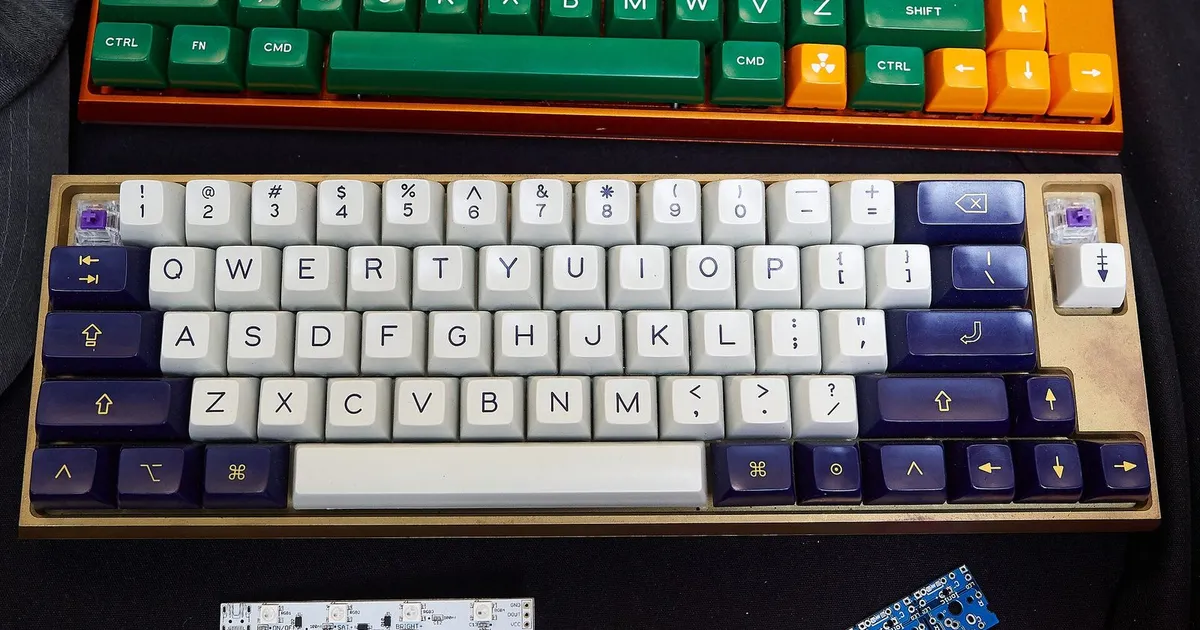
Photo by Patrick Breen / Wikimedia Commons / CC BY 2.0
Affiliate links.As an Amazon Associate I earn from qualifying purchases. Links below go to Amazon; prices and availability change, so check Amazon for current pricing.Affiliate disclosure
Keychron, Glorious and Ducky are popular with players who want something more customizable than a mainstream gaming keyboard. All three show up in Black Friday sales. This guide compares the brands and their signature models by design and listed features, not lab testing. We don’t list prices; links go to Amazon’s current listings.
Quick answer
| Brand | Known for | Customization | Signature models |
|---|---|---|---|
| Keychron | Wireless boards, Mac and Windows support, QMK/VIA | Remap in a web app; many hot-swap models | Q1 Max, V1, K2 HE |
| Glorious | Modular, hot-swap gaming boards | Hot-swap switches and modules | GMMK Pro, GMMK 3 |
| Ducky | Build quality, classic layouts | Mostly onboard settings, little software | One 3 |
Keychron
Keychron offers a huge range of layouts, many with wireless connectivity and support for both Mac and Windows. Most recent models support QMK/VIA, so you can remap every key in a web app without installing software.
- Keychron Q1 Max: a heavy aluminum 75% board with wireless, gasket mounting and hot-swap switches.
- Keychron V1: a budget wired 75% board with QMK/VIA and hot-swap, a great first enthusiast keyboard.
- Keychron K2 HE: magnetic switches with rapid trigger, plus wireless.
Best for: players who also work on their keyboard, want wireless, or use a Mac.
Glorious
Glorious made hot-swap keyboards mainstream for gamers, and its newer boards are modular.
- Glorious GMMK Pro: an aluminum 75% board with a rotary knob and gasket mount.
- Glorious GMMK 3: a modular board available in several sizes, including versions with magnetic (HE) switches.
Best for: gamers who want to experiment with switches and keycaps.
Ducky
Ducky is known for well-built keyboards with high-quality keycaps and a classic feel. Most settings are changed with key combinations on the board itself, with little or no software.
- Ducky One 3: hot-swap switches, good stock keycaps, and full, TKL, 65% and 60% sizes.
Best for: players who want a quality board that works out of the box without software.
How to choose
- Layout: full, TKL, 75%, 65% or 60%. Smaller boards leave more room for your mouse.
- Switches: linear, tactile, clicky or magnetic. See mechanical keyboard switch types.
- Hot-swap: lets you change switches without soldering.
- Wireless: Keychron leads here.
- Software: Keychron’s web app, Glorious Core, or Ducky’s onboard settings.
- Rapid trigger: if you play competitive FPS. See rapid trigger keyboards.
Compared with mainstream gaming brands
Razer, Logitech, Corsair and SteelSeries offer more polished software and features like rapid trigger in many models. Enthusiast brands often offer better typing feel and customization for the money. Our Black Friday keyboard picks include both.
FAQ
Are Keychron keyboards good for gaming? Yes. Wired or 2.4GHz modes are best for games; avoid Bluetooth for fast play.
What’s hot-swap? Switches that plug into sockets, so you can replace them without soldering.
Bottom line
Keychron for wireless and versatility, Glorious for modular tinkering, Ducky for build quality without software. More on our Black Friday gaming deals hub.
Our picks: Mice & Headsets
Shop on Amazon
Affiliate links.As an Amazon Associate I earn from qualifying purchases. Links below go to Amazon; prices and availability change, so check Amazon for current pricing.Affiliate disclosure
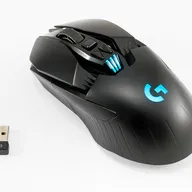

Illustrative photos: Photo by Jacek Halicki / Wikimedia Commons / CC BY-SA 4.0; Photo by Zephyris at English Wikipedia / Wikimedia Commons / CC BY-SA 3.0; Photo by FASTILY / Wikimedia Commons / CC BY-SA 4.0