A Beginner's Guide to Building Your First Gaming Setup
A step-by-step walkthrough for putting together a first gaming setup without overspending or buying things in the wrong order.
Main page for gaming setups: Setup Inspiration →
A step-by-step walkthrough for putting together a first gaming setup without overspending or buying things in the wrong order.
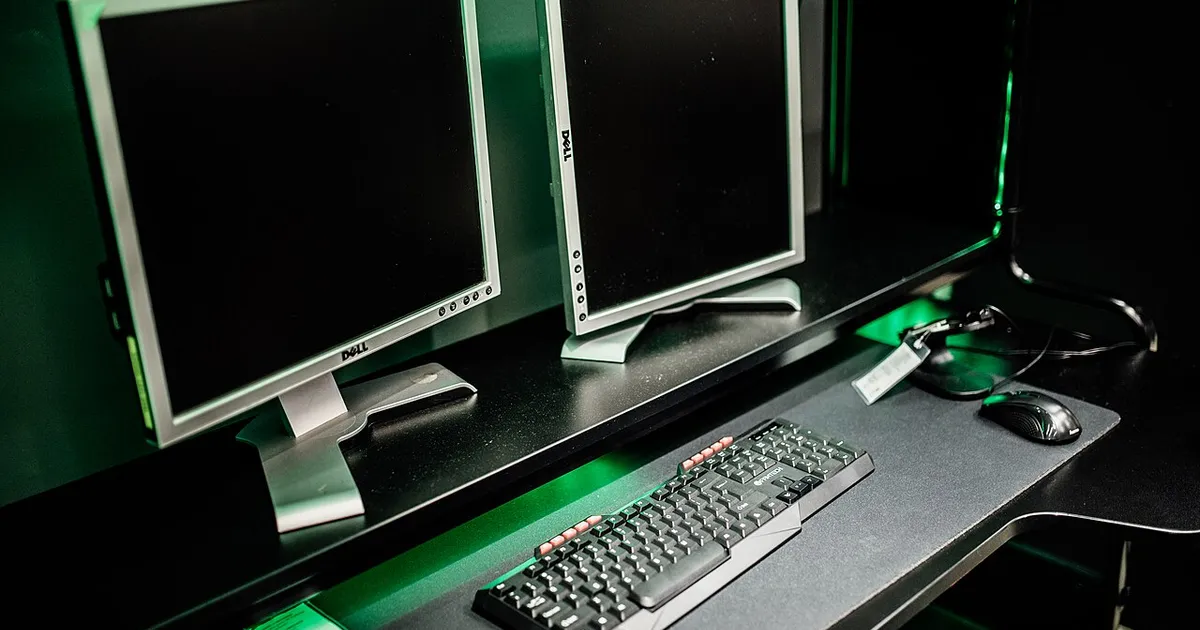
Photo by Shixart1985 / Wikimedia Commons / CC BY 2.0
Putting together a first gaming setup can feel overwhelming, mostly because there’s an enormous amount of gear to consider and no shortage of conflicting advice about what matters most. The good news is that a first setup doesn’t need to be perfect — it needs to be functional, comfortable, and built in a sensible order.
Figure Out Your Space First
Before buying anything, measure the space you actually have. Desk depth determines whether a large monitor or multiple monitors will sit at a comfortable distance. Room layout affects whether cable runs are short or long, and whether you’ll need a chair that fits under the desk fully. Skipping this step is the single most common reason people end up returning furniture or rearranging an entire room after the fact.
Prioritize the Things You Touch Constantly
It’s tempting to spend most of a budget on the flashiest single component, but the items you interact with directly — chair, desk, keyboard, mouse, and display — have an outsized effect on day-to-day experience compared to features you’ll rarely notice.
A Sensible Build Order
- Desk and chair. These define your physical comfort and how everything else gets arranged. Get this right before anything else.
- Display. Your primary screen affects both gaming and any other use of the setup, so it’s worth researching size and panel type before locking in a final configuration.
- Core input devices. A keyboard and mouse you’re comfortable with daily matter more early on than most peripherals bought later.
- Audio. Headset or speakers, chosen based on whether you’ll be gaming with others in the room or need private listening.
- Everything else. Lighting, cable management, webcam, and other accessories are genuinely optional polish — nice to have, but not blockers to a working setup.
Don’t Skip Cable Planning
New setups often look great until the first time cables need to be routed. Think about where your outlets are relative to your desk, whether you’ll need a power strip within reach, and how monitor and peripheral cables will travel to avoid a tangled mess later. Planning this at the start saves a frustrating redo down the line.
Common Beginner Mistakes
- Buying a monitor before deciding on desk depth, resulting in a screen sitting too close.
- Spending disproportionately on one component (often a graphics card or a headset) while neglecting the chair or desk that gets used every session.
- Ignoring ergonomics until discomfort sets in, rather than setting monitor height and chair position correctly from day one.
- Over-planning lighting and aesthetics before the functional basics are settled.
Give It Time to Settle
A first setup rarely feels perfect immediately. Expect to make small adjustments over the first few weeks — chair height, monitor angle, keyboard position — as you learn how you actually use the space day to day. Treat the initial build as a strong starting point rather than a finished product, and you’ll end up with a setup that actually fits how you play.
Our picks: Graphics cards & Processors
Shop on Amazon
Affiliate links.As an Amazon Associate I earn from qualifying purchases. Links below go to Amazon; prices and availability change, so check Amazon for current pricing.Affiliate disclosure
NVIDIA GeForce RTX 5070 Ti
16GB card that handles high-refresh 1440p and entry 4K.
Check price on Amazon
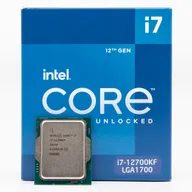
Illustrative photos: Photo by Timothy Borkowski / Wikimedia Commons / CC BY-SA 3.0; Photo by Myself User:ZyMOS / Wikimedia Commons / CC BY-SA 4.0; Photo by Advanced Micro Devices, Inc. (AMD) / Wikimedia Commons / Attribution; Photo by Jacek Halicki / Wikimedia Commons / CC BY-SA 4.0; Photo by Ondřej Martin Mach / Wikimedia Commons / CC BY-SA 3.0