How to Choose a Gaming Controller: Layout, Feel, and Compatibility
A practical framework for picking a gaming controller based on hand size, layout preferences, connection type, and platform compatibility.
A practical framework for picking a gaming controller based on hand size, layout preferences, connection type, and platform compatibility.
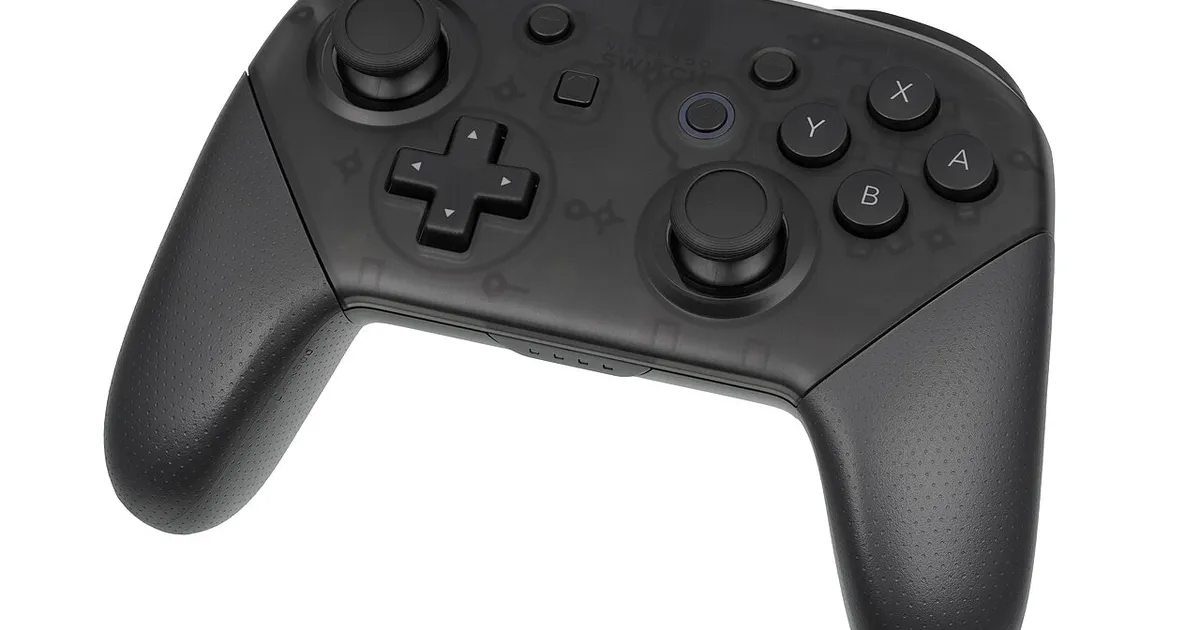
Photo by Evan-Amos / Wikimedia Commons / Public domain
Controllers seem interchangeable until you actually hold a few different ones side by side. Grip shape, button layout, and stick placement vary more between models than most buying guides let on, and the “best” controller is genuinely dependent on your hand size and the games you play most.
Symmetrical vs offset stick layout
The two dominant stick layouts are symmetrical (both analog sticks aligned horizontally, same height) and offset (one stick positioned higher than the other, closer to the d-pad or face buttons). This is a long-running preference debate with no objectively correct answer.
Offset layouts are often argued to feel more natural for thumb reach in shooters, since the primary aiming stick sits closer to a relaxed thumb position. Symmetrical layouts are argued to give a more even, predictable feel across genres, particularly ones that use both sticks equally (racing, some platformers). If you’ve only ever used one layout, try the other before assuming your preference is universal — many players are surprised by which one actually feels more comfortable once they compare directly.
Hand size and grip shape
Controllers vary meaningfully in physical size and grip contour. A controller that feels great for someone with larger hands can feel oversized and awkward for someone with smaller hands, leading to overreaching for shoulder buttons or straining to reach face buttons comfortably. If possible, hold a controller in person before buying, or check width/depth measurements and compare against a controller you already own and like (or dislike).
Button layout and face button placement
Beyond stick position, consider face button size, spacing, and travel (how far they need to be pressed). Some layouts favor precise, light presses; others favor a deeper, more deliberate press that some players find reduces accidental inputs. D-pad shape also varies — a plus-shaped d-pad with distinct arms generally gives more precise directional input than a circular disc-style d-pad, which matters more for fighting games and precise menu navigation than for general use.
Wired vs wireless connection
Wired controllers offer the simplest, most reliable connection with zero battery concerns, at the cost of a cable limiting your distance from the console or PC. Wireless controllers offer freedom of movement and are the standard for couch/living-room setups, but require charging management — similar tradeoffs to the wired-vs-wireless mouse decision covered elsewhere. If you play primarily at a desk close to your PC, wired removes one more thing to think about; if you play from a couch, wireless is close to essential.
Platform and software compatibility
Not every controller works identically across every platform. Some controllers are designed primarily for one ecosystem and only partially support others (missing certain button mappings, no vibration, no gyro support, etc., on non-native platforms). Before buying, confirm the controller officially supports your primary platform, and check whether advanced features you care about (adjustable trigger sensitivity, remappable buttons, gyro aiming) actually carry over to the platform you’ll use most.
Back buttons and remapping
Higher-end controllers increasingly offer additional back or paddle buttons that can be remapped to duplicate face button inputs, letting you keep your thumbs on the sticks for actions that would otherwise require releasing a stick to reach a face button. This is a genuine competitive advantage in games where quick jumping, crouching, or ability use matters, but it’s an added cost and a learning curve — not necessary for casual or story-focused play.
A simple decision process
- Identify your platform and confirm full compatibility, not just “it connects.”
- Try both symmetrical and offset stick layouts if you can, rather than assuming a preference.
- Match grip size roughly to your hand size, using measurements if you can’t test in person.
- Decide wired vs wireless based on where you’ll actually be sitting relative to your setup.
- Only add remappable back buttons if you have a specific game or genre where it will actually help.
The right controller is the one that disappears in your hands — you stop thinking about it and just play. Prioritize fit and comfort over feature lists when the two conflict.
Our picks: Controllers
Shop on Amazon
Affiliate links.As an Amazon Associate I earn from qualifying purchases. Links below go to Amazon; prices and availability change, so check Amazon for current pricing.Affiliate disclosure
PlayStation DualSense Wireless Controller
Haptics and adaptive triggers on PS5 and PC.
Check price on Amazon
Illustrative photos: Photo by Microsoft / Wikimedia Commons / CC BY-SA 4.0; Photo by Alex Cochrane / Wikimedia Commons / CC BY-SA 4.0; Photo by Evan-Amos / Wikimedia Commons / Public domain