Microphone Boom Arms: RØDE PSA1+, Elgato Wave Mic Arm and TONOR T20
Why a boom arm improves your mic's sound, how to choose one for your mic's weight and desk, and three options from budget to premium.
Why a boom arm improves your mic's sound, how to choose one for your mic's weight and desk, and three options from budget to premium.
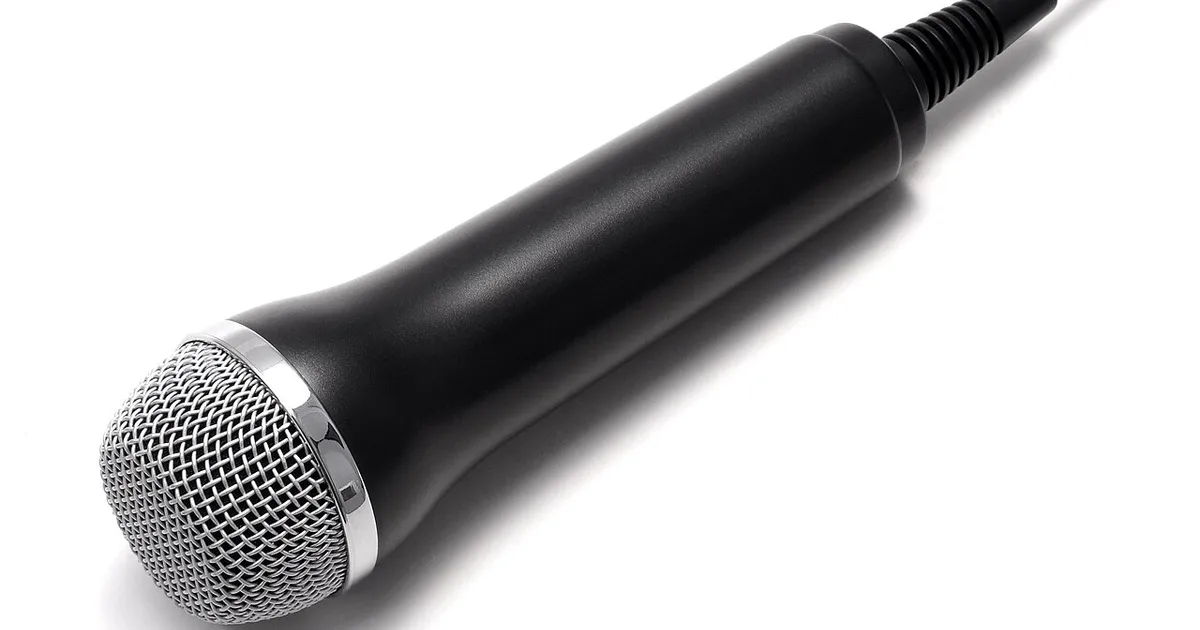
Photo by Evan-Amos / Wikimedia Commons / Public domain
Affiliate links.As an Amazon Associate I earn from qualifying purchases. Links below go to Amazon; prices and availability change, so check Amazon for current pricing.Affiliate disclosure
A boom arm holds your microphone close to your mouth without taking up desk space, and keeps it out of camera when you don’t need it. It’s one of the cheapest ways to make any mic sound better. This guide compares three popular arms by design and listed features, not lab testing. We don’t list prices; links go to Amazon’s current listings.
Quick answer
| Boom arm | Style | Best for |
|---|---|---|
| RØDE PSA1+ | Traditional overhead arm, internal springs | Heavier mics, smooth movement, a long-term buy |
| Elgato Wave Mic Arm LP | Low-profile, stays below camera view | Streamers who want the arm out of frame |
| TONOR T20 | Budget overhead arm, external springs | Light USB mics on a budget |
Why use a boom arm
- Better sound: position the mic close to your mouth, where it sounds clearest.
- Less noise: off the desk, it picks up fewer keyboard thumps and desk bumps.
- More desk space.
- Cleaner camera framing.
RØDE PSA1+
A premium arm with internal springs and smooth, quiet movement. It holds heavier mics and stays in place well.
- Who it suits: streamers and podcasters who move the mic often, and anyone with a heavier mic.
- What to weigh: it costs more than budget arms.
Elgato Wave Mic Arm LP
A low-profile arm that extends from the desk at a low angle, keeping it below your webcam’s view.
- Who it suits: streamers who want a clean camera shot.
- What to weigh: check its reach and weight capacity for your mic.
TONOR T20
A budget arm with external springs. Fine for light USB microphones.
- Who it suits: a first boom arm for a light mic.
- What to weigh: external springs can make noise if bumped; heavier mics may sag.
What to check before buying
- Mic weight: must be within the arm’s supported range. Too light and the arm may rise; too heavy and it sags.
- Thread size: most arms use 5/8”; some mics need a 3/8” adapter (often included).
- Desk clamp: check the maximum desk thickness and whether your desk has a lip or frame in the way.
- Reach: long enough to bring the mic to your mouth.
- Cable management: clips or channels keep the cable tidy.
- Shock mount: reduces vibration from desk bumps; some mics include one.
Setup tips
- Clamp it at the back corner of the desk on your non-mouse side.
- Position the mic slightly off-axis, 5–15 cm from your mouth, pointing at your mouth.
- Tighten the joints so it holds position without drooping.
Pairing with a microphone
A boom arm helps most with dynamic mics, which need to be close. See budget USB microphones and USB vs XLR microphones.
FAQ
Do I need a boom arm? Not strictly, but it makes almost any mic sound better and frees desk space.
Will a boom arm hold a heavy XLR mic? Check the arm’s weight range; premium arms like the PSA1+ handle heavier mics.
Bottom line
Pick a boom arm that matches your mic’s weight and your desk, and position the mic close. The PSA1+ for heavier mics and smooth movement, the Wave Mic Arm LP for clean camera framing, the T20 for light mics on a budget. More streaming gear in lighting, webcam and mic setup.
Our picks: Microphones
Shop on Amazon
Affiliate links.As an Amazon Associate I earn from qualifying purchases. Links below go to Amazon; prices and availability change, so check Amazon for current pricing.Affiliate disclosure
Illustrative photos: Photo by Evan-Amos / Wikimedia Commons / Public domain