Choosing Gaming Speakers: Stereo, 2.1, and Surround Explained
A breakdown of stereo, 2.1, and multi-speaker surround setups for gaming, and how to figure out which configuration actually suits your room.
A breakdown of stereo, 2.1, and multi-speaker surround setups for gaming, and how to figure out which configuration actually suits your room.
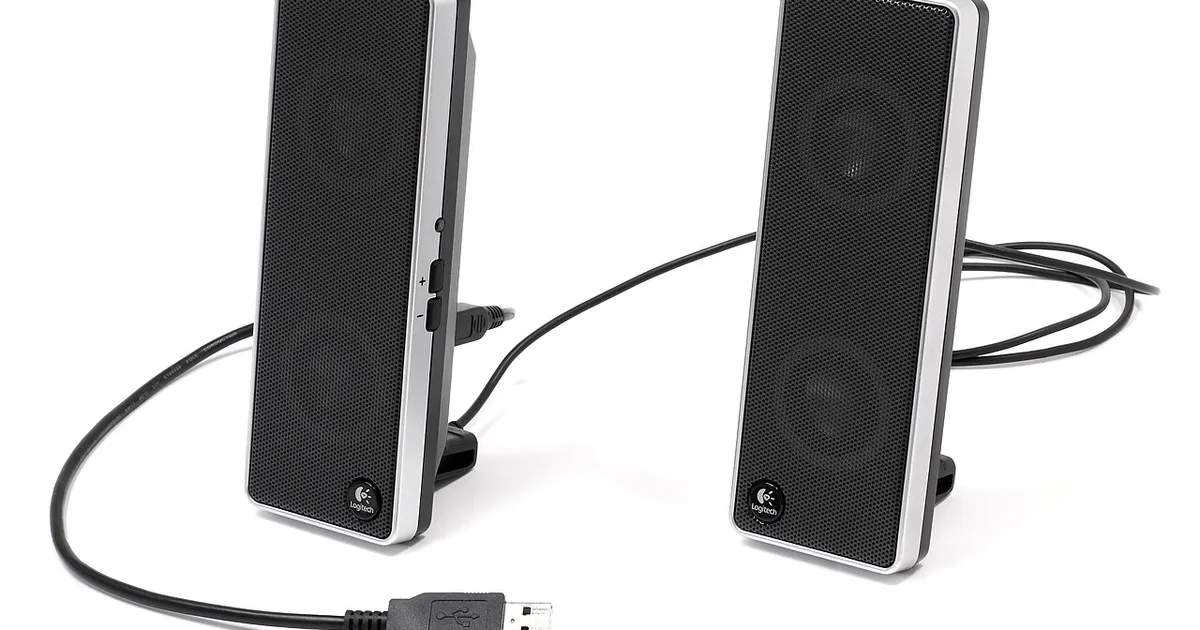
Photo by Evan-Amos / Wikimedia Commons / Public domain
Speakers get less attention than headsets in gaming setups, but for split households, co-op sessions, or anyone who finds headphones fatiguing over long play sessions, the right speaker configuration matters. The core decision is how many speakers (and channels) you actually need.
Stereo (2.0): the simple baseline
A stereo setup is two speakers, left and right, with no dedicated subwoofer. It’s the simplest configuration to set up — plug in, position on either side of your monitor, done. Stereo works well for near-field desktop listening, where the speakers are close enough that you don’t need a lot of separation to perceive left/right positioning. The tradeoff is limited bass response from small desktop drivers, since low frequencies generally need more physical speaker volume (cabinet size) to reproduce well.
2.1: adding a subwoofer
A 2.1 setup adds a dedicated subwoofer to a stereo pair, offloading bass frequencies to a speaker built specifically to handle them. This is often the most practical upgrade path from stereo: you keep simple left/right positioning for clarity and directionality, while getting noticeably fuller low-end for explosions, engine rumble, and music without needing large (and desk-space-hungry) main speakers. Subwoofer placement is flexible since bass frequencies are less directional than mids/highs — under the desk or in a corner both work reasonably well.
Surround setups (5.1 and beyond)
Surround configurations add rear and/or side speakers (and often a center channel) to create sound that comes from multiple directions around the listener, not just the front. For gaming, this can meaningfully improve positional awareness in games that support multichannel audio output, similar in spirit to what open-back headsets do for soundstage, but with actual physical speakers behind and beside you instead of a simulated effect.
The catch is practicality: surround speaker setups need real room space for rear/side speaker placement and wiring, which is a much bigger commitment than a stereo or 2.1 desktop setup. They make more sense for a dedicated gaming room with a couch/chair setup than for a typical desk arrangement, where rear speakers are often impossible to place correctly.
Virtual surround as a middle ground
Many stereo and 2.1 systems, along with most headsets, offer “virtual surround” processing — software that simulates directional cues using only two physical speaker channels (or two ear cups). It’s not equivalent to true multi-speaker surround, but it’s a reasonable middle ground if you want more positional cues without committing to a full speaker array. Results vary noticeably between implementations, so treat it as a nice-to-have rather than the deciding factor in a purchase.
Room size and desk position change the calculus
Speaker choice isn’t just about channel count — placement and room acoustics matter enormously. Speakers too close to walls or corners can produce boomy, uneven bass. Speakers angled incorrectly relative to your listening position lose stereo imaging. Before assuming you need more speakers or a bigger system, make sure your current setup is actually positioned well: roughly ear-height, angled toward your head, and with reasonable clearance from walls behind them.
How to decide
- Stereo if you want simplicity, limited desk space, and don’t need heavy bass.
- 2.1 if you want fuller bass without complicating placement — the most common practical upgrade.
- Surround only if you have a dedicated room/couch setup where rear speaker placement is actually feasible.
- Virtual surround as a low-commitment way to test whether positional audio cues matter to you before investing in physical rear speakers.
Match the setup to your room, not the specification sheet. A well-positioned 2.1 system in a small room will outperform a poorly placed 5.1 setup crammed onto a desk that was never designed for it.
Our picks: Speakers
Shop on Amazon
Affiliate links.As an Amazon Associate I earn from qualifying purchases. Links below go to Amazon; prices and availability change, so check Amazon for current pricing.Affiliate disclosure
Illustrative photos: Photo by Evan-Amos / Wikimedia Commons / Public domain