How to Choose a Webcam for Streaming: Resolution, Frame Rate, and Low Light
The specs that actually matter when buying a webcam for streaming or video calls, from resolution and frame rate to low-light performance and field of view.
The specs that actually matter when buying a webcam for streaming or video calls, from resolution and frame rate to low-light performance and field of view.
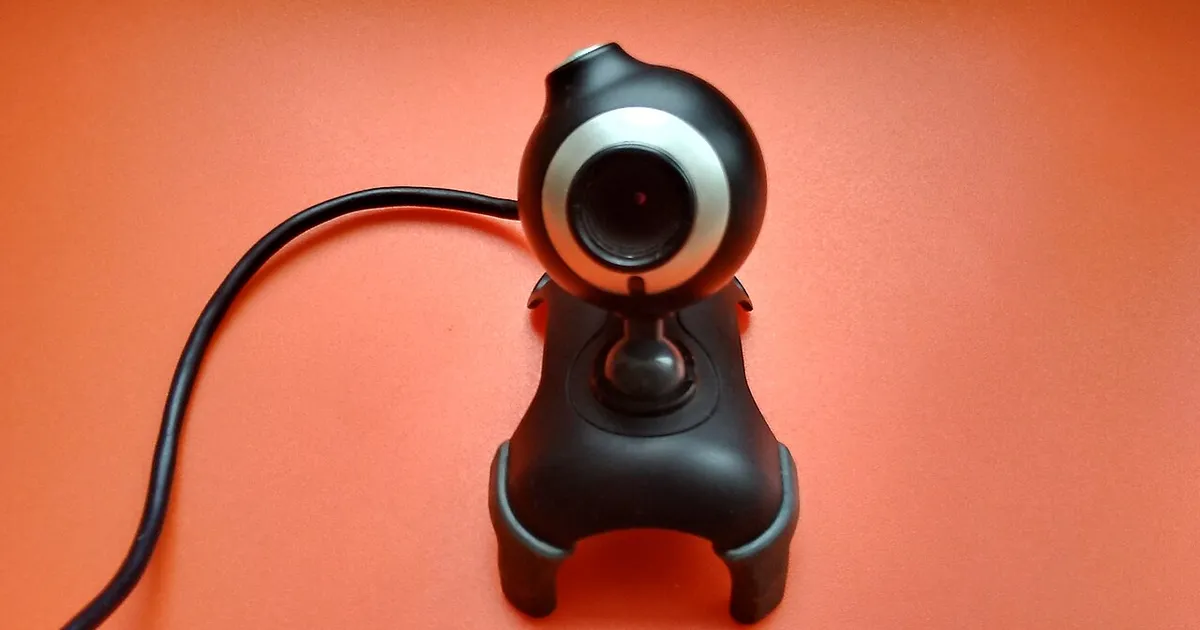
Photo by WrS.tm.pl / Wikimedia Commons / CC0
Webcam shopping tends to turn into a resolution-number contest, but resolution alone doesn’t determine how good you’ll actually look on stream or on a call. A handful of other specs matter just as much, and some matter more once you factor in real-world lighting.
Resolution: useful, but not the whole story
Resolution determines how much detail the sensor captures — common options range from 720p up through 1080p and 4K. Higher resolution gives more detail and more room to crop or reposition your frame without losing quality, which matters if you’re using a virtual camera setup or cropping for a specific aspect ratio. That said, most viewers watch on platforms that compress video heavily, and beyond a certain point (widely 1080p for most casual streaming and calls), diminishing returns set in — a 4K webcam with a poor sensor in low light can look worse than a well-built 1080p one.
Frame rate: smoother motion, more bandwidth
Frame rate (measured in fps) determines how smooth motion looks. Standard webcams often run 30fps; some support 60fps at lower resolutions. Higher frame rate produces smoother video, particularly noticeable if you move around, gesture a lot, or want your face cam to feel less choppy during fast-paced gameplay moments. The tradeoff is more bandwidth and processing load, which matters if you’re already taxing your system or upload bandwidth with game capture and encoding simultaneously.
Low-light performance: the most overlooked spec
This is where cheap webcams fall apart. Sensor size and quality determine how well a camera performs in less-than-ideal lighting — most home setups, especially at night or with only ambient room light. A webcam that looks fine in bright daylight can produce grainy, noisy, dim video in a normal evening-lit room. Since spec sheets rarely quantify this well, look for real sample footage or reviews specifically testing low-light performance rather than trusting resolution numbers alone.
Good lighting solves more problems than a better webcam does. A basic webcam with proper key lighting (see the placement and lighting guide) will usually outperform an expensive webcam in a dim room.
Field of view: how much the lens captures
Field of view (FOV) determines how much of the scene is visible — narrower FOV fills the frame more with just your face and upper body; wider FOV captures more of your room or setup behind you. Neither is objectively better: a narrow FOV suits close desk setups where you sit near the camera, while a wide FOV suits streamers who want to show their whole setup, multiple monitors, or physical gear in frame. Some webcams offer adjustable/digital FOV cropping, which adds flexibility without needing to physically reposition the camera.
Autofocus and exposure handling
Reliable autofocus keeps you sharp even if you shift position slightly during a session — cheaper webcams can hunt (visibly refocus) distractingly when lighting or distance changes. Automatic exposure adjustment matters too: a webcam that handles a bright window or changing background light gracefully avoids you appearing as a silhouette or blown-out white patch when lighting shifts.
Mounting and positioning flexibility
A webcam is only as good as its placement. Check what mounting options are included — monitor clip, tripod thread, adjustable arm compatibility — since a camera mounted too low (looking up your nose) or too far away undercuts even good specs. Flexible mounting also makes it easier to position the camera near eye level, which produces a more natural, engaging angle than a camera perched awkwardly above or below your face.
Putting it together
Prioritize in this order for most streaming and calling use: reliable low-light performance and autofocus first, a resolution/frame-rate combo that matches your platform’s needs second, and field of view/mounting flexibility to fit your actual desk setup third. A mid-tier webcam with good lighting will consistently outperform a top-spec webcam in a poorly lit room — invest in your lighting setup alongside the camera itself.
Our picks: Webcams
Shop on Amazon
Affiliate links.As an Amazon Associate I earn from qualifying purchases. Links below go to Amazon; prices and availability change, so check Amazon for current pricing.Affiliate disclosure
Illustrative photos: Photo by WrS.tm.pl / Wikimedia Commons / CC0