Refresh Rate, Response Time, and Resolution: A Gaming Monitor Buying Guide
A plain-language breakdown of the core gaming monitor specs — refresh rate, response time, and resolution — and how to prioritize them for your use case.
A plain-language breakdown of the core gaming monitor specs — refresh rate, response time, and resolution — and how to prioritize them for your use case.

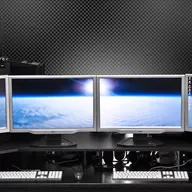
Photo by Lennybird / Wikimedia Commons / CC BY-SA 3.0
Monitor spec sheets throw a wall of numbers at you — refresh rate, response time, resolution, and increasingly niche acronyms layered on top. Understanding what each one actually does for your gaming experience makes it much easier to prioritize where to spend your budget.
Refresh Rate: How Often the Image Updates
Refresh rate, measured in Hz, is how many times per second the monitor redraws the image. A 60Hz monitor updates 60 times a second; a 144Hz or 240Hz monitor updates far more often. Higher refresh rates produce visibly smoother motion, and in fast-paced or competitive games, they can make aiming and tracking moving targets noticeably easier because the game state feels more current.
That said, refresh rate benefits only show up if your GPU can actually push frames fast enough to use them. A high refresh rate monitor paired with a system that only outputs 70 frames per second in a demanding game won’t deliver the full smoothness benefit in that title — though it still helps in lighter or competitive games running well above 100fps. Match your target refresh rate to realistic frame rates for the games you actually play.
Response Time: How Fast Pixels Change Color
Response time, usually listed in milliseconds, measures how quickly a pixel can shift from one color to another. Slower response times can cause visible blur or ghosting trails behind fast-moving objects, which is distracting in fast shooters and can genuinely hurt your ability to track targets precisely.
Response time specs on marketing pages are often measured under ideal, cherry-picked conditions, so treat the advertised number as a rough guide rather than gospel. Panel technology matters more than the number alone — different panel types (covered below) have different inherent response time characteristics.
Resolution: How Much Detail You See
Resolution determines image sharpness and how much screen real estate you have. Common gaming resolutions run from 1080p up through 1440p and 4K, with each step up demanding significantly more GPU horsepower to maintain high frame rates. There’s a real trade-off here: a higher resolution looks sharper and shows more detail, but pushing that many pixels at a high refresh rate requires substantially more graphics performance than a lower-resolution panel.
If you’re building around a mid-range GPU, a 1440p monitor at a high refresh rate is often a more balanced choice than 4K, since it’s easier to consistently hit high frame rates. If you have a high-end GPU and want maximum detail for slower-paced or single-player games, 4K becomes more compelling.
How to Prioritize Based on What You Play
- Competitive, fast-paced shooters: prioritize refresh rate and low response time over resolution — smoothness and clarity in motion matter more than pixel count.
- Single-player, story-driven, or visually detailed games: resolution and color/panel quality matter more, since these games are often played at a calmer pace where visual fidelity stands out.
- Mixed use (competitive plus visual-heavy titles): look for a 1440p panel with a high refresh rate as a middle ground that handles both reasonably well.
Don’t Forget Adaptive Sync
Variable refresh rate technology (which synchronizes the monitor’s refresh rate with your GPU’s frame output) reduces screen tearing and stuttering, and is worth prioritizing alongside the specs above — a smooth, tear-free image often matters more to the actual feel of gameplay than chasing the highest possible Hz number on the box.
Putting It Together
Rather than maximizing every spec independently, think about your GPU’s realistic output, the genres you play most, and your budget, then pick the resolution and refresh rate combination your system can actually sustain. A monitor that perfectly matches your hardware’s capability will feel better in practice than one with flashier numbers your system can’t take advantage of.
Our picks: Gaming monitors
Shop on Amazon
Affiliate links.As an Amazon Associate I earn from qualifying purchases. Links below go to Amazon; prices and availability change, so check Amazon for current pricing.Affiliate disclosure
ASUS TUF Gaming VG27AQ
Popular 1440p high-refresh monitor that rarely disappoints.
Check price on Amazon


Illustrative photos: Photo by Lennybird / Wikimedia Commons / CC BY-SA 3.0; Photo by PantheraLeo1359531 / Wikimedia Commons / CC BY 4.0; Photo by Terabass / Wikimedia Commons / CC BY-SA 3.0