Buying an RTX 50-Series Gaming Laptop: ASUS TUF Gaming A16, Lenovo Legion 5i, HP OMEN Transcend 14 and Razer Blade 16
Why the same GPU can perform very differently in two gaming laptops, what to check in a spec sheet, and four laptop lines that cover budget to premium.
Why the same GPU can perform very differently in two gaming laptops, what to check in a spec sheet, and four laptop lines that cover budget to premium.
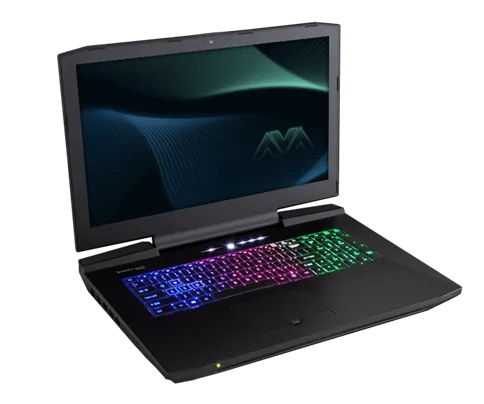
Photo by Nikitarama / Wikimedia Commons / CC BY-SA 4.0
Affiliate links.As an Amazon Associate I earn from qualifying purchases. Links below go to Amazon; prices and availability change, so check Amazon for current pricing.Affiliate disclosure
Laptop GPUs share names with desktop cards, but they don’t perform the same. Two laptops with the same “RTX 5070 Laptop GPU” can perform quite differently, depending on how much power the maker lets the GPU use and how well the laptop cools it. This guide explains what to check and covers four laptop lines from budget to premium.
What to check in a spec sheet
- GPU power (TGP): the higher the wattage the laptop allows the GPU, the faster it will generally run. Makers list this on the spec sheet, sometimes as “max graphics power”.
- The exact configuration: laptop models are sold in many configurations under one name. Check the GPU, CPU, RAM and screen of the exact listing.
- Screen: resolution, refresh rate and panel type. A 1440p or 1600p 165Hz+ screen is a good match for mid-range GPUs.
- RAM and storage upgrades: some laptops have soldered RAM. If you might upgrade, check for SO-DIMM slots and a second M.2 slot.
- MUX switch or Advanced Optimus: this lets the GPU drive the screen directly, which improves performance in games.
ASUS TUF Gaming A16
The ASUS TUF Gaming A16 is ASUS’s value line, with sturdy builds and large batteries, aimed at buyers who want a capable GPU without premium extras.
Lenovo Legion 5i
The Lenovo Legion 5i is a mainstream line known for good cooling and keyboards. It is a solid all-rounder in the mid range.
HP OMEN Transcend 14
The HP OMEN Transcend 14 is a thin 14-inch gaming laptop for people who carry their laptop daily. Thin laptops usually run their GPUs at lower power than thicker ones, so expect less performance than the same GPU in a bigger chassis.
Razer Blade 16
The Razer Blade 16 is a premium line with an aluminum unibody and high-end screens. It’s for buyers who want a desktop replacement that looks and feels like a premium laptop.
Bottom line
Compare GPU power, cooling and the exact configuration, not just the GPU name. Read reviews of the specific configuration you’re considering.
Our picks: Graphics cards & Gaming monitors
Shop on Amazon
Affiliate links.As an Amazon Associate I earn from qualifying purchases. Links below go to Amazon; prices and availability change, so check Amazon for current pricing.Affiliate disclosure
ASUS TUF Gaming VG27AQ
Popular 1440p high-refresh monitor that rarely disappoints.
Check price on AmazonNVIDIA GeForce RTX 5070 Ti
16GB card that handles high-refresh 1440p and entry 4K.
Check price on Amazon


Illustrative photos: Photo by Timothy Borkowski / Wikimedia Commons / CC BY-SA 3.0; Photo by Lennybird / Wikimedia Commons / CC BY-SA 3.0; Photo by Advanced Micro Devices, Inc. (AMD) / Wikimedia Commons / Attribution; Photo by PantheraLeo1359531 / Wikimedia Commons / CC BY 4.0; Photo by Terabass / Wikimedia Commons / CC BY-SA 3.0