How Many Fans Does Your PC Actually Need?
Beyond a minimum viable setup, additional case fans deliver rapidly diminishing returns. Here is how to figure out when more fans actually help.
Beyond a minimum viable setup, additional case fans deliver rapidly diminishing returns. Here is how to figure out when more fans actually help.

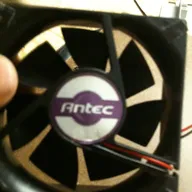
Photo by Mkhan4793 / Wikimedia Commons / CC BY-SA 3.0
Fan count is one of those specs that’s easy to treat as “more is always better,” but case cooling doesn’t scale linearly with fan count — beyond a reasonable baseline, additional fans deliver smaller and smaller improvements, and past a certain point mainly add noise rather than meaningfully lower temperatures.
A reasonable minimum setup
A basic, functional airflow setup for most mid-tower gaming cases consists of at least one intake fan at the front and one exhaust fan at the rear or top — enough to establish a clear front-to-back or bottom-to-top air path through the case, following the general principles covered in our companion piece on intake, exhaust, and static pressure. Many cases now ship with two or three fans preinstalled specifically to hit this reasonable baseline out of the box, and for a modest build with a mid-range GPU and CPU, this baseline is often genuinely sufficient.
When adding fans meaningfully helps
A few situations tend to benefit clearly from fans beyond the baseline:
- Higher-power components generating more total heat, where more airflow volume helps keep both the GPU and CPU’s own coolers working at their best.
- A case with more restrictive mesh or filtered panels, where a single fan on each side may not be moving as much air as an equivalent fan in a more open case, making an additional fan more impactful than it would be in a less restrictive case.
- A liquid cooling radiator, which typically needs its own dedicated fans in addition to whatever fans are already handling general case airflow.
- A case that runs noticeably warm even after confirming fan placement and orientation are correct — sometimes the fix is more airflow rather than a placement problem.
Where the returns start diminishing
Once a case has solid, well-oriented intake and exhaust covering its main airflow path, each additional fan generally contributes a smaller temperature improvement than the one before it, since the case’s remaining thermal bottleneck increasingly becomes the components’ own heatsinks and coolers rather than ambient case airflow. Beyond roughly five or six well-placed fans in a typical mid-tower case, additional fans are more likely to mainly add noise — and, if placed without regard to airflow direction, can even work against each other — than to meaningfully lower temperatures further.
Fan size and PWM control matter too
Larger fans (140mm versus 120mm, for example) can generally move more air at a lower rotational speed than smaller fans doing the same job, which often means less noise for a similar airflow contribution — worth factoring in alongside raw fan count when a case supports larger fan mounts. Separately, PWM-controllable fans that adjust their speed based on system temperature let you run fans slower (and quieter) during light use and ramp up automatically under load, which is generally preferable to fans running at a single fixed speed all the time regardless of actual cooling need.
A practical way to decide
Start with a solid baseline of properly oriented intake and exhaust fans, monitor your actual temperatures under real gaming load, and only add fans if temperatures are genuinely higher than you’d like after confirming placement and fan type are correct. If temperatures are already reasonable, additional fans are unlikely to deliver a noticeable improvement and mainly trade quiet operation for a marginal, often imperceptible cooling gain.
Our picks: Case fans
Shop on Amazon
Affiliate links.As an Amazon Associate I earn from qualifying purchases. Links below go to Amazon; prices and availability change, so check Amazon for current pricing.Affiliate disclosure
Illustrative photos: Photo by Mkhan4793 / Wikimedia Commons / CC BY-SA 3.0