NVMe vs. SATA SSD: Which Storage Should Power Your Gaming PC
Both are dramatically faster than a hard drive, but NVMe and SATA SSDs differ in speed, connection type, and where the extra speed actually pays off.
Both are dramatically faster than a hard drive, but NVMe and SATA SSDs differ in speed, connection type, and where the extra speed actually pays off.
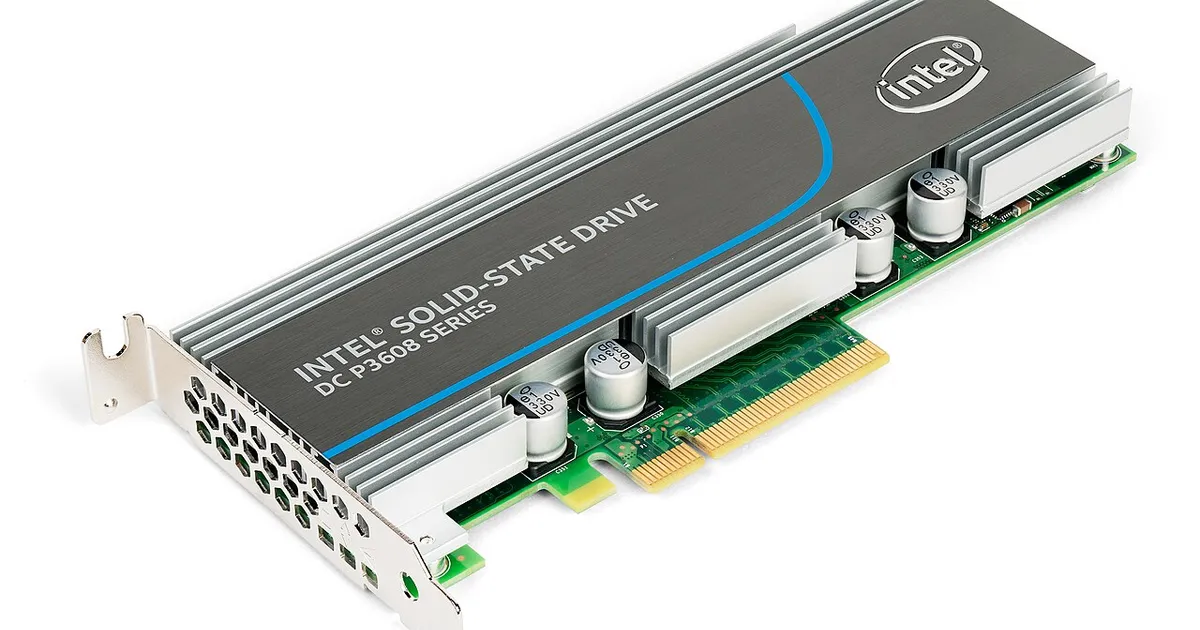
Photo by Dmitry Nosachev / Wikimedia Commons / CC BY-SA 4.0
Solid state drives replaced traditional hard drives as the standard for gaming PCs years ago, but SSDs themselves come in two meaningfully different types: SATA and NVMe. Both are far faster than a mechanical hard drive, but the difference between the two is still worth understanding before you buy.
How each one connects
SATA SSDs use the same connector and cable standard that mechanical hard drives have used for years, and they’re limited by that interface’s maximum bandwidth. NVMe SSDs instead connect directly to the motherboard via the PCI Express bus — either through an M.2 slot (the most common form today) or, less commonly now, an add-in card — which offers dramatically more bandwidth than the SATA interface can provide. This is the fundamental reason NVMe drives can be so much faster: it’s not just a better drive, it’s a faster road for the same kind of traffic to travel on.
Where the speed difference actually shows up
NVMe’s speed advantage is largest in sustained sequential transfers — copying large files, or loading the initial large chunk of data when launching a game or level. In-game loading screens are often shorter on NVMe, sometimes noticeably so, though the exact difference varies by game and how it streams assets. Once a game is up and running, the performance difference between NVMe and SATA storage for frame rates during actual gameplay is minimal to nonexistent — storage speed affects loading and streaming, not rendering performance. If your main goal is a faster boot and shorter load screens, NVMe delivers that clearly; if your main goal is higher frame rates, the GPU and CPU matter far more than which SSD type you choose.
Capacity and price tradeoffs
NVMe drives have historically carried a price premium per gigabyte over SATA drives, though that gap has narrowed considerably over time and continues to shift. Because of this, a common practical approach is prioritizing NVMe for your primary drive — where the OS and most-played games live — while considering SATA SSDs (or simply a second, larger NVMe drive if pricing allows) for bulk additional storage where the extra sequential speed matters less. Check current pricing for both when planning a build rather than assuming a fixed price gap, since this has moved substantially over the years.
Motherboard compatibility is worth checking
Not every motherboard has the same number of M.2 slots, and not every M.2 slot on a given board necessarily runs at full NVMe speed — some boards include slots that only support the slower SATA-based version of M.2, or share bandwidth with other slots. Before assuming a board will give you the NVMe performance you’re expecting, check its specification sheet for how many full-speed NVMe M.2 slots it actually has and whether any of them share bandwidth with other components when populated together.
Which one should you actually buy
For most gaming builds today, an NVMe drive as the primary boot and game drive is the sensible default given how close pricing has become at common capacities, with the main exception being genuinely budget-constrained builds where a SATA SSD still delivers the enormous jump over a mechanical hard drive at a lower cost. Beyond the primary drive, mixing drive types for additional capacity is a completely reasonable way to balance cost against the modest, load-time-focused benefits NVMe provides.
Our picks: SSDs
Shop on Amazon
Affiliate links.As an Amazon Associate I earn from qualifying purchases. Links below go to Amazon; prices and availability change, so check Amazon for current pricing.Affiliate disclosure
Illustrative photos: Photo by Dmitry Nosachev / Wikimedia Commons / CC BY-SA 4.0