Buying PC Parts on Amazon: Sellers, Warranties and Returns Explained
How to check who is really selling a CPU, GPU or SSD on Amazon, what that means for your warranty, and which parts to be most careful with.
How to check who is really selling a CPU, GPU or SSD on Amazon, what that means for your warranty, and which parts to be most careful with.
Photo by Gaming PC Bundle / Wikimedia Commons / CC BY-SA 4.0
Affiliate links.As an Amazon Associate I earn from qualifying purchases. Links below go to Amazon; prices and availability change, so check Amazon for current pricing.Affiliate disclosure
Amazon is one of the most convenient places to buy PC parts, with fast shipping and an easy return process. But the same product page can have several sellers, and that affects what you receive and who handles problems. Here’s what to check.
Who is the seller?
On each listing, look at “Ships from” and “Sold by”:
- Sold by Amazon: Amazon is the retailer and handles returns.
- Sold by the manufacturer’s official store: usually fine, and often the brand’s own storefront.
- Sold by a third-party seller: check the seller’s ratings and return policy. “Fulfilled by Amazon” means Amazon ships it, but the seller is still the retailer.
Parts to be most careful with
- CPUs: buy new, sealed processors such as the AMD Ryzen 7 9800X3D from Amazon or an authorized seller. Avoid unusually cheap listings from new sellers.
- Graphics cards: check the exact model and that it’s sold new. Some “renewed” GPUs come with short warranties.
- SSDs: buy well-known drives like the Samsung 990 PRO 2TB from reputable sellers. Fake high-capacity drives are a known scam, mainly with unbranded USB drives and microSD cards.
- Power supplies: buy known models, such as the Corsair RM850x, from established sellers. A bad PSU can damage other parts.
Warranties
Manufacturer warranties usually apply regardless of where you bought the part, as long as it was sold new by an authorized seller. Keep your order invoice. Some brands require registration, or ask for proof that the seller was authorized.
Returns
Amazon’s standard return window applies to most items it sells, but some categories and third-party sellers have different rules. Before opening a part, check the listing’s return policy. For a GPU or CPU, test it soon after delivery so a problem is caught within the window.
Saving money
Watch for price drops with a price tracker, and compare the same part from different sellers. Bundles and “renewed” items can save money, but read the warranty terms. GamingScrims lists a coupon only when it has a source and a checked date.
Bottom line
Check the seller, keep your invoice, and test parts promptly. That covers most of the risk when buying PC parts online.
Our picks: Graphics cards & SSDs
Shop on Amazon
Affiliate links.As an Amazon Associate I earn from qualifying purchases. Links below go to Amazon; prices and availability change, so check Amazon for current pricing.Affiliate disclosure
NVIDIA GeForce RTX 5070 Ti
16GB card that handles high-refresh 1440p and entry 4K.
Check price on Amazon
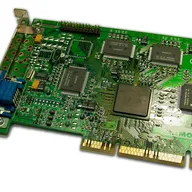
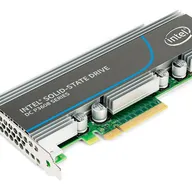
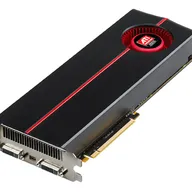
Illustrative photos: Photo by Timothy Borkowski / Wikimedia Commons / CC BY-SA 3.0; Photo by Dmitry Nosachev / Wikimedia Commons / CC BY-SA 4.0; Photo by Advanced Micro Devices, Inc. (AMD) / Wikimedia Commons / Attribution