Cloud Gaming Services Compared: GeForce NOW, Xbox Cloud Gaming and PlayStation Plus Premium
How the major cloud gaming services differ in game libraries, quality and device support, and the controller and network you need.
How the major cloud gaming services differ in game libraries, quality and device support, and the controller and network you need.
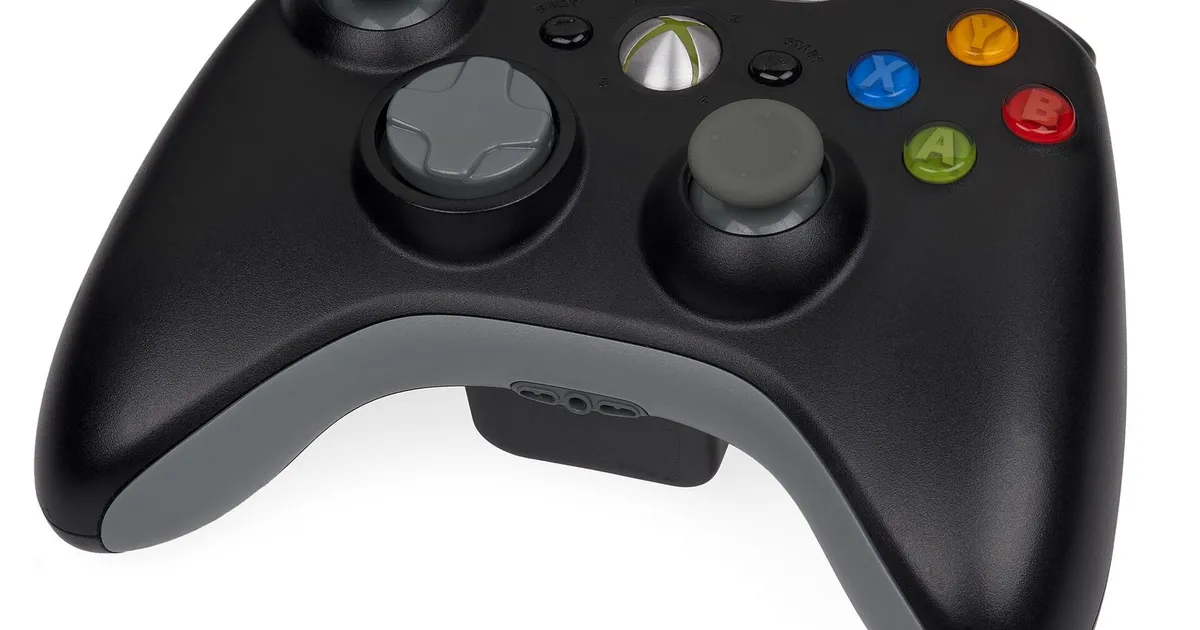
Photo: Evan-Amos / Wikimedia Commons / Public domain
Affiliate links.As an Amazon Associate I earn from qualifying purchases. Links below go to Amazon; prices and availability change, so check Amazon for current pricing.Affiliate disclosure
Cloud gaming runs games on remote servers and streams them to your device, so you can play demanding games on a laptop, phone, TV or tablet without a gaming PC. The three biggest services work very differently. This guide compares them by how they’re designed, not lab testing. Plans and libraries change, so check each service’s current details.
Quick answer
| Service | Game library | Best for |
|---|---|---|
| NVIDIA GeForce NOW | Games you own on PC stores like Steam and Epic (supported titles) | PC players without a powerful PC |
| Xbox Cloud Gaming | Games from the Game Pass catalog, plus some you own | Game Pass subscribers |
| PlayStation Plus Premium | Cloud streaming of games in the PS Plus catalog | PlayStation players |
GeForce NOW
GeForce NOW streams PC games you already own from supported stores. You don’t buy games from NVIDIA; you link your store accounts.
- Strengths: high-end graphics on weak devices, strong streaming quality on higher tiers.
- Limits: only supported games work; some publishers don’t allow their games on the service. Free and lower tiers have session limits and queues.
Xbox Cloud Gaming
Xbox Cloud Gaming streams games from the Game Pass catalog, and increasingly some games you own, to browsers, phones, TVs and consoles.
- Strengths: a big catalog with no extra purchases if you already subscribe.
- Limits: streaming quality is generally lower than GeForce NOW’s top tiers. Which Game Pass tiers include it can change.
PlayStation Plus Premium
The Premium tier of PlayStation Plus includes cloud streaming of games in its catalog, to PS5 and other supported devices.
- Strengths: play PlayStation games without downloading them; try games before installing.
- Limits: device support is narrower than the other two.
What you need
A good connection
- Speed: most services recommend a steady connection of about 15–35 Mbps or more for HD, higher for the best quality.
- Latency: matters more than speed. Wired Ethernet is best; on Wi-Fi, use 5GHz or 6GHz and stay close to the router.
- Data use: cloud gaming uses a lot of data. Check your plan’s limits.
A controller
- TV, PC or tablet: an Xbox Wireless Controller works with almost every service over Bluetooth.
- Phone: a clip-on controller like the Backbone One turns a phone into a handheld.
More in how to choose a gaming controller.
Cloud vs local hardware
Cloud gaming has input delay and depends on your connection. For competitive shooters, local hardware still feels better. For story games, strategy and casual play, cloud gaming works well. If you want to play away from home on your own hardware, compare a handheld PC; see our handheld comparison.
Choosing a service
- Where are your games? Steam library: GeForce NOW. Game Pass: Xbox Cloud Gaming. PlayStation: PS Plus Premium.
- What device? Check each service’s supported devices.
- Try the free or cheapest tier first if one is offered.
Also see publisher subscriptions.
FAQ
Is cloud gaming good enough to replace a console? For many games, yes, with a good connection. Fast competitive games still feel better locally.
Do I need to own the games? For GeForce NOW, yes. For Xbox Cloud Gaming and PS Plus Premium, the catalog is included with the subscription.
Bottom line
Choose the service that matches where your games are: GeForce NOW for PC libraries, Xbox Cloud Gaming for Game Pass, PS Plus Premium for PlayStation. A wired connection and a good controller make the biggest difference.
Our picks: Game credit & memberships
Shop on Amazon
Affiliate links.As an Amazon Associate I earn from qualifying purchases. Links below go to Amazon; prices and availability change, so check Amazon for current pricing.Affiliate disclosure

Illustrative photos: Photo by Bryan Ochalla / Wikimedia Commons / CC BY-SA 2.0