Keycap and Switch Upgrades for Hot-Swap Keyboards
How to upgrade a hot-swappable keyboard with new switches, PBT keycaps and better stabilizers, and the tools you need to do it safely.
How to upgrade a hot-swappable keyboard with new switches, PBT keycaps and better stabilizers, and the tools you need to do it safely.
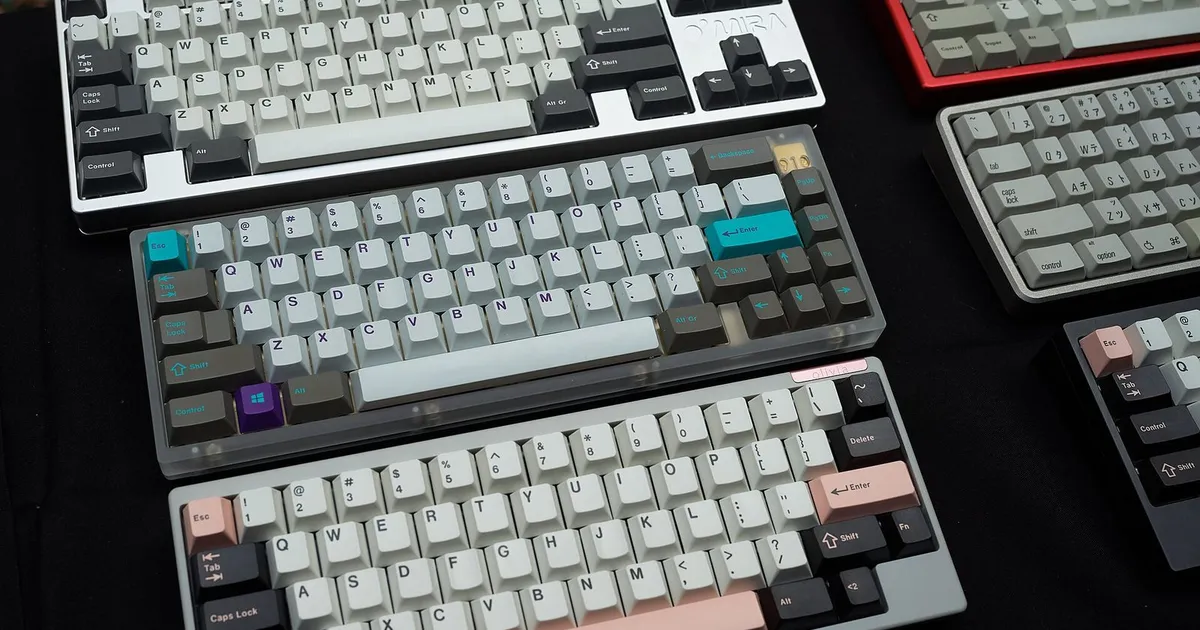
Photo by Patrick Breen / Wikimedia Commons / CC BY 2.0
Affiliate links.As an Amazon Associate I earn from qualifying purchases. Links below go to Amazon; prices and availability change, so check Amazon for current pricing.Affiliate disclosure
If your keyboard is hot-swappable, you can change how it feels and sounds without buying a new one: swap the switches, fit better keycaps and tune the stabilizers. These upgrades are cheap compared with a new board, and parts are often discounted around Black Friday. This guide explains each upgrade and the tools you need, based on general practice rather than lab testing. Links go to Amazon’s current listings.
Quick answer
| Upgrade | Changes | Difficulty |
|---|---|---|
| New switches | Feel (linear, tactile, clicky), weight, sound | Easy on hot-swap boards |
| PBT keycaps | Texture, durability, sound, looks | Easy |
| Stabilizer tuning or replacement | Removes rattle on long keys | Moderate |
| Foam or tape mods | Deeper, quieter sound | Moderate |
Step 1: check your keyboard
- Hot-swap sockets: confirm in the specs that switches can be removed without soldering.
- 3-pin or 5-pin: 5-pin sockets accept both 3-pin and 5-pin switches; 3-pin sockets need 3-pin switches (or the two small plastic legs clipped off 5-pin switches).
- Switch orientation: north- or south-facing LEDs affect keycap compatibility on some profiles.
- Layout: check for non-standard key sizes (like the bottom row) before buying keycaps.
Switches
Switches decide how the keyboard feels.
- Linear: smooth, no bump. Popular for gaming.
- Tactile: a bump you feel when the key actuates. Good for typing.
- Clicky: a bump plus a click sound. Loud.
A mechanical switch tester lets you try several types before buying a full set. Read mechanical keyboard switch types explained.
Buy enough: count your keys and add a few spares.
Keycaps
- PBT vs ABS: PBT keycaps are more durable and resist the shiny wear ABS caps get over time.
- Profile: Cherry, OEM, XDA and others change the height and shape. Cherry profile is a common, comfortable choice.
- Legends: double-shot or dye-sublimated legends don’t wear off. Shine-through legends let RGB light through.
- Compatibility: check the kit covers your layout, especially the spacebar and bottom row.
Stabilizers
Long keys (spacebar, shift, enter, backspace) use stabilizers, which can rattle. You can:
- Lubricate them with dielectric grease or a thin lube on the wire ends.
- Replace them with better ones, like Durock stabilizers, if your board uses screw-in (PCB-mount) stabilizers.
Check whether your board uses plate-mount or screw-in stabilizers before buying.
Tools you need
- Switch puller and keycap puller: usually included with hot-swap boards.
- A small brush for lubricating stabilizers.
- Patience: pull switches straight up, and insert new ones straight down.
How to swap switches safely
- Unplug the keyboard.
- Remove keycaps with the keycap puller.
- Grip the switch clips with the switch puller and pull straight up.
- Check the new switch’s pins are straight before inserting.
- Press straight down until it clicks into place.
- Test every key with an online keyboard tester.
Bent pins are the most common problem; straighten them with tweezers before inserting.
Not hot-swap?
If your keyboard isn’t hot-swap, keycaps are still an easy upgrade. For switches, consider a new hot-swap board. See Keychron vs Glorious vs Ducky and our Black Friday keyboard picks.
FAQ
Are switch upgrades worth it? If you don’t like how your keyboard feels, new switches transform it for much less than a new board.
Do PBT keycaps fit every keyboard? Most standard layouts, yes. Check the bottom row and spacebar size.
Bottom line
Start with a switch tester and PBT keycaps; tune the stabilizers if long keys rattle. Hot-swap makes it easy to change the feel without buying a new keyboard.
Our picks: Keyboards
Shop on Amazon
Affiliate links.As an Amazon Associate I earn from qualifying purchases. Links below go to Amazon; prices and availability change, so check Amazon for current pricing.Affiliate disclosure
Illustrative photos: Photo by SolarMainframe / Wikimedia Commons / CC BY-SA 4.0; Photo by Anirban Saha / Wikimedia Commons / CC BY-SA 4.0