Monitor Arm Mounting: Desk Clamps, Grommet Mounts and Reinforcement Plates
How monitor arms attach to a desk, which mounting style suits which desk, and how a reinforcement plate prevents cracked or dented desktops.
How monitor arms attach to a desk, which mounting style suits which desk, and how a reinforcement plate prevents cracked or dented desktops.
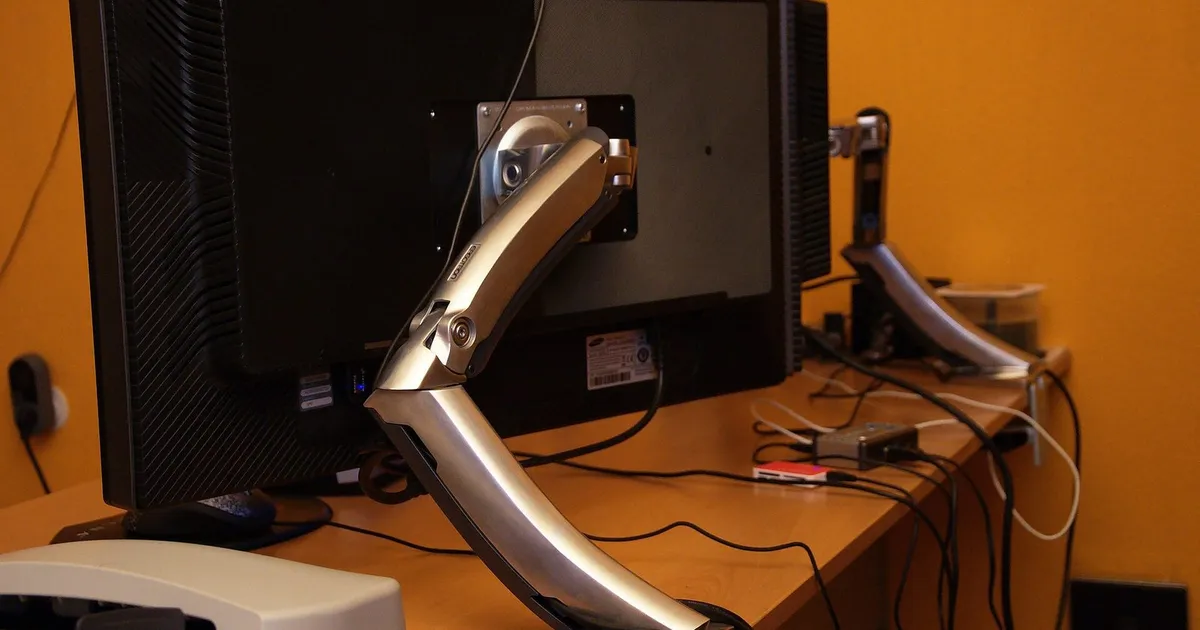
Photo by Ben Scholzen / Wikimedia Commons / CC BY 2.0
Affiliate links.As an Amazon Associate I earn from qualifying purchases. Links below go to Amazon; prices and availability change, so check Amazon for current pricing.Affiliate disclosure
A monitor arm is only as stable as its mount. Clamping a heavy arm to a thin or hollow desk can crack the desktop, and some desks have frames or lips that get in the way. This guide explains the mounting options and how to protect your desk, based on general practice rather than lab testing. Links go to Amazon’s current listings.
Quick answer
| Desk situation | Best mounting option |
|---|---|
| Solid desk, clear back edge | Standard C-clamp |
| Desk with a cable grommet hole | Grommet mount |
| Thin, glass or particleboard desk | Clamp with a reinforcement plate |
| Desk against a wall, no room for a clamp | Wall-mounted monitor arm |
| Standing desk | Clamp avoiding the frame; check weight capacity |
C-clamp mounts
The most common option: the arm clamps onto the back edge of the desk.
- Check desk thickness against the clamp’s range.
- Check the back edge for a lip, frame or crossbar in the way.
- Leave clearance behind the desk for the arm’s swing.
Grommet mounts
A bolt goes through a hole in the desk. Many desks have cable grommet holes; otherwise you’d need to drill. Grommet mounts are very stable and can sit anywhere on the desk, not just at the edge.
Reinforcement plates
Heavy monitors on arms put a lot of force on a small area. On particleboard, thin or hollow-core desks, a steel reinforcement plate spreads the load and helps prevent cracking or sagging. Highly recommended for ultrawides and dual-monitor arms.
Wall mounts
If your desk sits against a wall, a wall-mounted arm frees the desk entirely. You’ll need to mount into studs or use proper anchors, and the monitor won’t move with a standing desk.
Standing desks
- Clamp to the desktop, not the frame, and make sure the clamp doesn’t block the leg’s movement.
- Account for the arm and monitor weight in the desk’s capacity.
- Cable slack: leave enough for the full height range. See cable management for standing desks.
Setting gas spring tension
Gas-spring arms must be adjusted for your monitor’s weight. If the monitor droops or rises, adjust the tension screw. A monitor outside the arm’s weight range won’t stay put.
Choosing the right arm
- Single, dual or multi: see single vs dual vs multi-monitor arms.
- Heavy ultrawides: see heavy-duty monitor arms.
- Non-VESA monitors: see VESA adapters.
FAQ
Will a monitor arm damage my desk? On thin or particleboard desks, it can. Use a reinforcement plate.
Can I put a monitor arm on a glass desk? Only with care and a large reinforcement plate; check the manufacturer’s guidance.
Bottom line
Match the mount to your desk: clamp, grommet or wall. Add a reinforcement plate for heavy monitors or weaker desks. More in do you need a monitor arm?
Our picks: Monitor arms
Shop on Amazon
Affiliate links.As an Amazon Associate I earn from qualifying purchases. Links below go to Amazon; prices and availability change, so check Amazon for current pricing.Affiliate disclosure
Illustrative photos: Photo by tony_duell / Wikimedia Commons / CC BY 2.0