Is an Ultrawide Monitor Right for Your Gaming Setup?
Who benefits most from an ultrawide gaming monitor, what changes about your desk and games, and the trade-offs worth knowing before switching.
Main page for monitors: Gaming Monitors →
Who benefits most from an ultrawide gaming monitor, what changes about your desk and games, and the trade-offs worth knowing before switching.
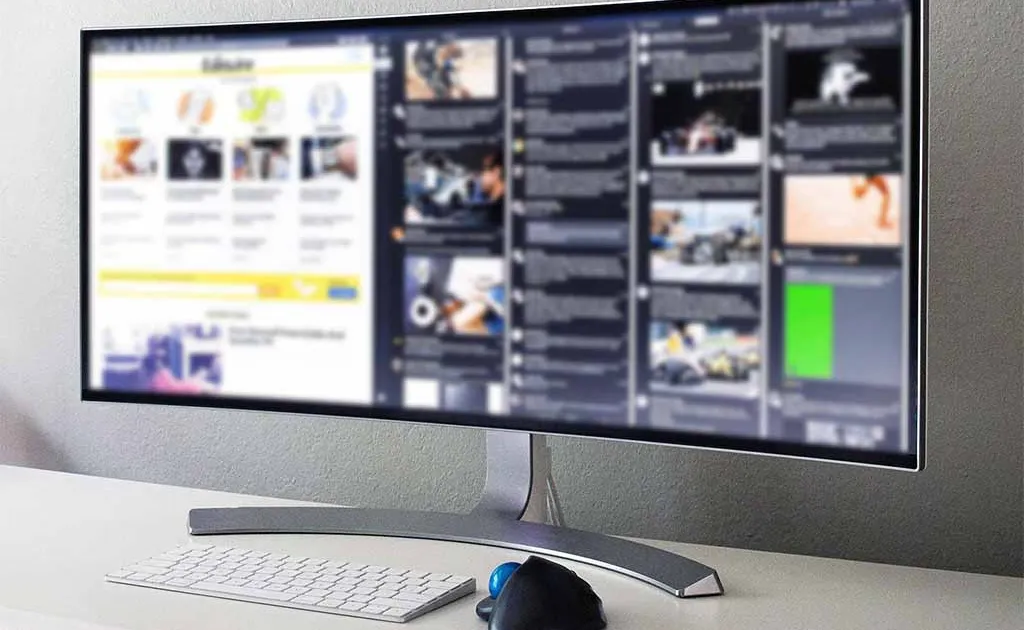
Photo by Lipsbaterando / Wikimedia Commons / CC BY-SA 4.0
Ultrawide monitors promise more immersion and more usable screen space, but they’re a bigger commitment than a typical monitor upgrade — they change your desk layout, your game compatibility considerations, and sometimes your GPU requirements. Here’s how to figure out if one actually fits how you play.
What “Ultrawide” Actually Means
Standard monitors use a 16:9 aspect ratio. Ultrawide monitors stretch that out, most commonly to 21:9, giving you significantly more horizontal screen space without adding vertical height. Some go further to “super ultrawide” ratios, which is essentially two 16:9 displays’ worth of width stitched into one seamless panel. The practical effect is a wraparound field of view that standard monitors can’t replicate, plus a lot more horizontal room for windows, timelines, or game HUDs.
Where Ultrawide Genuinely Shines
- Immersive single-player and open-world games benefit the most — flight sims, racing games, and story-driven titles with wide vistas feel noticeably more enveloping with the extra peripheral view.
- Productivity alongside gaming — if you also use your setup for work, an ultrawide can replace a dual-monitor arrangement with a single, bezel-free canvas, which many people find less visually cluttered.
- Racing and flight simulation in particular benefits from the wider field of view mimicking real peripheral vision.
Where It’s a Weaker Fit
- Competitive multiplayer titles don’t always support ultrawide aspect ratios natively, and even when supported, some competitive scenes restrict aspect ratio in tournament settings, or the extra horizontal field of view can be considered an advantage that’s banned in specific leagues. Check the games you play most before assuming full compatibility.
- Older or niche games sometimes don’t support ultrawide resolutions at all, resulting in stretched images, black bars, or the game running in a windowed box in the center of the screen.
- GPU demands scale with the extra horizontal pixels — an ultrawide panel pushes meaningfully more pixels than a standard 16:9 display at the same height, so budget for a GPU that can sustain your target frame rate at that wider resolution.
Desk and Ergonomics Considerations
Ultrawide monitors are physically wide, often 34 inches or more measured diagonally, which means you need a correspondingly wide and sufficiently deep desk to sit at a comfortable viewing distance. Curved ultrawide panels (common at this size) are designed to be viewed slightly closer than a flat panel of the same size, which helps but doesn’t eliminate the need for adequate desk depth — sitting too close to a large curved screen still causes eye strain and requires more head movement to see the edges.
If your desk is on the smaller side, measure carefully before buying — an ultrawide that’s too close will negate much of its immersion benefit and become uncomfortable over long sessions.
A Realistic Self-Check
Ask yourself:
- Do I mostly play single-player, immersive, or simulation games, or mostly competitive multiplayer?
- Do I want to consolidate a multi-monitor productivity setup into one screen?
- Does my desk have the width and depth to sit at a comfortable distance?
- Can my GPU realistically sustain good frame rates at the wider resolution?
If most of your answers point toward immersion, productivity consolidation, and adequate desk space, an ultrawide is likely a strong upgrade. If your primary use case is competitive gaming with strict game compatibility, it’s worth confirming support for your specific titles before committing.
Final Thought
An ultrawide isn’t a strict upgrade over a standard monitor — it’s a different way of using screen space that suits some habits far better than others. Matching it to your actual games and desk setup matters more than chasing the biggest panel available.
Our picks: Ultrawide monitors
Shop on Amazon
Affiliate links.As an Amazon Associate I earn from qualifying purchases. Links below go to Amazon; prices and availability change, so check Amazon for current pricing.Affiliate disclosure
Illustrative photos: Photo by Lipsbaterando / Wikimedia Commons / CC BY-SA 4.0