Budget CPU Air Coolers: Thermalright Phantom Spirit 120 SE, ID-COOLING SE-224-XTS, ARCTIC Freezer 36 and DeepCool AK400
Affordable tower coolers that handle most gaming CPUs, how to choose between single and dual towers, and what to check for socket and RAM clearance.
Affordable tower coolers that handle most gaming CPUs, how to choose between single and dual towers, and what to check for socket and RAM clearance.
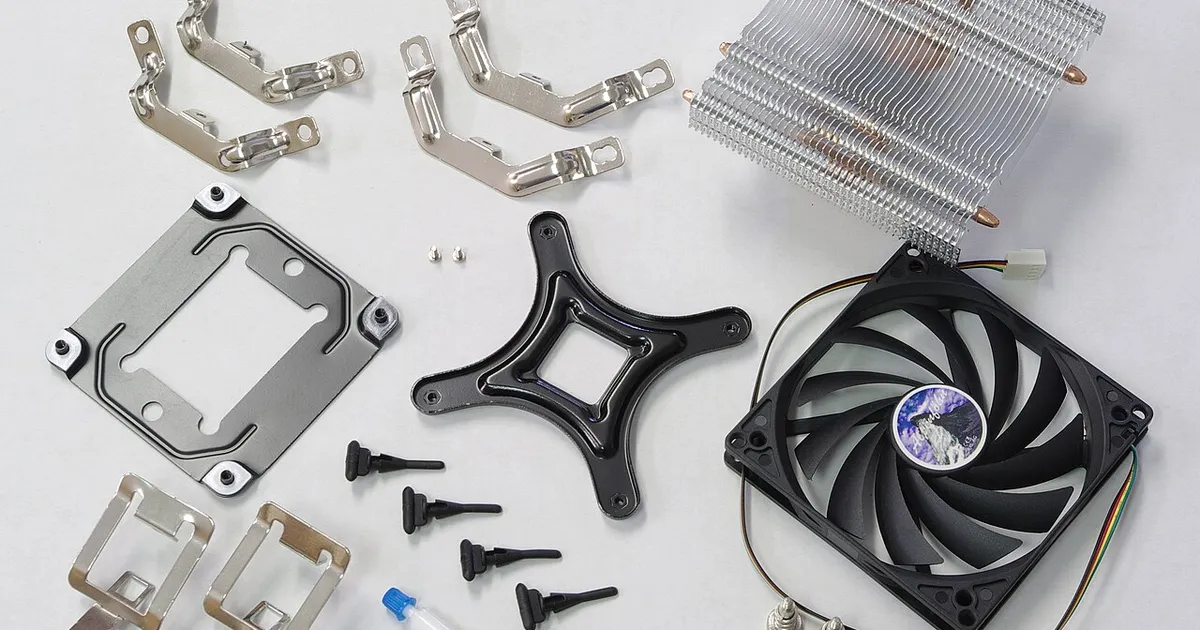
Photo by smial (talk) / Wikimedia Commons / FAL
Affiliate links.As an Amazon Associate I earn from qualifying purchases. Links below go to Amazon; prices and availability change, so check Amazon for current pricing.Affiliate disclosure
Budget tower coolers have become very good. For most gaming CPUs, an affordable air cooler is enough, and it’s quieter than a stock cooler. These four are popular, widely available options.
Single tower or dual tower?
- Single tower (one heatsink and one fan): fits more cases and clears tall RAM easily. Enough for 6- and 8-core chips like the Ryzen 7 9800X3D or 9700X.
- Dual tower (two heatsinks): more cooling capacity, for hotter chips such as high-end Intel Core i7/i9 or Core Ultra 9 processors. Taller and heavier.
Four to consider
- Thermalright Phantom Spirit 120 SE: a dual-tower cooler known for strong cooling at a budget price.
- ID-COOLING SE-224-XTS: a compact single-tower option that suits small mid-towers.
- ARCTIC Freezer 36: a single tower with push-pull fans and ARCTIC’s own mounting system.
- DeepCool AK400: a clean-looking single tower with a straightforward installation.
Before you buy
- Socket support: check the box lists your socket (AM5/AM4 or LGA 1700/1851). Some older stock may lack newer brackets.
- Height: compare the cooler’s height with your case’s maximum cooler height.
- RAM clearance: large dual towers can overhang the first RAM slot. Low-profile RAM avoids the problem.
- Fan direction: the fan should push air toward the rear exhaust fan.
Installation tips
Remove the plastic film from the cooler base (a very common mistake). Most budget coolers come with pre-applied or included thermal paste, which is fine.
Bottom line
A single tower suits most gaming CPUs; pick a dual tower for hot, high-core-count chips. Check height and socket support, and remember the plastic film.
Our picks: CPU coolers
Shop on Amazon
Affiliate links.As an Amazon Associate I earn from qualifying purchases. Links below go to Amazon; prices and availability change, so check Amazon for current pricing.Affiliate disclosure
Thermalright Peerless Assassin 120 SE
Dual-tower air cooler that beats coolers twice its price.
Check price on Amazon
Illustrative photos: Photo by smial (talk) / Wikimedia Commons / FAL; Photo by Blackcat / Wikimedia Commons / CC BY-SA 4.0