Motherboard Features Worth Paying For: Wi-Fi 7, USB4, 5GbE and BIOS Flashback
Which premium motherboard features make a real difference for gamers, and boards like the ROG Strix X870-A, MAG X870 Tomahawk and X870E AORUS Master that include them.
Which premium motherboard features make a real difference for gamers, and boards like the ROG Strix X870-A, MAG X870 Tomahawk and X870E AORUS Master that include them.
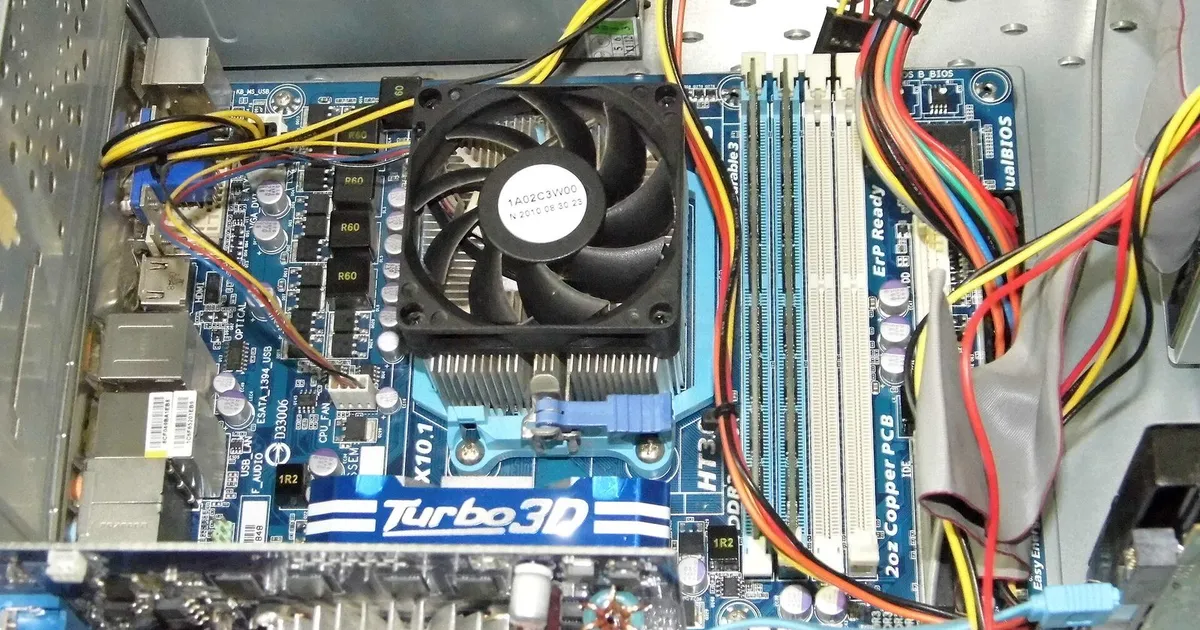
Photo by Sridhar Rao / Wikimedia Commons / CC BY-SA 4.0
Affiliate links.As an Amazon Associate I earn from qualifying purchases. Links below go to Amazon; prices and availability change, so check Amazon for current pricing.Affiliate disclosure
Motherboard prices range widely, and expensive boards don’t make games run faster. What you pay for is features: connectivity, ports, storage slots and convenience. This guide explains which features are worth paying for, comparing by listed specs and design rather than lab testing. We don’t list prices; links go to Amazon’s current listings.
Quick answer
| Feature | Worth paying for if… |
|---|---|
| Wi-Fi 7 | You can’t run Ethernet and have a Wi-Fi 7 router |
| USB4 | You use fast external drives, docks or displays |
| 2.5GbE / 5GbE Ethernet | You have a fast home network or NAS |
| BIOS Flashback | You may install a CPU newer than the board’s BIOS |
| Extra M.2 slots | You’ll add more SSDs |
| Strong VRMs | You run a high-end CPU |
| Lots of rear USB | You have many devices |
Example boards
X870 and X870E boards include USB4 as standard, which is one reason they cost more than B850 boards. For most gamers, a good B850 board is enough; see B850 motherboards.
Features explained
Wi-Fi 7 and Ethernet
Wi-Fi 7 offers higher speeds and lower latency with a compatible router. For gaming, wired Ethernet is still the most consistent. 2.5GbE is now common; 5GbE or 10GbE matters only if your network supports it.
USB4
USB4 offers very fast external connections for docks, drives and displays. Useful for creators, less so for most gamers.
BIOS Flashback
Lets you update the BIOS from a USB stick without a CPU installed. Very useful when a new CPU needs a newer BIOS.
M.2 slots
More slots let you add SSDs later. Check which slots share bandwidth with SATA ports or PCIe slots.
VRMs
Stronger power delivery keeps high-end CPUs running at full speed. For mid-range CPUs, almost any decent board is fine.
Debug features
Debug LEDs or a POST code display help troubleshoot boot problems.
Features that matter less for gaming
- PCIe 5.0 on every slot: today’s GPUs and SSDs gain little.
- Fancy RGB and covers.
- Extreme overclocking features for most players.
How to decide
- List the features you’ll actually use.
- Compare chipsets: B850 vs X870. See motherboard chipsets explained.
- Spend the savings on the GPU, which affects FPS most.
FAQ
Does an expensive motherboard improve FPS? No, not meaningfully. It adds features and headroom.
Do I need Wi-Fi on my motherboard? Only if you can’t use Ethernet. A Wi-Fi card can be added later.
Bottom line
Pay for features you’ll use: BIOS Flashback, enough M.2 slots and USB ports, and Wi-Fi if you need it. Put the rest toward your graphics card. More in CPU and motherboard bundle deals.
Our picks: Motherboards
Shop on Amazon
Affiliate links.As an Amazon Associate I earn from qualifying purchases. Links below go to Amazon; prices and availability change, so check Amazon for current pricing.Affiliate disclosure
Illustrative photos: Photo by Marcin Wieclaw (pcsite.co.uk) / Wikimedia Commons / CC BY-SA 4.0; Photo by PantheraLeo1359531 / Wikimedia Commons / CC BY 4.0