Mini-ITX AM5 Motherboards: ASUS ROG Strix B650E-I, Gigabyte B650I AORUS Ultra, ASRock B650I Lightning and MSI MPG B650I Edge
Four Mini-ITX boards for small Ryzen builds, the compromises of the format, and the details to check for M.2, cooling and front-panel support.
Four Mini-ITX boards for small Ryzen builds, the compromises of the format, and the details to check for M.2, cooling and front-panel support.
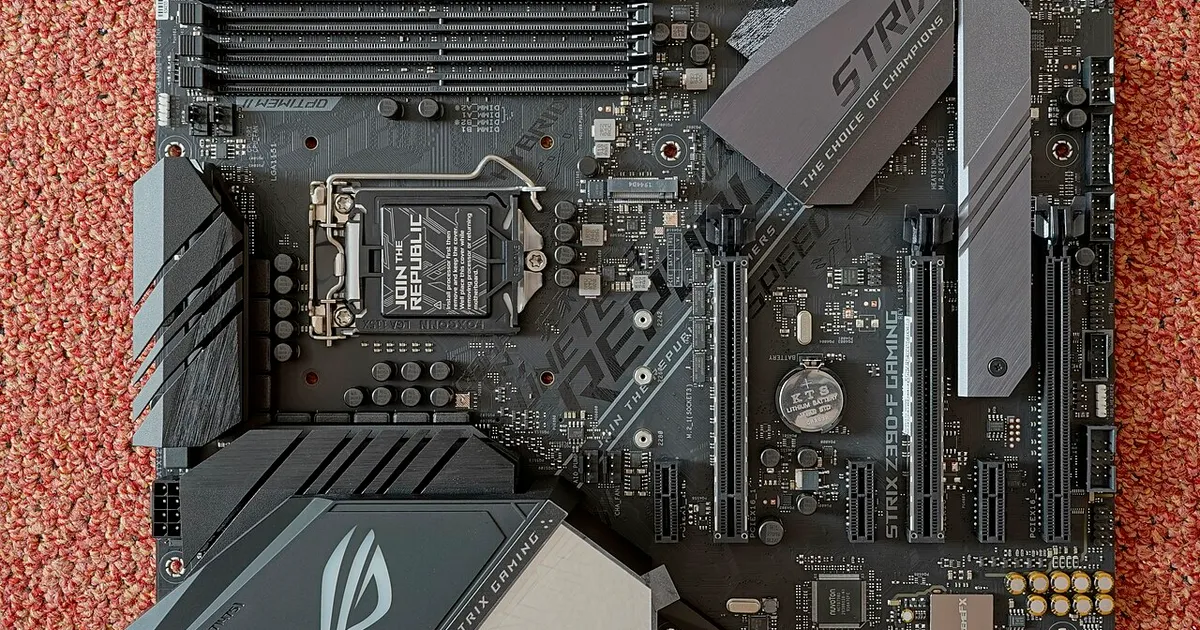
Photo by PantheraLeo1359531 / Wikimedia Commons / CC BY 4.0
Affiliate links.As an Amazon Associate I earn from qualifying purchases. Links below go to Amazon; prices and availability change, so check Amazon for current pricing.Affiliate disclosure
Mini-ITX motherboards let you build a powerful gaming PC in a very small case. On AM5, there are several strong options, but they cost more than larger boards and pack a lot into a small space. This guide compares four popular boards by design and listed features, not lab testing. We don’t list prices; links go to Amazon’s current listings.
Quick answer
| Motherboard | Chipset | Standout |
|---|---|---|
| ASUS ROG Strix B650E-I | B650E | PCIe 5.0 GPU slot, premium features |
| Gigabyte B650I AORUS Ultra | B650 | Multiple M.2 slots for a small board |
| ASRock B650I Lightning WiFi | B650 | Value option |
| MSI MPG B650I Edge WiFi | B650 | Balanced features and design |
Newer B850 and X870 Mini-ITX boards also exist; compare current models when shopping.
What you give up with Mini-ITX
- One PCIe slot: just the graphics card.
- Two RAM slots: maximum two sticks (2x32GB for 64GB is common).
- Fewer M.2 slots, sometimes one on the back of the board.
- Fewer fan headers and rear ports.
- Higher price than similar ATX boards.
What to check
- M.2 slots: how many, and whether one is on the back (harder to access, may run warmer).
- VRM cooling: small boards have less space for power delivery heatsinks; good airflow matters with high-end CPUs.
- Wi-Fi and Bluetooth: usually included on ITX boards.
- Rear USB and USB-C.
- Fan headers: enough for your case fans, or use a hub. See PC fan hubs and controllers.
- BIOS support for your CPU, especially Ryzen 9000 on older B650 boards. See motherboard chipsets explained.
Planning an SFF build
- Case: see small form factor cases.
- Cooler: see low-profile CPU coolers.
- GPU length and thickness: check the case’s GPU clearance.
- Power supply: many SFF cases need an SFX power supply.
Is Mini-ITX worth it?
Choose Mini-ITX if the small size matters to you. If not, a micro-ATX board offers more slots and ports for less money. See motherboard form factors explained.
FAQ
Can a Mini-ITX board handle a Ryzen 9? Many can, but VRM cooling and case airflow matter more in small builds.
How much RAM can Mini-ITX AM5 boards take? Two sticks; 2x32GB (64GB) is common, with larger kits supported on many boards.
Bottom line
Mini-ITX AM5 boards make compact gaming PCs possible. Check M.2 slots, VRM cooling and BIOS support, and plan the case, cooler and PSU together. More in motherboard features worth paying for.
Our picks: Motherboards
Shop on Amazon
Affiliate links.As an Amazon Associate I earn from qualifying purchases. Links below go to Amazon; prices and availability change, so check Amazon for current pricing.Affiliate disclosure
Illustrative photos: Photo by Marcin Wieclaw (pcsite.co.uk) / Wikimedia Commons / CC BY-SA 4.0; Photo by PantheraLeo1359531 / Wikimedia Commons / CC BY 4.0