How to Read Gaming Headset Reviews: Frequency Response, Mic Tests and Comfort
What headset reviews measure, how to read a frequency-response graph, and what to look for in reviews of headsets like the Sony INZONE H9, HyperX Cloud Alpha Wireless and Audeze Maxwell.
Main page for gaming gear: Gaming Gear →
What headset reviews measure, how to read a frequency-response graph, and what to look for in reviews of headsets like the Sony INZONE H9, HyperX Cloud Alpha Wireless and Audeze Maxwell.
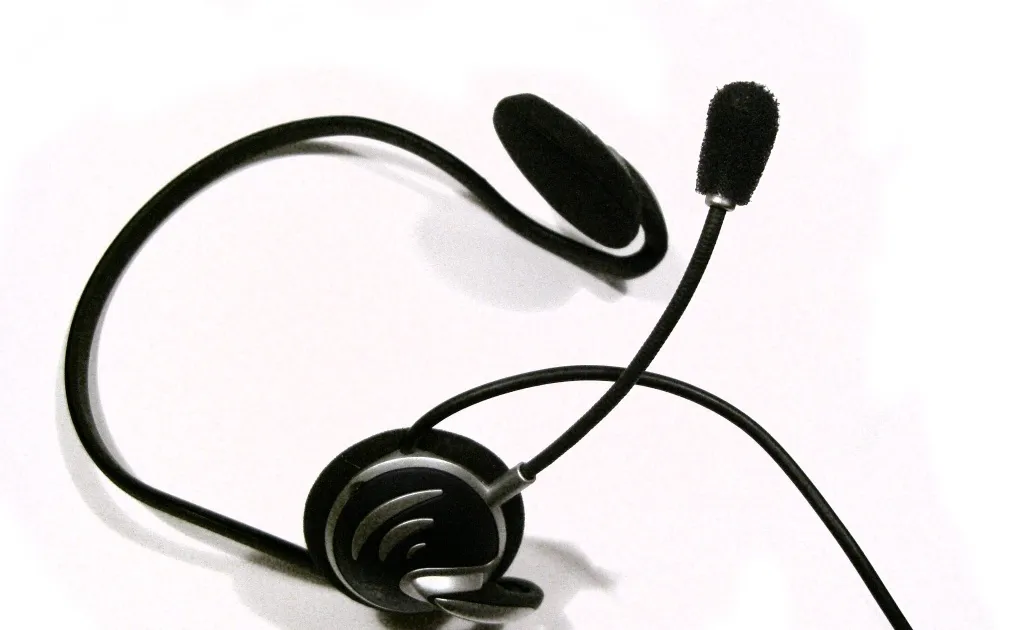
Photo by Zephyris at English Wikipedia / Wikimedia Commons / CC BY-SA 3.0
Affiliate links.As an Amazon Associate I earn from qualifying purchases. Links below go to Amazon; prices and availability change, so check Amazon for current pricing.Affiliate disclosure
Headset reviews mix measurements with subjective opinions about sound and comfort. Knowing which parts are measurements and which are opinion makes it easier to compare reviews of headsets such as the Sony INZONE H9, the HyperX Cloud Alpha Wireless and the Audeze Maxwell.
Frequency response graphs
A frequency-response graph shows how loud the headset plays each frequency, from deep bass on the left to treble on the right. Reviewers usually compare it with a target curve that represents neutral sound.
- Raised bass sounds “punchy” and is common in gaming headsets.
- Dips in the upper midrange can make footsteps and voices less clear.
- Peaks in the treble can sound harsh or tiring over long sessions.
Different reviewers use different measurement rigs and targets, so compare graphs within one reviewer’s site rather than across sites.
Microphone tests
Good reviews include recorded mic samples, ideally with background noise (a keyboard, a fan) so you can hear how well it’s rejected. Listen to samples rather than relying on a rating, since what matters is whether your squad can understand you.
Wireless and latency
Reviews should state which connection was tested (2.4GHz or Bluetooth). Bluetooth adds noticeable latency in games, so use 2.4GHz for play. Battery life claims are usually measured at moderate volume with RGB off; real results vary.
Comfort
Comfort is personal, but reviews give useful clues: weight, clamping force, earpad material and depth, and whether the reviewer wears glasses. Long-session impressions are more useful than first impressions.
Spatial audio
Virtual surround is processing, not extra speakers, and its quality varies by game and software. Many competitive players prefer plain stereo. Treat spatial audio claims as a bonus rather than a reason to buy.
Bottom line
Read graphs within one reviewer’s site, listen to mic samples, and check which connection was tested. Comfort impressions from long sessions are worth more than any spec.
Our picks: Mice & Keyboards
Shop on Amazon
Affiliate links.As an Amazon Associate I earn from qualifying purchases. Links below go to Amazon; prices and availability change, so check Amazon for current pricing.Affiliate disclosure


Illustrative photos: Photo by Jacek Halicki / Wikimedia Commons / CC BY-SA 4.0; Photo by SolarMainframe / Wikimedia Commons / CC BY-SA 4.0; Photo by FASTILY / Wikimedia Commons / CC BY-SA 4.0; Photo by Anirban Saha / Wikimedia Commons / CC BY-SA 4.0