Common First PC Build Mistakes (and How to Avoid Them)
The mistakes first-time builders make most often, from plastic film on coolers to wrong RAM slots, and how to avoid each.
Main page for gaming pcs: Gaming PCs →
The mistakes first-time builders make most often, from plastic film on coolers to wrong RAM slots, and how to avoid each.

Photo by Gaming PC Bundle / Wikimedia Commons / CC BY-SA 4.0
Affiliate links.As an Amazon Associate I earn from qualifying purchases. Links below go to Amazon; prices and availability change, so check Amazon for current pricing.Affiliate disclosure
Building your first PC is easier than it looks, but a handful of mistakes come up again and again. Most are easy to avoid if you know about them. This guide lists the common ones, based on general practice rather than lab testing. Links go to Amazon’s current listings.
Quick answer: the top mistakes
- Monitor plugged into the motherboard instead of the GPU.
- RAM in the wrong slots or XMP/EXPO not enabled.
- Forgetting the I/O shield or motherboard standoffs.
- Leaving the plastic film on the CPU cooler.
- Not plugging in the CPU power cable.
- Front-panel connectors in the wrong pins.
- Buying incompatible parts.
Planning mistakes
- Incompatible parts: CPU socket, motherboard chipset, RAM type (DDR4 vs DDR5), case size and GPU length. See PC part compatibility basics.
- Cheap power supply. See how much PSU you need.
- Forgetting Windows in the budget.
- Unbalanced builds: a high-end GPU with a weak CPU or 8GB of RAM. See example parts lists.
Assembly mistakes
- Standoffs: make sure they’re in the right positions for your motherboard, and no extras are touching the board.
- CPU installation: align the triangle marker and don’t force it.
- Thermal paste: most coolers come with paste pre-applied. If not, a small pea-sized amount of paste like Noctua NT-H2 is enough.
- Cooler film: remove the protective plastic from the cooler’s base.
- RAM slots: use the slots the motherboard manual recommends for two sticks (often A2 and B2), and press until both latches click.
- Power cables: connect the 24-pin motherboard, 8-pin CPU and GPU power cables fully.
- Front-panel connectors: follow the manual for power switch, reset and LED pins.
Tools
A good magnetic screwdriver set like the iFixit Mako helps. See PC building tools you need.
First boot mistakes
- Monitor in the motherboard port: plug it into the GPU.
- Not enabling XMP/EXPO: RAM runs slowly without it.
- Skipping BIOS updates when a new CPU needs them.
- Not installing chipset and GPU drivers.
Testing
Before cable management, test that the PC boots. Then run a game or stress test and check temperatures.
Follow a build order
See PC build order of operations.
FAQ
My PC turns on but there’s no display. Why? Often the monitor is in the motherboard port, the GPU or RAM isn’t seated, or the CPU power cable is missing.
How much thermal paste should I use? A small pea-sized dot, if it isn’t pre-applied.
Bottom line
Check compatibility, follow the manual, connect every power cable, plug the monitor into the GPU, and enable XMP/EXPO. More in pc build order of operations.
Our picks: Processors & Motherboards
Shop on Amazon
Affiliate links.As an Amazon Associate I earn from qualifying purchases. Links below go to Amazon; prices and availability change, so check Amazon for current pricing.Affiliate disclosure
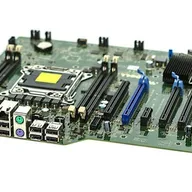
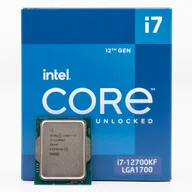
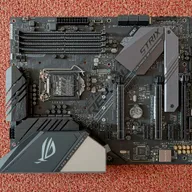
Illustrative photos: Photo by Myself User:ZyMOS / Wikimedia Commons / CC BY-SA 4.0; Photo by Marcin Wieclaw (pcsite.co.uk) / Wikimedia Commons / CC BY-SA 4.0; Photo by Jacek Halicki / Wikimedia Commons / CC BY-SA 4.0; Photo by PantheraLeo1359531 / Wikimedia Commons / CC BY 4.0; Photo by Ondřej Martin Mach / Wikimedia Commons / CC BY-SA 3.0