Console Audio Adapters: Bluetooth Headphones, USB Dongles and Optical Connections
Why most consoles don't support Bluetooth headphones directly, how adapters solve it, and the trade-offs in latency and mic support.
Why most consoles don't support Bluetooth headphones directly, how adapters solve it, and the trade-offs in latency and mic support.
Photo by InclusiveGameLab / Wikimedia Commons / CC BY-SA 4.0
Affiliate links.As an Amazon Associate I earn from qualifying purchases. Links below go to Amazon; prices and availability change, so check Amazon for current pricing.Affiliate disclosure
Consoles have limited Bluetooth audio support, so your favorite wireless earbuds or headphones may not connect directly. USB Bluetooth adapters, wireless headset dongles and optical connections fill the gap. This guide explains the options, based on general practice and listed features rather than lab testing. Links go to Amazon’s current listings.
Quick answer
| Console | Bluetooth headphones? | Workaround |
|---|---|---|
| PS5 | Not natively | USB Bluetooth adapter, e.g. Creative BT-W5 |
| Xbox Series X|S | No | Xbox-compatible wireless headset or wired |
| Switch 2 | Bluetooth audio supported (check current features) | Native, or a USB-C adapter |
| PC | Yes | Native, or adapter for lower latency |
USB Bluetooth audio adapters
Adapters like the Creative BT-W5 plug into a USB-C port (or a USB-A port with an adapter) and connect Bluetooth headphones. They work on PS5, Switch and PC.
- Latency: Bluetooth adds delay. Low-latency codecs like aptX Adaptive help if your headphones support them.
- Microphone: some adapters support headset mics; check.
Wireless headset dongles
Gaming headsets with 2.4GHz dongles have lower latency than Bluetooth. Models like the SteelSeries Arctis Nova 7 Wireless also add Bluetooth for your phone. Buy the right version for your console. See headset platform versions.
Xbox
Xbox doesn’t support Bluetooth audio or USB Bluetooth adapters for audio. Use an Xbox wireless headset or a wired headset. See Xbox audio options.
Optical audio
Some headsets and soundbars use optical (TOSLINK) connections. The PS5 and Xbox Series X|S don’t have optical outputs; your TV’s optical output can be used instead.
Wired
A wired 3.5mm headset in the controller jack works on PS5 and Xbox with no latency.
FAQ
Can I use AirPods on PS5? With a USB Bluetooth adapter, yes, with some latency.
Which has lower latency: Bluetooth or a 2.4GHz dongle? A 2.4GHz dongle.
Bottom line
Use a USB Bluetooth adapter for earbuds on PS5 and Switch, a 2.4GHz gaming headset for lower latency, and Xbox-specific or wired headsets on Xbox. More in essential console accessories.
Our picks: Console accessories & Controllers
Shop on Amazon
Affiliate links.As an Amazon Associate I earn from qualifying purchases. Links below go to Amazon; prices and availability change, so check Amazon for current pricing.Affiliate disclosure
PlayStation DualSense Wireless Controller
Haptics and adaptive triggers on PS5 and PC.
Check price on AmazonXbox Rechargeable Battery + USB-C Cable
Replaces AA batteries in your controller.
Check price on Amazon
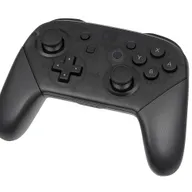
Illustrative photos: Photo by Dmitry Nosachev / Wikimedia Commons / CC BY-SA 4.0; Photo by Microsoft / Wikimedia Commons / CC BY-SA 4.0; Photo by Alex Cochrane / Wikimedia Commons / CC BY-SA 4.0; Photo by Evan-Amos / Wikimedia Commons / Public domain