Console Travel Cases and Screen Protectors: Protecting a Switch 2, Handheld or Home Console on the Move
Which cases and screen protectors suit handhelds and home consoles, and what to check for fit, docking and airflow.
Which cases and screen protectors suit handhelds and home consoles, and what to check for fit, docking and airflow.
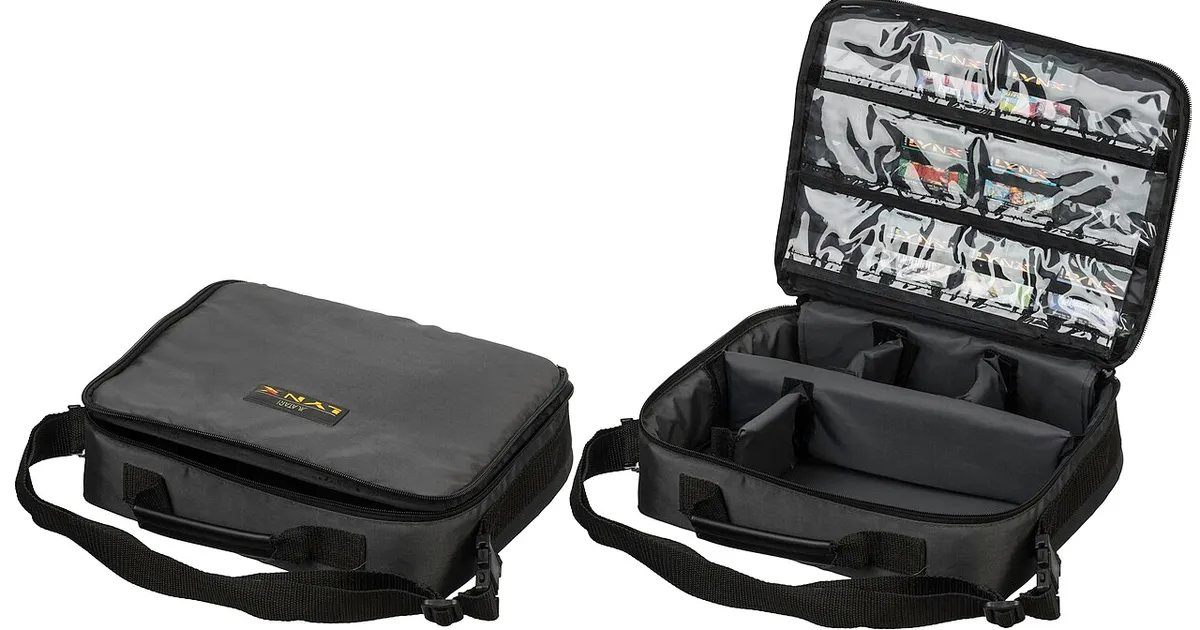
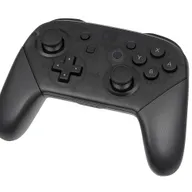
Photo by Evan-Amos / Wikimedia Commons / Public domain
Affiliate links.As an Amazon Associate I earn from qualifying purchases. Links below go to Amazon; prices and availability change, so check Amazon for current pricing.Affiliate disclosure
Taking a console on holiday or to a friend’s house? A good case and, for handhelds, a screen protector prevent scratches and damage in transit. This guide covers the options by design and listed features, not lab testing. Links go to Amazon’s current listings.
Quick answer
| Device | Protection |
|---|---|
| Nintendo Switch 2 | Tempered glass screen protector and a hard case |
| PS5 | PS5 travel case with space for controllers and cables |
| Xbox Series X | Xbox Series X carrying case |
| Handheld PCs | Model-specific case and screen protector |
Switch 2
- Screen protector: buy one made for Switch 2; the screen is larger than the original Switch.
- Case: a hard-shell case with game card slots.
- Dock: the dock stays at home or travels separately.
See Switch 2 accessories.
Home consoles
PS5 and Xbox Series X travel cases have foam compartments for the console, controllers, power cable and HDMI.
- Check the model: PS5 Slim, original and Pro are different sizes.
- Hard or soft case: hard cases protect better for flights; soft cases are lighter.
- Carry-on: consoles are better in carry-on than checked luggage.
Handheld PCs
Steam Deck, ROG Ally and Legion Go each need model-specific cases and protectors. See Steam Deck cases and screen protectors.
Screen protector tips
- Clean the screen with the included wipes.
- Install in a dust-free room, like a bathroom after a shower.
- Use alignment frames if included.
- Push out bubbles from the center.
Travel checklist
- Charger and cables.
- Controllers charged.
- HDMI cable for TVs.
- Game cards or downloads before you leave.
- Headphones.
More in essential console accessories.
FAQ
Is a screen protector necessary on Switch 2? It’s a cheap way to prevent scratches, especially with kids or travel.
Can I take a PS5 on a plane? Generally yes, in carry-on. Check your airline’s rules.
Bottom line
Use a model-specific case and screen protector for handhelds, and a padded case for home consoles. More gift ideas in our Black Friday gaming gifts guide.
Our picks: Console accessories & Controllers
Shop on Amazon
Affiliate links.As an Amazon Associate I earn from qualifying purchases. Links below go to Amazon; prices and availability change, so check Amazon for current pricing.Affiliate disclosure
PlayStation DualSense Wireless Controller
Haptics and adaptive triggers on PS5 and PC.
Check price on AmazonXbox Rechargeable Battery + USB-C Cable
Replaces AA batteries in your controller.
Check price on Amazon
Illustrative photos: Photo by Dmitry Nosachev / Wikimedia Commons / CC BY-SA 4.0; Photo by Microsoft / Wikimedia Commons / CC BY-SA 4.0; Photo by Alex Cochrane / Wikimedia Commons / CC BY-SA 4.0; Photo by Evan-Amos / Wikimedia Commons / Public domain