Legion Go S With SteamOS vs. Windows: Which Version Should You Buy?
The differences between the SteamOS and Windows versions of the Lenovo Legion Go S, and how to choose based on the games and stores you use.
The differences between the SteamOS and Windows versions of the Lenovo Legion Go S, and how to choose based on the games and stores you use.
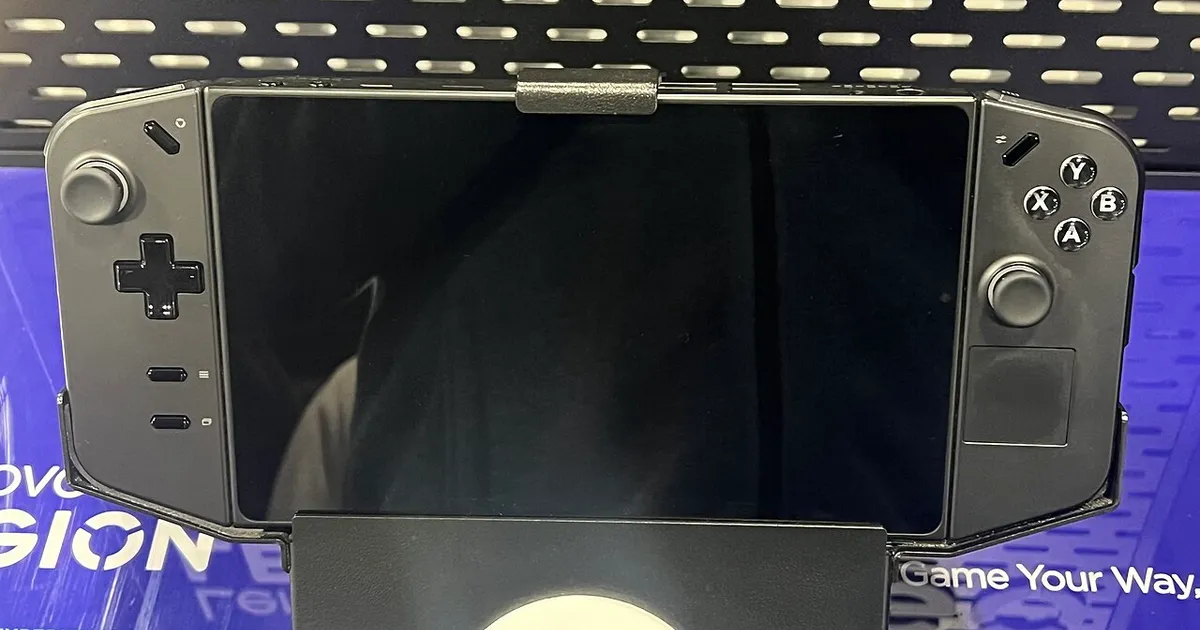
Photo by TaurusEmerald / Wikimedia Commons / CC BY-SA 4.0
Affiliate links.As an Amazon Associate I earn from qualifying purchases. Links below go to Amazon; prices and availability change, so check Amazon for current pricing.Affiliate disclosure
The Lenovo Legion Go S is sold in two software versions: one with Windows 11 and one with SteamOS, the same system as the Steam Deck. The hardware is similar, but the experience is quite different. This guide compares them by design and features, not lab testing. We don’t list prices; links go to Amazon’s current listings.
Quick answer
| SteamOS version | Windows version | |
|---|---|---|
| Interface | Console-like, built for controllers | Full Windows desktop with a handheld overlay |
| Game stores | Steam built in; others need workarounds | Steam, Xbox/Game Pass, Epic, EA, Ubisoft and more |
| Anti-cheat games | Some online games don’t run | Most run |
| Sleep and resume | Very reliable | Less consistent |
| Best for | Steam players who want simplicity | Players with libraries across many stores |
Look for the exact version in the Lenovo Legion Go S listings.
SteamOS strengths
- Console-like experience: boot straight into your Steam library.
- Quick sleep and resume.
- Steam’s per-game settings for frame rate limits and power.
- Proton compatibility runs most Windows games on Steam.
SteamOS limits
- Some multiplayer games with certain anti-cheat systems don’t run.
- Game Pass and other stores require workarounds or cloud streaming.
Windows strengths
- Every PC store and launcher.
- Game Pass for PC natively.
- Anti-cheat games that need Windows.
Windows limits
- More fiddly with a controller in menus and launchers.
- Background updates and less reliable sleep.
Which to choose
- List your games and stores. If everything is on Steam, SteamOS is simpler.
- Check your multiplayer games’ compatibility with SteamOS.
- If you use Game Pass, choose Windows.
Can you switch later?
Advanced users can install the other system, but it takes time and drivers. Buy the version that suits you.
Compared with the Steam Deck
The Legion Go S SteamOS version is the closest rival to the Steam Deck. See Steam Deck OLED vs ROG Xbox Ally vs Legion Go S.
FAQ
Can the SteamOS Legion Go S play Game Pass? Not natively. Cloud streaming through a browser is an option.
Is SteamOS better than Windows on handhelds? For Steam libraries, it’s simpler and smoother. For multi-store libraries, Windows is more flexible.
Bottom line
Choose SteamOS for a simple Steam-focused handheld, Windows for multiple stores, Game Pass and anti-cheat games. More in Legion Go 2 vs original Legion Go.
Our picks: Legion Go
Shop on Amazon
Affiliate links.As an Amazon Associate I earn from qualifying purchases. Links below go to Amazon; prices and availability change, so check Amazon for current pricing.Affiliate disclosure

Illustrative photos: Photo by TaurusEmerald / Wikimedia Commons / CC BY-SA 4.0; Photo by Wide Awake! / Wikimedia Commons / CC BY 4.0; Photo by Evan-Amos / Wikimedia Commons / Public domain