Using a Legion Go Docked as a Desktop PC: Docks, Keyboards and Monitors
How to turn a Legion Go into a desktop setup with a USB-C dock, monitor, keyboard and mouse, and what performance to expect.
How to turn a Legion Go into a desktop setup with a USB-C dock, monitor, keyboard and mouse, and what performance to expect.
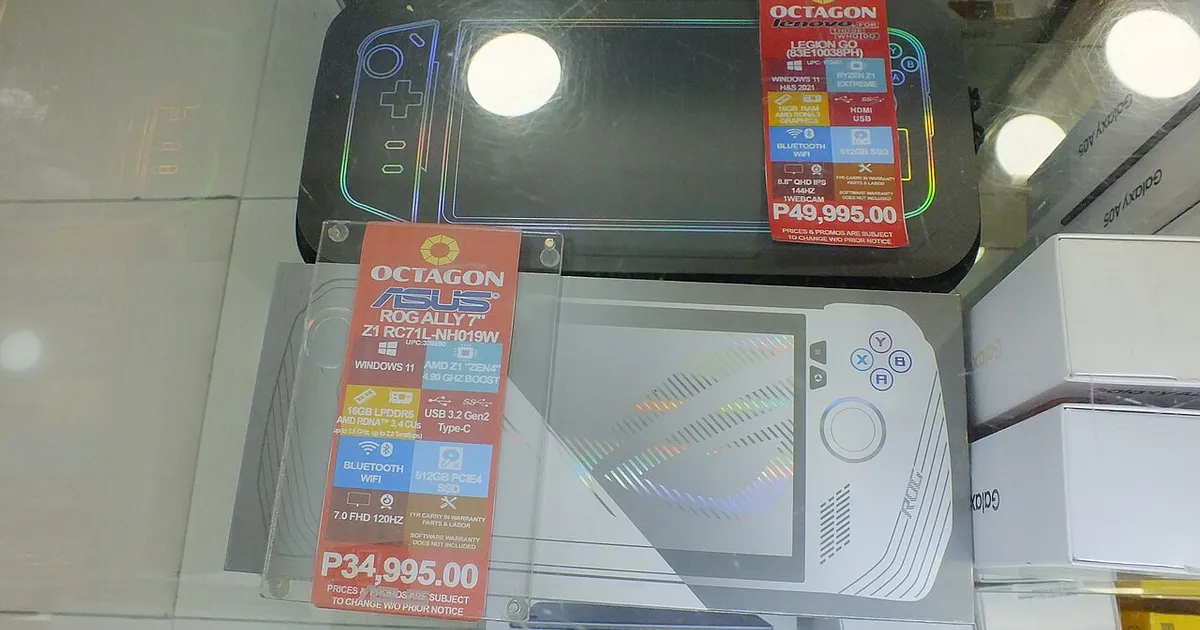
Photo by Wide Awake! / Wikimedia Commons / CC BY 4.0
Affiliate links.As an Amazon Associate I earn from qualifying purchases. Links below go to Amazon; prices and availability change, so check Amazon for current pricing.Affiliate disclosure
A Windows handheld like the Legion Go is a full PC. Docked to a monitor with a keyboard and mouse, it can handle schoolwork, browsing and lighter gaming at a desk. This guide explains the setup, based on general practice rather than lab testing. Links go to Amazon’s current listings.
Quick answer
| Item | Example |
|---|---|
| Dock with HDMI, USB and power passthrough | JSAUX docking station for Legion Go |
| Keyboard and mouse | Logitech MK270 wireless keyboard and mouse |
| Monitor | Any 1080p or 1440p monitor |
| Ethernet | On the dock, for stable connections |
Choosing a dock
- Power passthrough: enough wattage to charge while running.
- HDMI or DisplayPort version for your monitor’s resolution and refresh rate.
- USB ports for keyboard, mouse, webcam and drives.
- Ethernet for downloads and online play.
- Fit: the dock’s cradle should support the handheld’s shape.
Display settings
- Desktop work: use the monitor’s native resolution with Windows scaling.
- Gaming: 1080p with upscaling is realistic; lower in demanding games.
- Refresh rate: set it in Windows display settings.
Performance mode
Use the highest performance mode while plugged in. In Lenovo’s Legion Space app, you can set custom power limits and fan profiles.
Battery care
If the handheld stays docked often, enable a battery charge limit, if available, to reduce long-term wear.
Keyboard and mouse
A simple wireless set like the MK270 works for desk use. For gaming, a better mouse helps. See budget gaming mice.
Storage
Desktop use and big libraries fill storage. Add an external SSD through the dock. See external SSDs.
Is it a desktop replacement?
For light work and casual gaming, yes. For demanding games at high settings, a desktop PC is far faster.
TV play
For couch gaming, see docking an ROG Ally for TV play; the same approach works with the Legion Go.
FAQ
Can a Legion Go replace a laptop? For many tasks, docked at a desk, yes. Portability for typing is limited without a keyboard.
What monitor resolution should I use? 1080p or 1440p for desktop work; 1080p for games.
Bottom line
A good dock, keyboard, mouse and monitor turn a Legion Go into a capable small desktop. More in Legion Go accessories and setup tips.
Our picks: Legion Go
Shop on Amazon
Affiliate links.As an Amazon Associate I earn from qualifying purchases. Links below go to Amazon; prices and availability change, so check Amazon for current pricing.Affiliate disclosure

Illustrative photos: Photo by TaurusEmerald / Wikimedia Commons / CC BY-SA 4.0; Photo by Wide Awake! / Wikimedia Commons / CC BY 4.0; Photo by Evan-Amos / Wikimedia Commons / Public domain