Lenovo Legion Go 2 vs. Original Legion Go: What Changed
How the Legion Go 2 differs from the original Legion Go in screen, controllers and design, and who should consider upgrading.
How the Legion Go 2 differs from the original Legion Go in screen, controllers and design, and who should consider upgrading.
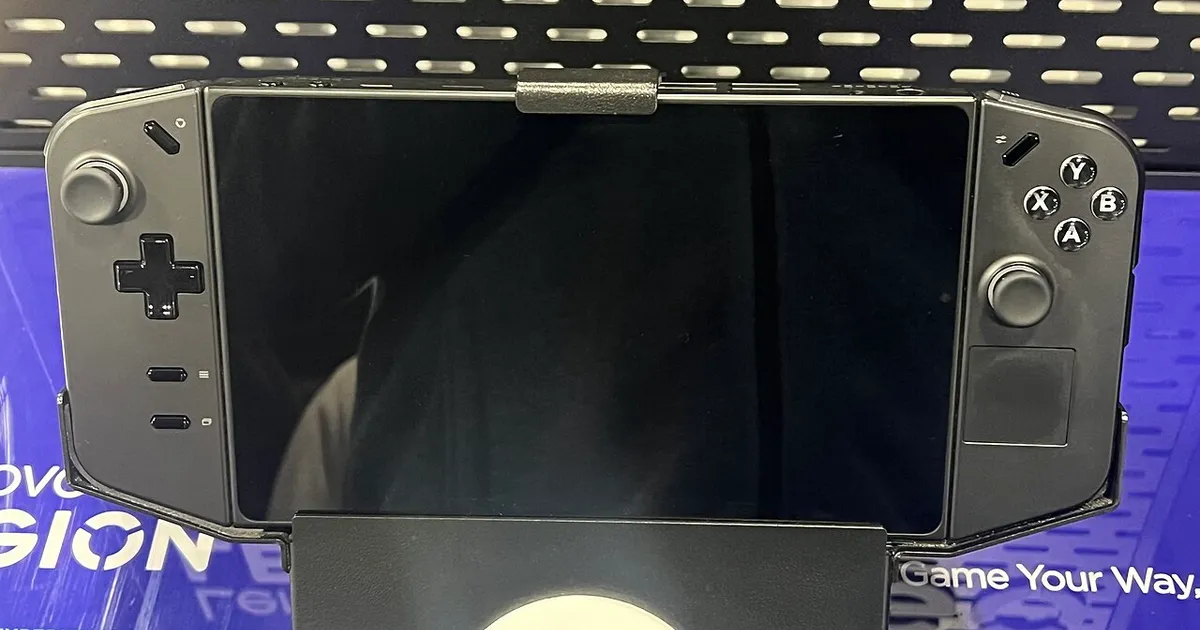
Photo by TaurusEmerald / Wikimedia Commons / CC BY-SA 4.0
Affiliate links.As an Amazon Associate I earn from qualifying purchases. Links below go to Amazon; prices and availability change, so check Amazon for current pricing.Affiliate disclosure
Lenovo’s Legion Go line now includes the original Legion Go, the smaller Legion Go S, and the Legion Go 2. They share the large-screen, PC-handheld idea but differ in screen, chip, battery and controllers. This guide compares them by design and listed specs, not lab testing. We don’t list prices; links go to Amazon’s current listings.
Quick answer
| Handheld | Standout | Best for |
|---|---|---|
| Original Legion Go | Large 8.8” high-refresh screen, detachable controllers | Big screen at a lower price |
| Lenovo Legion Go 2 | Updated chips, OLED screen, bigger battery, detachable controllers | The best Legion Go experience |
| Lenovo Legion Go S | Smaller, lighter, fixed controllers, SteamOS or Windows | Portability and simplicity |
Check each listing for the exact chip, RAM and storage configuration.
What the Legion Go 2 changes
Compared with the original, the Legion Go 2 brings:
- An OLED screen with deeper blacks.
- Newer AMD Ryzen Z2-series chips in its configurations.
- A larger battery.
- Refined detachable controllers and ergonomics.
Detachable controllers
Both the original Legion Go and Legion Go 2 have controllers that detach like Joy-Cons, with an FPS mode where one controller works like a vertical mouse. The Legion Go S has fixed controllers, making it lighter and simpler.
Size and weight
The 8.8-inch Legion Go models are large and heavier than most handhelds; the Legion Go S is smaller. If you play in bed or on the move, weight matters.
Software
All run Windows except the SteamOS version of the Legion Go S. See Legion Go S: SteamOS vs Windows.
Accessories and docking
See Legion Go accessories and setup tips and using a Legion Go as a desktop.
Original Legion Go on Black Friday
The original model may be heavily discounted. At the right price, its big high-refresh screen is still appealing, but battery life is shorter than the Legion Go 2.
FAQ
Is the Legion Go 2 worth upgrading to? If battery life and screen quality matter to you, it’s a meaningful step up.
Legion Go 2 or Legion Go S? Legion Go 2 for the big OLED screen and detachable controllers; Legion Go S for a lighter, simpler handheld.
Bottom line
Choose the Legion Go 2 for the best screen and battery, the original for a discounted big screen, and the Legion Go S for portability. More in our Legion Go buying guide.
Our picks: Legion Go
Shop on Amazon
Affiliate links.As an Amazon Associate I earn from qualifying purchases. Links below go to Amazon; prices and availability change, so check Amazon for current pricing.Affiliate disclosure

Illustrative photos: Photo by TaurusEmerald / Wikimedia Commons / CC BY-SA 4.0; Photo by Wide Awake! / Wikimedia Commons / CC BY 4.0; Photo by Evan-Amos / Wikimedia Commons / Public domain