Upgrading ROG Ally Storage: 2230 SSDs and the microSD Slot
How to add storage to an ROG Ally, which 2230 SSDs fit, and what to know about the original Ally's microSD reader.
How to add storage to an ROG Ally, which 2230 SSDs fit, and what to know about the original Ally's microSD reader.

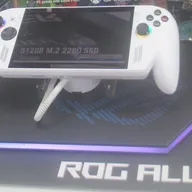
Photo by 极客湾Geekerwan / Wikimedia Commons / CC BY 3.0
Affiliate links.As an Amazon Associate I earn from qualifying purchases. Links below go to Amazon; prices and availability change, so check Amazon for current pricing.Affiliate disclosure
PC game libraries fill handheld storage fast. Upgrading the internal SSD or adding a microSD card gives you room for more games. This guide explains the options, based on general practice rather than lab testing. Links go to Amazon’s current listings.
Quick answer
| Option | Speed | Difficulty |
|---|---|---|
| Internal SSD upgrade (WD_BLACK SN770M 2TB, Corsair MP600 Mini) | Fast | Moderate: open the device, reinstall or clone Windows |
| microSD card (Samsung PRO Plus 512GB) | Slower | Easy: insert and format |
Check your model’s SSD size
- Original ROG Ally: uses an M.2 2230 SSD.
- ROG Ally X and newer models: check the specs; some use the longer M.2 2280 size.
Buying the wrong size is the most common mistake. Confirm your exact model before ordering.
Internal SSD upgrade
- Back up saves (most are in the cloud) and note your games.
- Create Windows recovery media using ASUS’s cloud recovery or a USB drive.
- Power off fully and open the back panel carefully.
- Swap the SSD, keeping the thermal pad or heat spreader in place.
- Reinstall Windows using ASUS’s recovery, or clone the old drive with an adapter.
- Install drivers with ASUS Armoury Crate.
Opening the device may affect the warranty in some regions; check first.
microSD cards
A microSD card is the easiest way to add space for smaller or less demanding games.
- Choose a fast card rated A2 and U3/V30.
- Loading times are slower than the internal SSD.
- Some early original Ally units had reports of microSD reader problems; keep important games on the internal SSD.
How much storage?
- 1TB for a handful of AAA games.
- 2TB for a larger library.
Steam Deck users
FAQ
What SSD fits the ROG Ally? The original Ally uses M.2 2230. Check other models’ specs.
Can I play games from microSD? Yes, with slower loading.
Bottom line
Check your model’s SSD size, back up and create recovery media, then upgrade. Use microSD for extra space. More in our ROG Ally buying guide.
Our picks: ROG Ally
Shop on Amazon
Affiliate links.As an Amazon Associate I earn from qualifying purchases. Links below go to Amazon; prices and availability change, so check Amazon for current pricing.Affiliate disclosure

Illustrative photos: Photo by P1898 / Wikimedia Commons / CC BY 4.0; Photo by Evan-Amos / Wikimedia Commons / Public domain