Steam Deck Cases, Screen Protectors and Grips
Accessories that protect a Steam Deck or Steam Deck OLED and make it more comfortable, and what to check for fit between models.
Accessories that protect a Steam Deck or Steam Deck OLED and make it more comfortable, and what to check for fit between models.
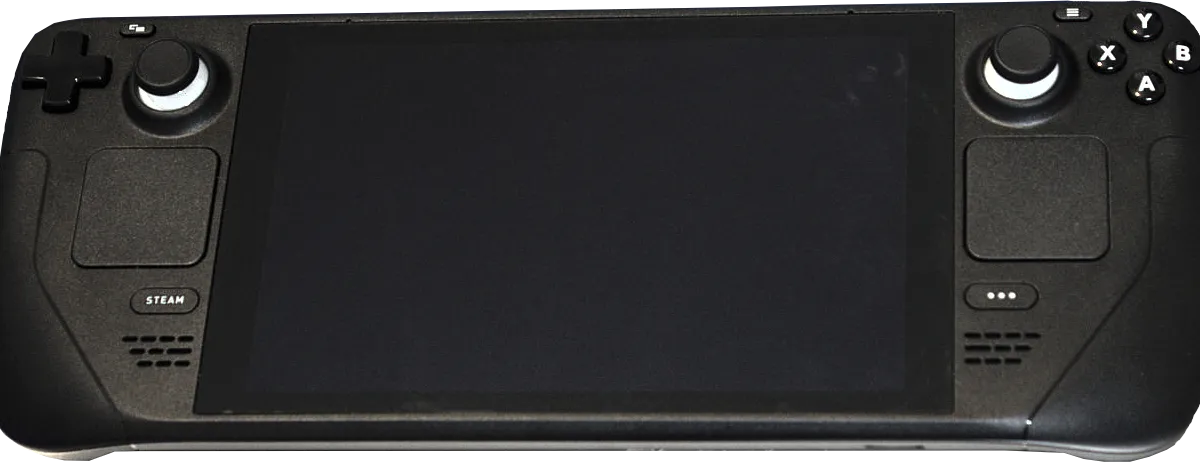
Photo by Liam Dawe/GamingOnLinux, PNG version by VulcanSphere / Wikimedia Commons / CC BY-SA 4.0
Affiliate links.As an Amazon Associate I earn from qualifying purchases. Links below go to Amazon; prices and availability change, so check Amazon for current pricing.Affiliate disclosure
The Steam Deck comes with a case, but many owners add a screen protector, a slimmer or tougher case, or grips for comfort. This guide covers the main accessories by design and listed features, not lab testing. We don’t list prices; links go to Amazon’s current listings.
Quick answer
| Accessory | Why |
|---|---|
| Tempered glass screen protector for Steam Deck OLED | Protects against scratches |
| JSAUX Steam Deck OLED case | Protective shell or carrying case |
| Grips and covers | Better hold, drop protection |
Screen protectors
- Match your model: Steam Deck LCD and OLED screens differ; buy the right size.
- Anti-glare (matte) or clear: the OLED model and anti-glare LCD model already have special finishes. A clear protector on an anti-glare screen changes its look.
- Installation: do it in a dust-free space, with the alignment frame if included.
Cases
- Carrying cases protect the Deck in a bag. The included case is good; third-party cases may be slimmer or add storage.
- Protective shells stay on during play, adding grip and drop protection. Check button and vent clearance.
Grips
Silicone covers or shells with textured grips can make long sessions more comfortable.
Vents and heat
Never block the top vent with a case or cover. Check that any shell leaves vents fully clear.
Other accessories
- Docks for TV play. See Steam Deck setup tips.
- SSD upgrades. See Steam Deck SSD upgrade.
- microSD cards for extra storage.
Choosing the right Steam Deck
See Steam Deck buying guide and travel cases and screen protectors for consoles.
FAQ
Does the Steam Deck OLED need a screen protector? It’s optional. A protector guards against scratches, but may change the anti-glare finish.
Can I play with a case on? Yes, with protective shells designed for play. Make sure vents stay clear.
Bottom line
Match accessories to your model, keep vents clear, and choose between a slim carrying case and a protective shell based on how you travel. More in our Black Friday gaming gifts guide.
Our picks: Steam Deck accessories
Shop on Amazon
Affiliate links.As an Amazon Associate I earn from qualifying purchases. Links below go to Amazon; prices and availability change, so check Amazon for current pricing.Affiliate disclosure
Illustrative photos: Photo by Liam Dawe/GamingOnLinux, PNG version by VulcanSphere / Wikimedia Commons / CC BY-SA 4.0; Photo by Evan-Amos / Wikimedia Commons / Public domain