Prebuilt Gaming PC Deals: A Spec Check for Skytech, iBUYPOWER and CyberPowerPC
How to check a discounted prebuilt's full parts list, which components to look up, and how to compare it with building the same PC yourself.
Main page for gaming pcs: Gaming PCs →
How to check a discounted prebuilt's full parts list, which components to look up, and how to compare it with building the same PC yourself.
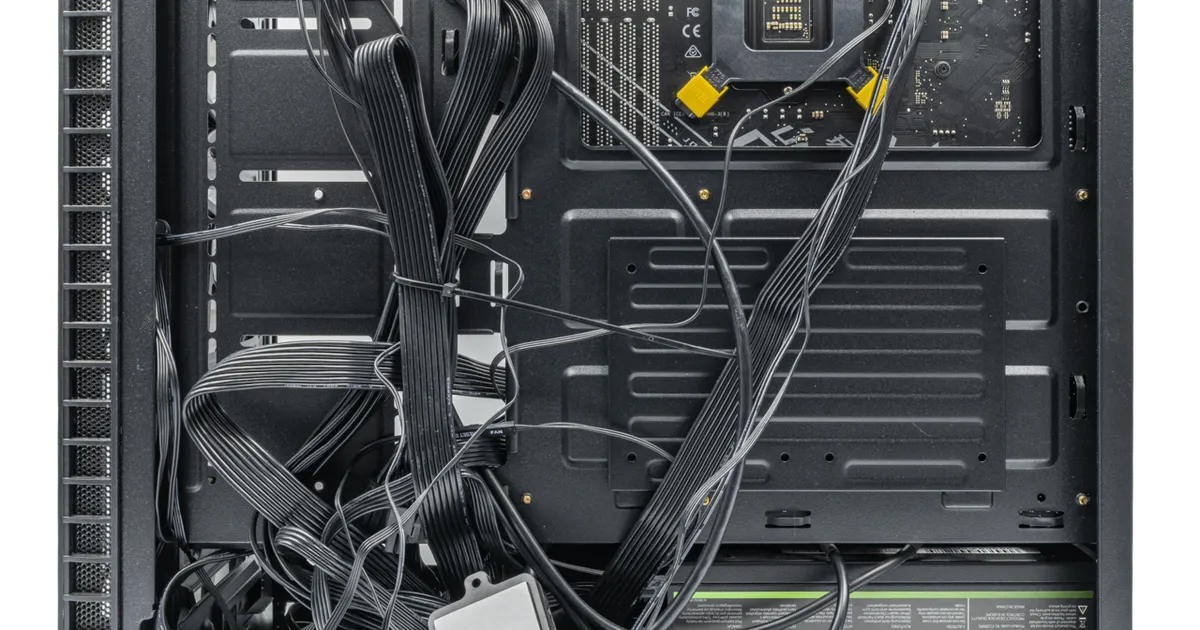
Photo by PantheraLeo1359531 / Wikimedia Commons / CC BY 4.0
Affiliate links.As an Amazon Associate I earn from qualifying purchases. Links below go to Amazon; prices and availability change, so check Amazon for current pricing.Affiliate disclosure
Prebuilt gaming PCs from system builders like Skytech, iBUYPOWER and CyberPowerPC are among the most heavily discounted items every Black Friday. Because these builders use standard retail parts, you can check exactly what you’re getting before you buy. This guide compares by design and listed specs, not lab testing. We don’t list prices, which change constantly; links go to Amazon, where you see the current price.
Quick answer
| Builder | Popular lines | What to check first |
|---|---|---|
| Skytech | Shiva, Azure, Chronos, Eclipse | Power supply brand and RAM configuration |
| iBUYPOWER | Slate, Scale, Y40 | Storage size and whether the SSD is NVMe |
| CyberPowerPC | Gamer Xtreme, Gamer Supreme | Exact GPU variant and the motherboard chipset |
All three sell many configurations under the same series name. The listing’s full spec sheet is what you’re buying, not the series name.
Step 1: look up every part
A good prebuilt deal lists each part clearly. Check:
- CPU: the exact model. A Ryzen 5 and a Ryzen 7 can share a listing headline.
- GPU: the exact model and VRAM, such as RTX 5060 Ti 8GB vs 16GB. See our RTX 50-series deals checklist.
- RAM: capacity, speed and number of sticks. Two sticks (dual channel) perform better than one.
- Storage: capacity and type. 1TB NVMe is a sensible minimum today.
- Power supply: brand, wattage and efficiency rating (80 Plus Bronze or better).
- Motherboard: chipset and size, which affect upgrades.
- Cooling: the CPU cooler and number of case fans.
If the listing says “brand may vary” for the power supply or SSD, check the questions and reviews section, or ask the seller. Generic power supplies are the most common corner cut in budget prebuilts.
Step 2: compare with the part cost
Add up what the same parts would cost to buy separately. A prebuilt is a good deal when it’s close to, or below, that total, because you also get assembly, Windows and a warranty. During Black Friday, many prebuilts land below part cost, which is rare the rest of the year.
Remember that the Windows licence has value too, so include it when you compare with a self-build.
Step 3: check upgrade headroom
Standard parts make prebuilts easy to upgrade later, if the basics are right:
- Power supply wattage: enough headroom for a future graphics card. A 650W–750W unit from a known brand covers most mid-range upgrades. More in our ATX 3.1 power supply guide.
- Free RAM slots and M.2 slots: for adding memory or storage.
- Case size and airflow: whether a larger GPU will fit and stay cool.
Step 4: warranty and support
- Length: usually one year on parts, sometimes with longer labor coverage.
- Who handles it: the builder, not Amazon, after the return window.
- Opening the case: check whether upgrading parts affects the warranty.
Red flags in a prebuilt listing
- A powerful GPU paired with a weak CPU or 8GB of RAM.
- No power supply brand or wattage listed.
- A single 500GB drive.
- Very old CPU generations at “record low” prices.
- Sold by an unknown third-party seller with few reviews.
Prebuilt or custom?
If you enjoy building and want full control over parts, a custom PC can be quieter and more upgradeable. If you want something that works out of the box, a good prebuilt on sale is often the better value. Read prebuilt vs custom gaming PCs and the best time to buy a prebuilt gaming PC.
FAQ
Are Skytech, iBUYPOWER and CyberPowerPC good? They use standard parts, which is the main advantage. Quality depends on the specific configuration, especially the power supply and RAM.
Is a prebuilt gaming PC cheaper on Black Friday? Often, yes. Black Friday is one of the few times prebuilts regularly drop close to or below the cost of their parts.
What should a mid-range prebuilt include? A current six- or eight-core CPU, an RTX 5060 Ti 16GB or RTX 5070 class GPU, 32GB of dual-channel RAM, a 1TB NVMe SSD and a 650W+ branded power supply.
Bottom line
Look up every part, compare the total with the cost of building it, and make sure the power supply and RAM aren’t corner cuts. A standard-part prebuilt on Black Friday can be excellent value. See more on our Black Friday gaming deals hub.
Our picks: Prebuilt gaming PCs
Shop on Amazon
Affiliate links.As an Amazon Associate I earn from qualifying purchases. Links below go to Amazon; prices and availability change, so check Amazon for current pricing.Affiliate disclosure
Skytech Gaming PC RTX 5070
Prebuilt with standard parts that are easy to upgrade.
Check price on Amazon

Illustrative photos: Photo by Gaming PC Bundle / Wikimedia Commons / CC BY-SA 4.0; Photo by PantheraLeo1359531 / Wikimedia Commons / CC BY 4.0; Photo by Brian Wong / Wikimedia Commons / CC BY-SA 2.0