RTX 50-Series Deals: What to Check Before Buying an RTX 5060, 5060 Ti or 5070 on Sale
How to tell whether a discounted RTX 5060, RTX 5060 Ti or RTX 5070 is actually a good buy, from VRAM versions to model names and return terms.
Main page for graphics cards: Graphics Cards →
How to tell whether a discounted RTX 5060, RTX 5060 Ti or RTX 5070 is actually a good buy, from VRAM versions to model names and return terms.
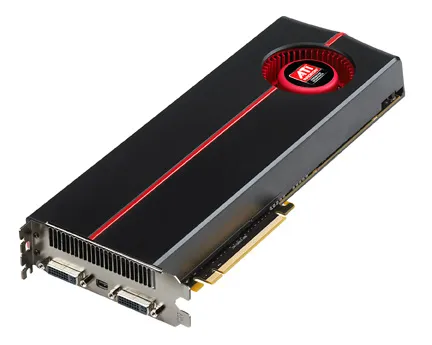
Photo by Advanced Micro Devices, Inc. (AMD) / Wikimedia Commons / Attribution
Affiliate links.As an Amazon Associate I earn from qualifying purchases. Links below go to Amazon; prices and availability change, so check Amazon for current pricing.Affiliate disclosure
Graphics card sales can be real bargains, or a way to clear models that were never good value. Before you buy a discounted mid-range NVIDIA card, run through these checks. GamingScrims doesn’t list prices here, because GPU prices change daily. Use these checks on whatever price you see.
1. Check the VRAM version
The NVIDIA GeForce RTX 5060 Ti 16GB and the 8GB version of the RTX 5060 Ti share a name but not a memory size. A deal on the 8GB model can look great until you compare it with the 16GB card. For a card you plan to keep several years, 16GB is the safer choice, as newer games use more VRAM at high settings.
2. Compare against the next tier
A good discount on a lower tier only matters if it beats the regular price of the next tier up. Compare a discounted NVIDIA GeForce RTX 5060 against the RTX 5060 Ti, and a discounted 5060 Ti against the NVIDIA GeForce RTX 5070. Sometimes a small extra spend buys a much better card.
3. Compare the same card across partners
ASUS, MSI, Gigabyte, Zotac, PNY and others sell their own versions of each GPU. They differ in coolers, length and factory overclocks, but the performance difference between partner models of the same chip is usually small. A “deal” on a premium model may be worse value than the regular price of a basic one.
4. Look at the price history
A discount is only meaningful against what the card actually sold for recently, not against an inflated “list price”. Use a price-history tracker to see whether the sale price is really lower than usual.
5. Check the seller
On marketplaces, check whether the item is sold by the retailer itself or by a third-party seller. Look at the seller’s ratings, the return window and who handles the warranty. Avoid “used – like new” listings unless the return policy is clear.
6. Check your PC first
Make sure your power supply has enough wattage and the right connectors, and that the card fits your case. Measure the length and the thickness in slots.
Bottom line
The best GPU deal is the right card at a fair price, not the biggest percentage off. Settle the VRAM, tier and fit first, then wait for a price you’re happy with.
Our picks: Graphics cards
Shop on Amazon
Affiliate links.As an Amazon Associate I earn from qualifying purchases. Links below go to Amazon; prices and availability change, so check Amazon for current pricing.Affiliate disclosure
NVIDIA GeForce RTX 5070 Ti
16GB card that handles high-refresh 1440p and entry 4K.
Check price on AmazonNVIDIA GeForce RTX 5060 Ti 16GB
Budget-friendly 1080p/1440p pick; get the 16GB version.
Check price on Amazon
Illustrative photos: Photo by Timothy Borkowski / Wikimedia Commons / CC BY-SA 3.0; Photo by Advanced Micro Devices, Inc. (AMD) / Wikimedia Commons / Attribution