Pro Controllers With Back Paddles: DualSense Edge, Victrix Pro BFG and Razer Wolverine V3 Pro
What pro controllers add over standard pads, why back paddles help, and three premium controllers for PlayStation and Xbox.
What pro controllers add over standard pads, why back paddles help, and three premium controllers for PlayStation and Xbox.
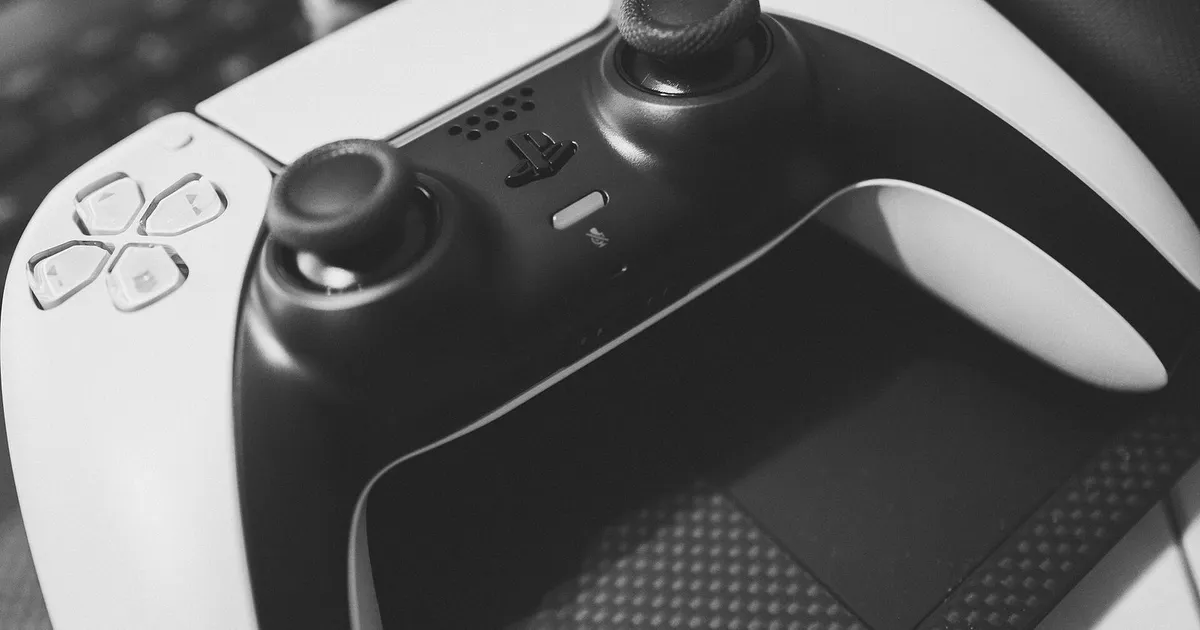
Photo by Sergey Galyonkin / Wikimedia Commons / CC BY-SA 2.0
Affiliate links.As an Amazon Associate I earn from qualifying purchases. Links below go to Amazon; prices and availability change, so check Amazon for current pricing.Affiliate disclosure
Pro controllers add back paddles, trigger stops and swappable parts to the standard gamepad. They cost much more than a regular controller, and are discounted often around Black Friday. This guide compares three popular options by design and listed features, not lab testing. We don’t list prices; links go to Amazon’s current listings.
Quick answer
| Controller | Platforms | Back buttons | Standout feature |
|---|---|---|---|
| DualSense Edge | PS5, PC | 2 | Replaceable stick modules, full DualSense haptics |
| Victrix Pro BFG | PS5/PS4/PC or Xbox/PC versions | 4 | Modular layout, including a fight-pad module |
| Razer Wolverine V3 Pro | Xbox, PC | Several remappable extra buttons | Drift-resistant sticks, mouse-click style triggers |
Why back paddles help
In a shooter, using the face buttons to jump, crouch or reload means taking your right thumb off the aim stick. Back paddles let you do those actions with your middle fingers, so you can keep aiming. They’re also useful in sports and racing games for quick inputs.
You don’t need to map everything to paddles; even two well-chosen actions make a difference.
DualSense Edge
Sony’s official pro controller keeps everything from the standard DualSense, including haptic feedback and adaptive triggers, and adds:
- Two back buttons, swappable between half-dome and lever shapes.
- Trigger stops for shorter trigger pulls.
- Replaceable stick modules, so stick drift can be fixed with a new module instead of a new controller.
- On-controller profiles you can switch quickly.
What to weigh: battery life is shorter than the standard DualSense. It’s the only one of these three with full PS5 haptics.
Victrix Pro BFG
A modular controller with four back buttons and swappable modules, including a six-button fight-pad layout for fighting games.
- Who it suits: players who switch between shooters and fighting games.
- What to weigh: separate PlayStation and Xbox versions exist; buy the one for your console. It doesn’t support PS5 haptics and adaptive triggers the way the DualSense does.
Razer Wolverine V3 Pro
Razer’s wireless pro controller for Xbox and PC, with extra remappable buttons, trigger stops and mouse-click style face buttons and triggers.
- Who it suits: Xbox and PC players who want fast, clicky inputs and drift-resistant sticks.
- What to weigh: it’s an Xbox/PC controller; check the listing for the exact version.
Alternatives
- Xbox Elite Series 2: Microsoft’s own pro controller, with adjustable stick tension and four paddles. The Core version doesn’t include the paddles.
- Budget pads with back buttons: many 8BitDo and GameSir controllers add two back buttons at a much lower price. See hall effect controllers.
How to choose
- Platform: PS5 and Xbox only accept licensed controllers.
- Number of back buttons: two is enough for most players.
- Drift protection: replaceable modules or Hall effect / TMR sticks.
- Wireless and battery life.
- Comfort: pro controllers are often heavier.
Read understanding controller stick drift and how to choose a gaming controller.
FAQ
Are pro controllers worth it? For competitive players, the back paddles make a real difference. For casual play, a standard controller is better value.
Which pro controller is best for PS5? The DualSense Edge, if you want full haptics. The Victrix Pro BFG if you want four paddles or a fight-pad module.
Bottom line
Pick the pro controller that matches your platform and the number of back buttons you’ll use, and look for drift protection. More picks in our Black Friday controller deals.
Our picks: Controllers
Shop on Amazon
Affiliate links.As an Amazon Associate I earn from qualifying purchases. Links below go to Amazon; prices and availability change, so check Amazon for current pricing.Affiliate disclosure
PlayStation DualSense Wireless Controller
Haptics and adaptive triggers on PS5 and PC.
Check price on Amazon
Illustrative photos: Photo by Microsoft / Wikimedia Commons / CC BY-SA 4.0; Photo by Alex Cochrane / Wikimedia Commons / CC BY-SA 4.0; Photo by Evan-Amos / Wikimedia Commons / Public domain