Desk Speaker Placement: Stands, Isolation Pads and Adding a Subwoofer
Simple placement changes that make desktop speakers sound clearer, and when stands, isolation pads or a subwoofer are worth adding.
Simple placement changes that make desktop speakers sound clearer, and when stands, isolation pads or a subwoofer are worth adding.
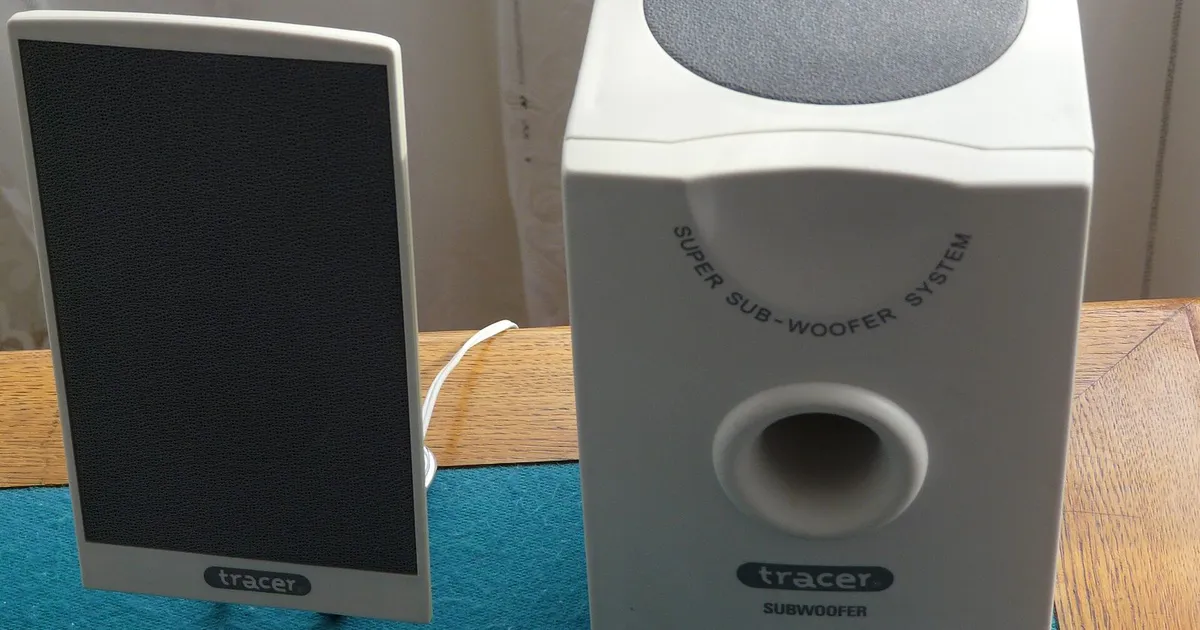
Photo by User:Piotrus / Wikimedia Commons / CC BY-SA 3.0
Affiliate links.As an Amazon Associate I earn from qualifying purchases. Links below go to Amazon; prices and availability change, so check Amazon for current pricing.Affiliate disclosure
Where you put your speakers matters almost as much as which speakers you buy. On a desk, speakers often sit too low, too close to the wall and directly on a surface that vibrates. Simple fixes like stands and isolation pads can make the same speakers sound much better. This guide explains placement basics, based on general audio practice rather than lab testing. Links go to Amazon’s current listings.
Quick answer
| Problem | Fix |
|---|---|
| Muddy or boomy bass | Move speakers away from the wall; add isolation pads |
| Speakers aimed at your chest | Raise them with stands |
| Vague stereo image | Form a triangle with your head; angle the speakers in |
| Desk rattles | Isolation pads or stands |
| Thin sound from small speakers | Add a subwoofer |
The listening triangle
- Place the speakers an equal distance apart and from your head, forming roughly an equilateral triangle.
- Angle them inward so they point toward your ears.
- Keep tweeters at ear height: the small drivers that handle high frequencies should be level with your ears when seated.
Raise them: stands
Speakers sitting flat on a desk usually point at your chest. Desk speaker stands raise and often tilt them toward your ears. Even small angled stands make a noticeable difference.
Decouple them: isolation pads
A desk can vibrate with the speakers, adding boomy, muddy bass. Speaker isolation pads made of dense foam decouple the speakers from the desk and often tilt them upward too.
Distance from the wall
Speakers close to a wall, especially rear-ported ones, produce exaggerated bass. Move them a little forward if you can, or use foam port plugs if included.
Adding a subwoofer
Small desk speakers can’t produce deep bass. A subwoofer like the Klipsch R-100SW fills it in. Check:
- Connection: your speakers or audio source need a subwoofer output, or use the sub’s speaker-level inputs if supported.
- Placement: on the floor, often near a wall or corner for more output. Try a few positions.
- Crossover and volume: blend it so you can’t tell where the bass comes from.
- Neighbors: subwoofers carry through floors and walls.
Around your monitor
- Place speakers either side of the monitor, not behind it.
- Monitor arms free up space to position speakers better. See do you need a monitor arm?
- Soundbars go centered under the monitor. See PC soundbars.
Room tips
- Soft furnishings (rugs, curtains) reduce echo.
- Avoid placing your desk in a corner if possible; corners exaggerate bass.
Choosing speakers
If you’re still picking speakers, see studio monitors and bookshelf speakers and desktop speakers vs headsets.
FAQ
Do isolation pads really help? On many desks, yes: tighter bass and less desk vibration, plus a better angle.
Can I add a subwoofer to any speakers? Only if your speakers or source have a sub output, or the sub accepts speaker-level input.
Bottom line
Raise speakers to ear height, angle them toward you, decouple them from the desk and give them a little space from the wall. Add a sub if you want deeper bass.
Our picks: Speakers
Shop on Amazon
Affiliate links.As an Amazon Associate I earn from qualifying purchases. Links below go to Amazon; prices and availability change, so check Amazon for current pricing.Affiliate disclosure
Illustrative photos: Photo by Evan-Amos / Wikimedia Commons / Public domain