Studio Monitors and Bookshelf Speakers for Gaming Desks: Edifier MR4, PreSonus Eris 3.5, Kanto YU2 and Audioengine A2+
Why small studio monitors and bookshelf speakers often sound better than gaming speakers, how to connect them, and four compact options.
Why small studio monitors and bookshelf speakers often sound better than gaming speakers, how to connect them, and four compact options.
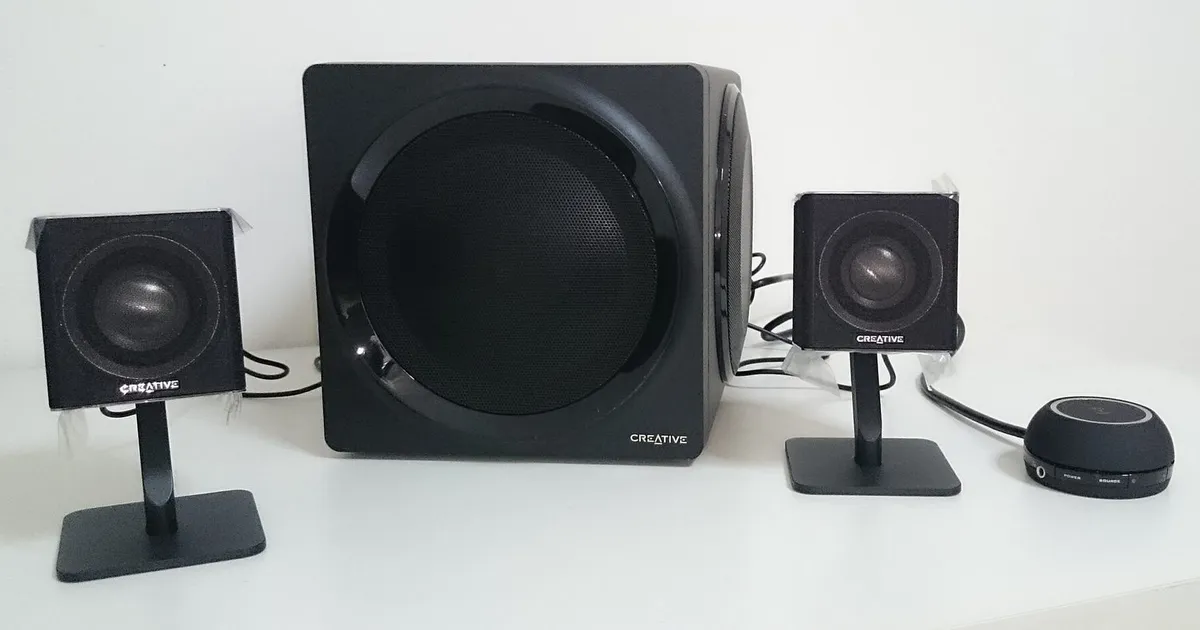
Photo by Dinopkk / Wikimedia Commons / CC BY-SA 3.0
Affiliate links.As an Amazon Associate I earn from qualifying purchases. Links below go to Amazon; prices and availability change, so check Amazon for current pricing.Affiliate disclosure
If you listen to music as much as you game, a pair of studio monitors or powered bookshelf speakers will sound much better than typical “gaming speakers”. This guide compares four popular desk-sized options by design and listed features, not lab testing. We don’t list prices; links go to Amazon’s current listings.
Quick answer
| Speakers | Type | Inputs | Best for |
|---|---|---|---|
| Edifier MR4 | Powered studio monitors | Balanced and unbalanced analog | An affordable first pair |
| PreSonus Eris 3.5 | Powered studio monitors | Balanced and unbalanced analog | Small desks, neutral sound |
| Kanto YU2 | Powered bookshelf speakers | USB, analog | Simple USB setup on a PC |
| Audioengine A2+ | Powered bookshelf speakers | USB, analog (Bluetooth version available) | Compact, well-built speakers |
Studio monitors vs bookshelf speakers
- Studio monitors aim for a neutral, accurate sound, designed for mixing music. Many gamers like them for clear detail.
- Bookshelf speakers are tuned for enjoyable listening, sometimes with a warmer sound, and often include USB or Bluetooth.
Both are powered (active), so you don’t need a separate amplifier.
Edifier MR4
Affordable powered studio monitors with 4-inch woofers and front-panel controls.
- Who it suits: a first pair of proper desk speakers.
- What to weigh: analog inputs only; you need a 3.5mm or audio interface output.
PreSonus Eris 3.5
Compact studio monitors with 3.5-inch woofers, designed for small desks.
- Who it suits: small desks where neutral sound matters.
- What to weigh: limited bass from small woofers; a subwoofer helps.
Kanto YU2
Small powered speakers with a USB input, which acts as a sound card for cleaner audio from your PC.
- Who it suits: a simple, tidy PC setup.
Audioengine A2+
Compact powered speakers with USB input and a solid build. A Bluetooth version is available.
- Who it suits: players who want compact speakers with good build quality.
How to connect
- USB: simplest on PC, if the speakers support it.
- 3.5mm: from the PC’s headphone output or motherboard audio.
- Audio interface: if you already use one for an XLR mic, connect the monitors to its outputs. See audio interfaces.
Placement matters
Speakers sound best at ear height, angled toward you, with some space from the wall. Stands and isolation pads help a lot on a desk. See desk speaker placement.
Speakers or a soundbar?
Speakers give better stereo separation and music quality; a soundbar saves space. See PC soundbars.
FAQ
Are studio monitors good for gaming? Yes. Their clear, accurate sound works well for games and music. For competitive positional audio, a headset is still better.
Do I need a subwoofer? Not necessarily, but small speakers have limited bass; a sub fills it in.
Bottom line
For a desk that’s used for music and games, powered studio monitors or bookshelf speakers are a big upgrade. Choose by inputs and size, then place them well. More on our Black Friday gaming deals hub.
Our picks: Speakers
Shop on Amazon
Affiliate links.As an Amazon Associate I earn from qualifying purchases. Links below go to Amazon; prices and availability change, so check Amazon for current pricing.Affiliate disclosure
Illustrative photos: Photo by Evan-Amos / Wikimedia Commons / Public domain