Streaming Audio Mixers: GoXLR, GoXLR Mini and RØDECaster Duo
Why streamers use hardware mixers, what they do that software can't easily replace, and three popular options.
Why streamers use hardware mixers, what they do that software can't easily replace, and three popular options.
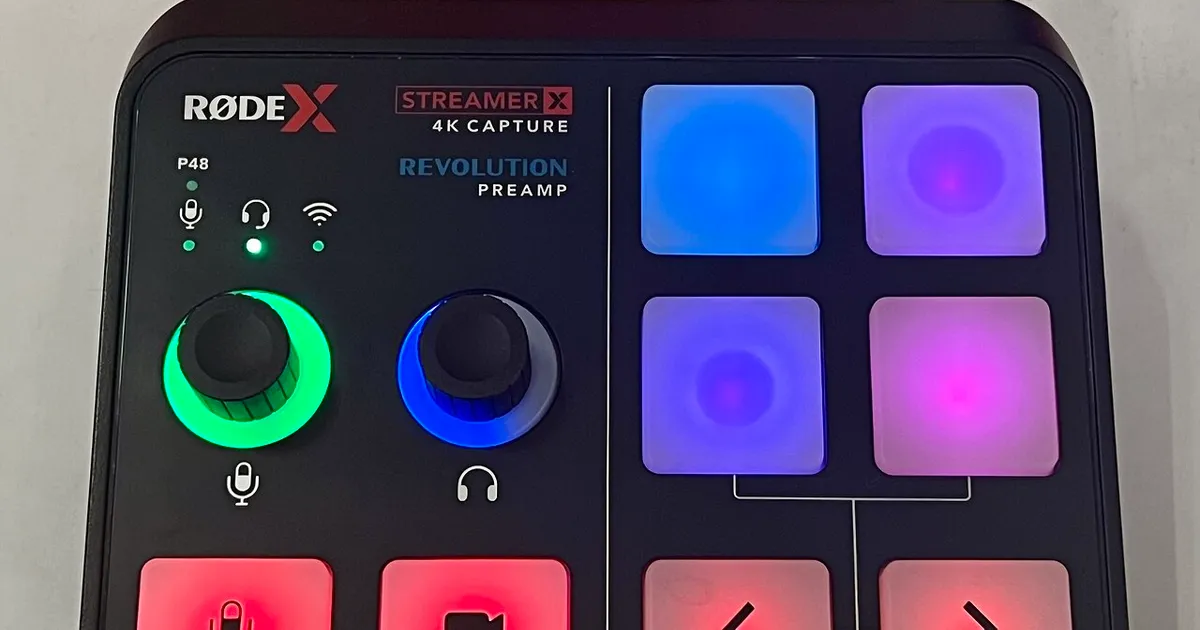
Photo by TaurusEmerald / Wikimedia Commons / CC BY-SA 4.0
Affiliate links.As an Amazon Associate I earn from qualifying purchases. Links below go to Amazon; prices and availability change, so check Amazon for current pricing.Affiliate disclosure
A streaming audio mixer gives you physical faders for your mic, game, chat and music, plus mute buttons and voice effects, so you can control what your audience hears without alt-tabbing. They’re more expensive than a simple audio interface, so it’s worth knowing what you’re paying for. This guide compares three popular mixers by design and listed features, not lab testing. We don’t list prices; links go to Amazon’s current listings.
Quick answer
| Mixer | Mic inputs | Standout | Platforms |
|---|---|---|---|
| TC-Helicon GoXLR | 1 XLR | Faders, voice effects, sound sampler | Windows |
| TC-Helicon GoXLR Mini | 1 XLR | Faders and routing without effects | Windows |
| RØDECaster Duo | 2 combo (XLR/instrument) | Two mics, onboard processing, touchscreen | Windows and Mac |
What a streaming mixer does
- Separate audio channels: game, chat, music and system sounds on their own faders.
- Separate mixes: what you hear and what your stream hears can be different.
- Mic processing: compressor, EQ, noise gate and de-esser.
- Mute and cough buttons.
- Effects and sound samples on some models.
GoXLR
The full GoXLR adds voice effects (reverb, echo, pitch) and a sampler for sound effects, on top of the faders and mic processing.
- Who it suits: Windows streamers who want effects and hands-on control.
- What to weigh: the software is Windows-only.
GoXLR Mini
The GoXLR’s faders, routing and mic processing, without the effects and sampler.
- Who it suits: streamers who want the routing and faders at a lower price.
RØDECaster Duo
Two combo inputs for two mics (or a mic and an instrument), onboard processing, a touchscreen and pads for sounds.
- Who it suits: streamers with a co-host or guest, Mac users, and podcasters.
- What to weigh: larger than the GoXLR Mini.
Mixer or audio interface?
If you only need to connect an XLR mic, a simple audio interface is cheaper. See audio interfaces for XLR mics. A mixer adds value when you want separate channels, physical control and processing.
Software mixers like Elgato Wave Link or OBS’s audio tools can also do some routing for free.
What to check
- Operating system support.
- Number of mic inputs.
- Gain for your mic, especially dynamic mics.
- Console support: some mixers accept a console via optical or USB; check your setup.
- Desk space.
FAQ
Do I need a mixer to stream? No. Many streamers use a USB mic and software. A mixer adds hands-on control.
GoXLR or RØDECaster Duo? GoXLR for Windows streamers who want effects; RØDECaster Duo for two mics or Mac.
Bottom line
A streaming mixer is worth it when you want physical control over separate audio channels and mic processing. Match it to your OS and number of mics. More in capture cards and audio interfaces.
Our picks: Streaming gear
Shop on Amazon
Affiliate links.As an Amazon Associate I earn from qualifying purchases. Links below go to Amazon; prices and availability change, so check Amazon for current pricing.Affiliate disclosure
Illustrative photos: Photo by Alexis Fam from Madison, United States / Wikimedia Commons / CC BY 2.0; Photo by TaurusEmerald / Wikimedia Commons / CC BY-SA 4.0; Photo by Peter Placzek / Wikimedia Commons / CC BY-SA 4.0