Syncing RGB Across Brands: SignalRGB, OpenRGB and Lighting Controllers
How to get RGB from different brands to work together, the difference between software syncing and hardware controllers, and what to watch out for.
Main page for lighting: Gaming Lights →
How to get RGB from different brands to work together, the difference between software syncing and hardware controllers, and what to watch out for.
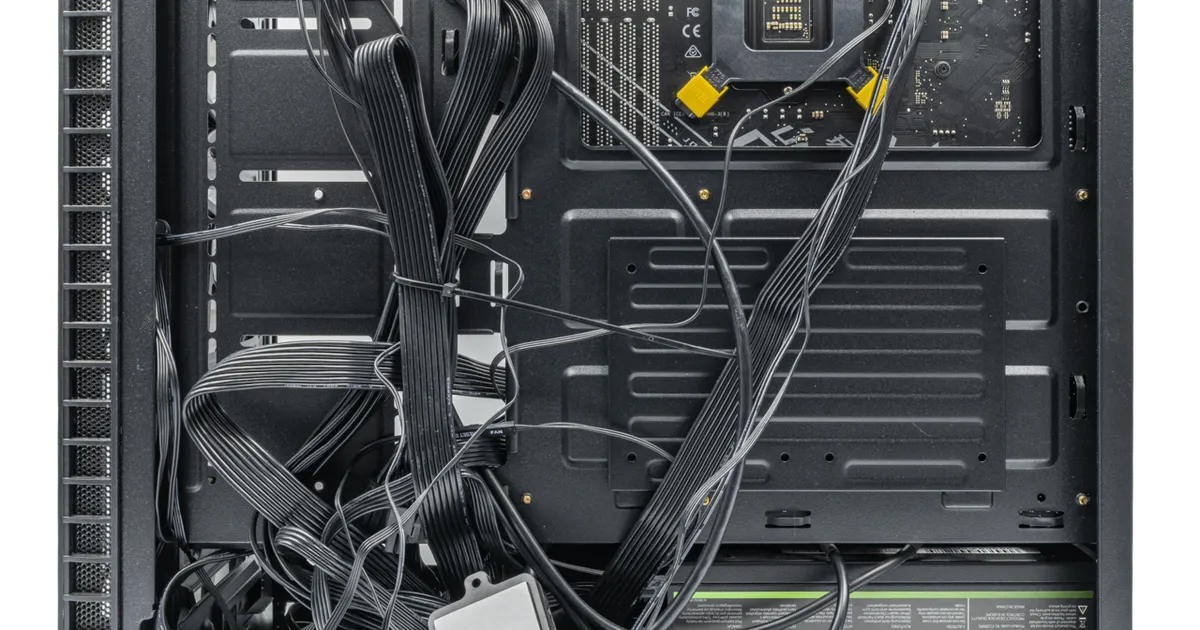
Photo by PantheraLeo1359531 / Wikimedia Commons / CC BY 4.0
Affiliate links.As an Amazon Associate I earn from qualifying purchases. Links below go to Amazon; prices and availability change, so check Amazon for current pricing.Affiliate disclosure
Most gaming setups mix brands: a Corsair keyboard, a Logitech mouse, ASUS motherboard lighting and Lian Li fans. Each brand has its own RGB app, and getting them to match can be frustrating. This guide explains the options for syncing lighting across brands, based on general practice rather than lab testing. Links go to Amazon’s current listings.
Quick answer
| Option | What it does | Best for |
|---|---|---|
| SignalRGB | Free app controlling many brands, with paid extras | Easiest cross-brand syncing |
| OpenRGB | Free, open-source control of many devices | Lightweight, no-account control |
| Motherboard RGB software | Controls ARGB devices on motherboard headers | Fans and strips on headers |
| Lighting controller (Corsair iCUE Lighting Node CORE, ARGB controller hub) | Adds RGB channels | Lots of fans and strips |
Why RGB syncing is hard
Each brand uses its own software and protocols. Running several RGB apps at once can conflict, use system resources and fight over control of the same devices.
SignalRGB
SignalRGB supports a wide range of brands and devices in one app, with effects that can react to games and screen content.
- Strengths: broad device support, easy setup.
- What to weigh: some features require a paid subscription; check support for your devices.
OpenRGB
OpenRGB is free and open-source, controlling many motherboards, RAM, GPUs and peripherals.
- Strengths: lightweight, no account, free.
- What to weigh: setup can be more technical; device support varies.
Using motherboard software
ARGB fans and strips connected to motherboard headers can be controlled by the motherboard’s software. Hubs extend the number of devices.
Avoid conflicts
- Pick one main app for each device.
- Disable or uninstall other RGB apps’ lighting control for those devices.
- Save to onboard memory where possible, then close brand apps. See peripheral software and onboard memory.
ARGB vs RGB headers
- ARGB (3-pin, 5V): addressable, multiple colors per strip.
- RGB (4-pin, 12V): one color at a time.
Never plug a 5V ARGB device into a 12V RGB header; it can damage the device.
Plan before buying
If smooth syncing matters, stick to one ecosystem or check SignalRGB and OpenRGB support before buying new devices. For room lighting, see RGB wall lights and RGB floor lamps.
FAQ
Can I control all my RGB from one app? Often, with SignalRGB or OpenRGB, depending on device support.
Does RGB software affect performance? Slightly. Running fewer apps helps.
Bottom line
Use one cross-brand app like SignalRGB or OpenRGB, avoid running several RGB apps at once, and check device support before buying. More in PC fan hubs and controllers.
Our picks: Lighting
Shop on Amazon
Affiliate links.As an Amazon Associate I earn from qualifying purchases. Links below go to Amazon; prices and availability change, so check Amazon for current pricing.Affiliate disclosure
Illustrative photos: Photo by Dmitry G / Wikimedia Commons / CC BY-SA 3.0; Photo by Raimond Spekking / Wikimedia Commons / CC BY-SA 4.0