Do You Need G HUB, Synapse or iCUE Running? Peripheral Software and Onboard Memory
What peripheral software does, how onboard memory lets you close it, and how to reduce background apps from Logitech, Razer and Corsair.
What peripheral software does, how onboard memory lets you close it, and how to reduce background apps from Logitech, Razer and Corsair.

Photo: Sai Kiran Anagani _imkiran / Wikimedia Commons / CC0
Affiliate links.As an Amazon Associate I earn from qualifying purchases. Links below go to Amazon; prices and availability change, so check Amazon for current pricing.Affiliate disclosure
Buy a new mouse, keyboard or headset on Black Friday, and it’ll probably ask you to install its brand’s software: Logitech G HUB, Razer Synapse, Corsair iCUE, SteelSeries GG and others. These apps can use memory, start with Windows and show pop-ups. The good news: many devices can store settings on the device itself, so you can set them once and close the app. This guide explains how, based on how these apps and devices generally work.
Quick answer
| You want to… | Do you need the software running? |
|---|---|
| Set DPI, polling rate, button mapping once | Install, configure, save to onboard memory, then close |
| Per-game profiles that switch automatically | Yes, keep it running |
| Synced RGB lighting across devices | Usually yes |
| Firmware updates | Install occasionally |
| Headset EQ / virtual surround | Often yes, unless the headset stores EQ |
What peripheral software does
- Settings: DPI, polling rate, button remapping, macros.
- Profiles: different settings per game, switched automatically.
- Lighting: RGB effects and syncing across devices.
- Audio: EQ, surround sound, mic processing for headsets.
- Firmware updates.
Onboard memory: set it and close the app
Many gaming mice and keyboards have onboard memory that stores one or more profiles on the device. Once saved, the settings work on any PC, without the software running.
- Logitech G HUB: many mice, such as the Logitech G PRO X SUPERLIGHT 2, support an onboard memory mode. Switch the device to onboard memory in G HUB and save your profile to it.
- Razer Synapse: many devices, including the Razer DeathAdder V3 Pro, can save profiles to onboard memory from Synapse.
- Corsair iCUE: many devices have a hardware mode with saved profiles and lighting.
Check your device’s support page for its exact onboard memory features.
How to reduce background apps
- Configure the device and save settings to onboard memory.
- Disable launch at startup in the app’s settings or Windows’ Startup apps list.
- Open the app only to change settings or update firmware.
- Uninstall apps for devices you no longer use.
- Avoid running several brands’ apps at once if you don’t need them.
When to keep the software running
- Automatic per-game profiles.
- Synced lighting across several devices from the same brand.
- Headset features like virtual surround or EQ processed in software.
- Wireless battery notifications.
Do these apps hurt game performance?
On a modern PC, the impact is usually small, but they use memory and background CPU, and occasionally cause conflicts or stutter. If you see issues, closing them is an easy test.
Software-free alternatives
- Keyboards with QMK/VIA, like many Keychron boards, are configured in a web app and store everything on the keyboard. See Keychron vs Glorious vs Ducky.
- Mice with onboard DPI buttons let you switch settings without software.
Choosing gear with software in mind
If you dislike background apps, check before buying whether the device has onboard memory or a web-based configurator. Compare mice in our guide to mouse sensors and DPI and keyboards in our Black Friday keyboard picks.
FAQ
Do I need G HUB running for my Logitech mouse? Not if you save your settings to onboard memory.
Will my settings work on another PC? Yes, if they’re saved to onboard memory.
Bottom line
Install the software, configure your device, save to onboard memory and close the app. Keep it running only for per-game profiles, synced lighting or headset audio features. More on our Black Friday gaming deals hub.
Our picks: Game credit & memberships & Streaming gear
Shop on Amazon
Affiliate links.As an Amazon Associate I earn from qualifying purchases. Links below go to Amazon; prices and availability change, so check Amazon for current pricing.Affiliate disclosure


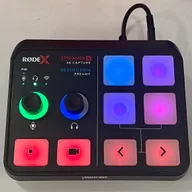

Illustrative photos: Photo by Bryan Ochalla / Wikimedia Commons / CC BY-SA 2.0; Photo by Alexis Fam from Madison, United States / Wikimedia Commons / CC BY 2.0; Photo by TaurusEmerald / Wikimedia Commons / CC BY-SA 4.0; Photo by Peter Placzek / Wikimedia Commons / CC BY-SA 4.0