Setting Up a Family Gaming Setup: Parental Controls and Shared Hardware
How to set up consoles and PCs for kids and families, from parental controls and screen time limits to durable controllers.
Main page for gaming setups: Setup Inspiration →
How to set up consoles and PCs for kids and families, from parental controls and screen time limits to durable controllers.
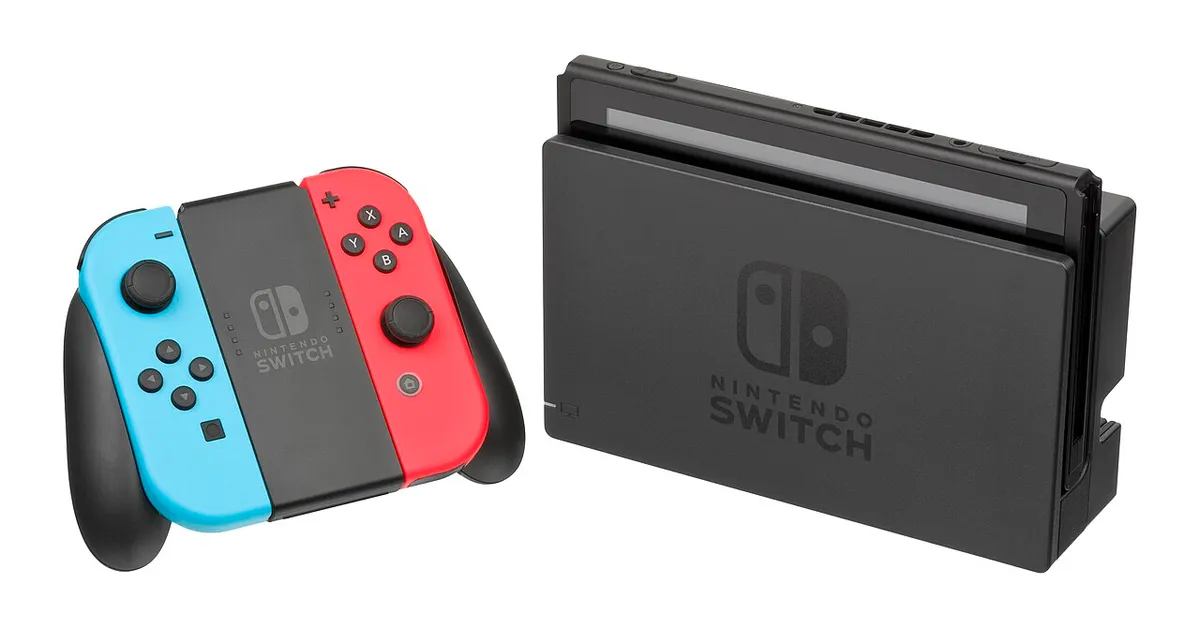
Photo by Evan-Amos / Wikimedia Commons / Public domain
Affiliate links.As an Amazon Associate I earn from qualifying purchases. Links below go to Amazon; prices and availability change, so check Amazon for current pricing.Affiliate disclosure
A family gaming setup needs to be fun for everyone and safe for younger players: shared hardware, sensible screen time and the right parental controls. This guide covers the essentials, based on general practice and platform features rather than lab testing. Links go to Amazon’s current listings.
Quick answer
| Need | Solution |
|---|---|
| Easy shared console | Nintendo Switch 2 or another console in a shared room |
| Controllers ready to play | Joy-Con 2 Charging Grip or a charging station |
| Spending control | Parental controls and gift cards like a Nintendo eShop gift card |
| Screen time | Platform time limits |
Parental controls by platform
- Nintendo Switch 2: the Nintendo Switch Parental Controls app sets play time, age ratings and communication limits.
- Xbox: the Xbox Family Settings app manages screen time, content, spending and who kids can talk to.
- PlayStation: family management sets age levels, spending limits and play time.
- PC (Steam): Steam Families shares games and sets restrictions; Microsoft Family Safety manages Windows accounts.
Set up a child account linked to a parent account on each platform.
Spending
- Turn off saved payment methods on child accounts, or require approval.
- Use gift cards for a fixed budget. See using gift cards to buy digital games.
- Watch for in-game purchases.
Online safety
- Limit communication to friends, or turn off voice chat for young children.
- Review friend requests.
- Talk about online behavior and reporting.
Shared hardware
- Put the console in a shared room for younger children.
- Separate profiles for each family member.
- Enough controllers for local multiplayer. See Mario Kart World accessories.
- Charging station to keep controllers ready. See charging stations.
Comfort
- Footrests and right-sized chairs for kids at a desk. See gaming chairs for smaller players.
- Good lighting in the play area.
Living room setup
See living room gaming setup ideas.
FAQ
What’s the best console for families? The Switch 2 is easy to share and has strong family games, but any console works with parental controls.
Can I limit screen time on all consoles? Yes. Each platform has built-in time limits.
Bottom line
Set up child accounts and parental controls, use gift cards for spending, and keep the console in a shared space with enough controllers. More in our Black Friday gaming gifts guide.
Our picks: Gaming desks & Gaming chairs
Shop on Amazon
Affiliate links.As an Amazon Associate I earn from qualifying purchases. Links below go to Amazon; prices and availability change, so check Amazon for current pricing.Affiliate disclosure


Illustrative photos: Photo by Ssamm T / Wikimedia Commons / CC BY-SA 4.0; Photo by Marchuk17 / Wikimedia Commons / CC BY-SA 4.0; Photo by Luke Chesser / Wikimedia Commons / CC0; Photo by Ndurliat / Wikimedia Commons / CC BY-SA 4.0