Reading a Prebuilt Gaming PC Spec Sheet: Legion Tower 5, HP OMEN 35L, Alienware Aurora and CyberPowerPC
The parts prebuilt makers skimp on, the spec-sheet lines that reveal them, and how to compare prebuilt gaming PCs from the big brands.
The parts prebuilt makers skimp on, the spec-sheet lines that reveal them, and how to compare prebuilt gaming PCs from the big brands.
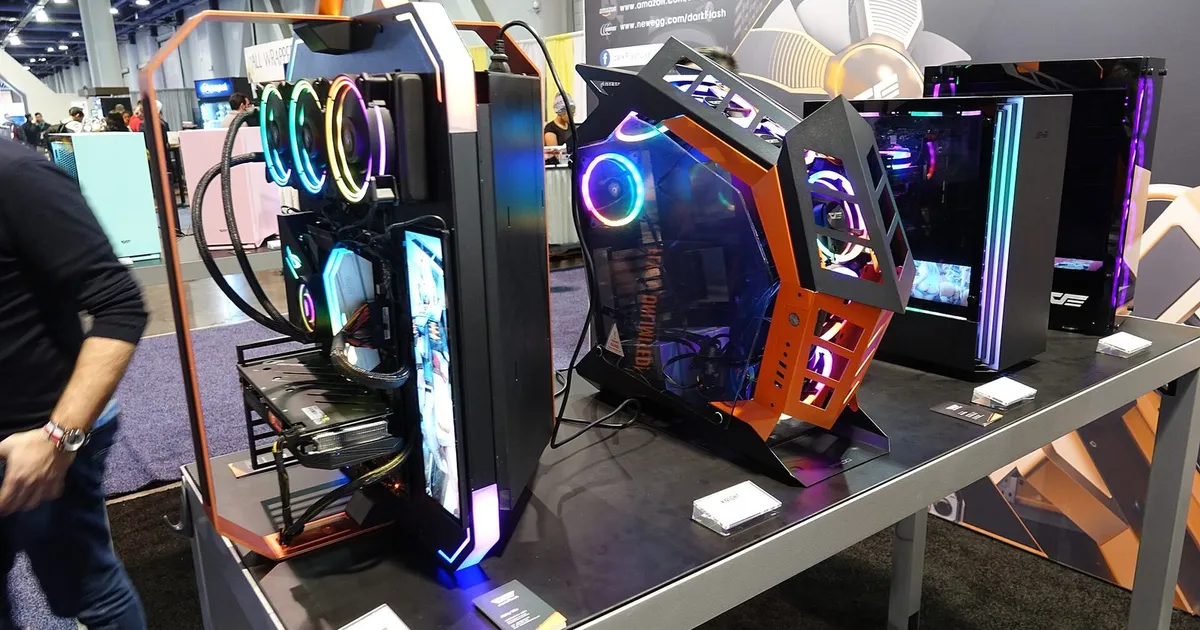
Photo by Notdjey / Wikimedia Commons / CC BY 2.0
Affiliate links.As an Amazon Associate I earn from qualifying purchases. Links below go to Amazon; prices and availability change, so check Amazon for current pricing.Affiliate disclosure
Big-brand prebuilt gaming PCs like the Lenovo Legion Tower, HP OMEN, Alienware Aurora and CyberPowerPC lines are sold in many configurations, and Black Friday listings often highlight the GPU while hiding the rest. This guide explains how to read the full spec sheet, based on listed specs rather than lab testing. We don’t list prices; links go to Amazon’s current listings.
Quick answer: lines to compare
| Prebuilt line | What to check especially |
|---|---|
| Lenovo Legion Tower 5 | RAM configuration, PSU wattage |
| HP OMEN 35L | Cooling and upgrade options |
| Alienware Aurora | Proprietary parts, PSU, cooling |
| CyberPowerPC Gamer Supreme | PSU brand, motherboard chipset |
The spec sheet checklist
CPU
- Exact model and generation. A newer mid-range CPU can beat an older high-end one.
- Balance with the GPU: a high-end GPU paired with a low-end CPU wastes performance.
GPU
- Exact model and VRAM, such as RTX 5060 Ti 8GB vs 16GB.
- Reference vs partner design may affect noise.
RAM
- Capacity: 16GB minimum, 32GB preferred.
- Configuration: two sticks (dual channel), not one. A single 16GB stick is a common cost cut.
- Speed.
Storage
- Capacity and type: 1TB NVMe preferred. Avoid hard-drive-only systems.
- Free M.2 slots for later upgrades.
Power supply
- Wattage and efficiency rating.
- Brand, if listed. “Brand may vary” deserves a question.
- Standard or proprietary form factor.
Motherboard
- Chipset: affects upgrades and features. See motherboard chipsets explained.
- Wi-Fi, USB ports.
Cooling
- CPU cooler type (air or liquid) and number of case fans.
Warranty and support
- Length, parts and labor, and who handles repairs.
Big brands vs system builders
- Big brands (Lenovo, HP, Dell/Alienware) offer strong support networks, but some models use proprietary motherboards, power supplies or cases, which can limit upgrades.
- System builders (CyberPowerPC, iBUYPOWER, Skytech) usually use standard parts that are easier to upgrade.
See upgrading a prebuilt gaming PC.
Compare total value
Add up the price of similar parts to see whether the prebuilt is fair value, and remember the included Windows licence and warranty. Our prebuilt deal spec check walks through it.
FAQ
Are Alienware and HP OMEN PCs upgradeable? Partly. RAM, storage and often the GPU can be upgraded, but some parts may be proprietary. Check your model.
What’s the most common cost-cutting in prebuilts? Single-stick RAM, small storage and unbranded power supplies.
Bottom line
Read the whole spec sheet, not just the GPU: CPU balance, dual-channel RAM, storage, power supply and upgrade options. More on our Black Friday gaming deals hub.
Our picks: Prebuilt gaming PCs
Shop on Amazon
Affiliate links.As an Amazon Associate I earn from qualifying purchases. Links below go to Amazon; prices and availability change, so check Amazon for current pricing.Affiliate disclosure
Skytech Gaming PC RTX 5070
Prebuilt with standard parts that are easy to upgrade.
Check price on Amazon

Illustrative photos: Photo by Gaming PC Bundle / Wikimedia Commons / CC BY-SA 4.0; Photo by PantheraLeo1359531 / Wikimedia Commons / CC BY 4.0; Photo by Brian Wong / Wikimedia Commons / CC BY-SA 2.0