Upgrading a Prebuilt Gaming PC: What You Can and Can't Swap
The easiest upgrades for a prebuilt gaming PC, the parts that are often proprietary, and how to check before you buy a new part.
The easiest upgrades for a prebuilt gaming PC, the parts that are often proprietary, and how to check before you buy a new part.

Photo by Gaming PC Bundle / Wikimedia Commons / CC BY-SA 4.0
Affiliate links.As an Amazon Associate I earn from qualifying purchases. Links below go to Amazon; prices and availability change, so check Amazon for current pricing.Affiliate disclosure
Prebuilt gaming PCs can often be upgraded like custom builds, but not always. Some use standard parts; others, especially from big PC brands, use proprietary motherboards, power supplies or case layouts. This guide explains what you can usually swap, based on general practice rather than lab testing. Links go to Amazon’s current listings.
Quick answer
| Part | Usually upgradeable? | Watch out for |
|---|---|---|
| RAM | Yes | Free slots, max speed, RAM type |
| SSD | Yes | Free M.2 slots |
| Graphics card | Often | PSU wattage and connectors, case length |
| Case fans | Often | Fan headers and mounting points |
| CPU cooler | Sometimes | Proprietary mounts or case clearance |
| Power supply | Sometimes | Proprietary PSUs in some brands |
| CPU | Sometimes | BIOS support and motherboard limits |
| Motherboard | Rarely | Proprietary sizes and front-panel connectors |
Step 1: identify your parts
Check the exact motherboard, power supply and case. Tools like CPU-Z or the system information app show the motherboard model. Open the case to see the PSU label.
- System builders (CyberPowerPC, iBUYPOWER, Skytech and others) usually use standard retail parts.
- Big brands sometimes use proprietary parts that limit upgrades. Check your model’s specifics.
RAM
Adding or replacing RAM is the easiest upgrade. Match DDR4 or DDR5, and buy a matched kit, for example a Crucial 32GB DDR5 kit. Some prebuilt BIOSes limit memory speed or XMP/EXPO options.
SSD
Add an NVMe SSD if there’s a free M.2 slot. See our Black Friday SSD deals.
Graphics card
The most common big upgrade. Check:
- Power supply wattage and connectors (8-pin or 12V-2x6).
- Case length and thickness.
- CPU bottleneck: a much faster GPU may be held back by an older CPU.
If the PSU is too weak or proprietary, upgrade it first if possible, for example to a Corsair RM850x. See budget power supplies.
Fans and cooling
Many prebuilts have few fans. Adding quality fans like the Noctua NF-A12x25 PWM improves temperatures and noise. Check fan headers and mounting points.
CPU
Possible on standard motherboards with BIOS support. Some prebuilt motherboards have limited power delivery or BIOS options.
Warranty
Opening the case or swapping parts may affect the warranty, depending on the brand and region. Check before upgrading, and keep original parts.
Plan before buying
If you’ll upgrade later, choose a prebuilt with standard parts. See what to check in a prebuilt spec sheet and prebuilt spec check.
FAQ
Can I put any graphics card in a prebuilt? Only if the PSU, connectors and case size allow it.
Will upgrading void my warranty? It depends on the brand and region. Check first.
Bottom line
RAM and SSD upgrades are almost always easy; GPU upgrades depend on the power supply and case. Identify your parts first. More in what to upgrade first.
Our picks: Prebuilt gaming PCs
Shop on Amazon
Affiliate links.As an Amazon Associate I earn from qualifying purchases. Links below go to Amazon; prices and availability change, so check Amazon for current pricing.Affiliate disclosure
Skytech Gaming PC RTX 5070
Prebuilt with standard parts that are easy to upgrade.
Check price on Amazon

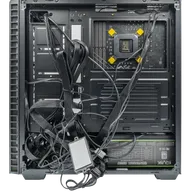
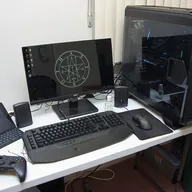
Illustrative photos: Photo by Gaming PC Bundle / Wikimedia Commons / CC BY-SA 4.0; Photo by PantheraLeo1359531 / Wikimedia Commons / CC BY 4.0; Photo by Brian Wong / Wikimedia Commons / CC BY-SA 2.0