Upgrading an Older Gaming PC: Ryzen 7 5700X3D, 32GB of DDR4 and a 2TB NVMe SSD
Three upgrades that give older AM4 and DDR4 gaming PCs a second life without a new motherboard, and how to check which one your PC needs first.
Main page for gaming pcs: Gaming PCs →
Three upgrades that give older AM4 and DDR4 gaming PCs a second life without a new motherboard, and how to check which one your PC needs first.
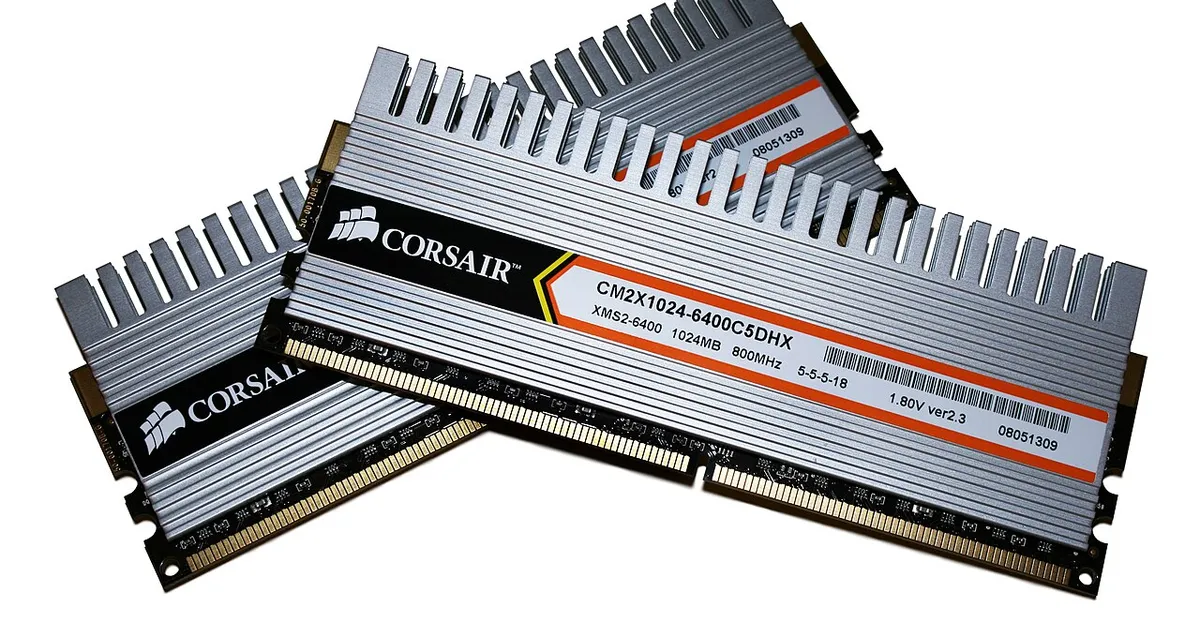
Photo by Victorrocha / Wikimedia Commons / CC BY 3.0
Affiliate links.As an Amazon Associate I earn from qualifying purchases. Links below go to Amazon; prices and availability change, so check Amazon for current pricing.Affiliate disclosure
You don’t always need a new platform to make an older gaming PC feel fast again. If you’re on AMD’s AM4 platform with DDR4 memory, a few targeted upgrades can extend its life by years. Start by finding where your PC is held back, then look at these options.
Find the bottleneck first
Play a demanding game and watch your GPU usage (with MSI Afterburner or your GPU’s overlay). If the GPU stays near 99% usage, the graphics card is your limit. If GPU usage is low while frame rates dip, your CPU is likely the bottleneck. If you see stutters while loading new areas, memory or storage may be the problem.
CPU: AMD Ryzen 7 5700X3D
The AMD Ryzen 7 5700X3D brings AMD’s 3D V-Cache to AM4, which gives a big boost in CPU-limited games. Before you buy:
- Update your BIOS to a version that supports the 5000-series X3D chips. Check your motherboard’s CPU support list.
- Plan for a cooler: it doesn’t come with one. A good dual-tower air cooler is enough.
Memory: 32GB of DDR4
Many modern games use more than 16GB of RAM, especially with Discord and a browser open. A Corsair Vengeance LPX 32GB DDR4 3200 kit (2×16GB) is a simple upgrade. Use two sticks in the slots your motherboard manual recommends, and enable XMP/DOCP in the BIOS to run at the rated speed.
Storage: a 2TB NVMe SSD
If your games are on a hard drive or a small SATA SSD, a 2TB NVMe drive such as the Crucial P3 Plus 2TB speeds up loading and makes room for modern game sizes. Check that your motherboard has a free M.2 slot.
When to upgrade the GPU instead
If the GPU is your bottleneck, a newer card makes the biggest difference. Check that your power supply has the wattage and connectors for it, and that your CPU is fast enough not to hold the new card back.
Bottom line
Find the bottleneck first, then upgrade that part. On AM4, a 5700X3D plus 32GB of RAM can keep a PC competitive for several more years.
Our picks: Graphics cards & SSDs
Shop on Amazon
Affiliate links.As an Amazon Associate I earn from qualifying purchases. Links below go to Amazon; prices and availability change, so check Amazon for current pricing.Affiliate disclosure
NVIDIA GeForce RTX 5070 Ti
16GB card that handles high-refresh 1440p and entry 4K.
Check price on Amazon
Illustrative photos: Photo by Timothy Borkowski / Wikimedia Commons / CC BY-SA 3.0; Photo by Dmitry Nosachev / Wikimedia Commons / CC BY-SA 4.0; Photo by Advanced Micro Devices, Inc. (AMD) / Wikimedia Commons / Attribution