How to Prioritize PC Upgrades on a Budget
When you cannot upgrade everything at once, the order you tackle components in matters. A practical way to rank upgrades by actual impact rather than excitement.
Main page for gaming pcs: Gaming PCs →
When you cannot upgrade everything at once, the order you tackle components in matters. A practical way to rank upgrades by actual impact rather than excitement.
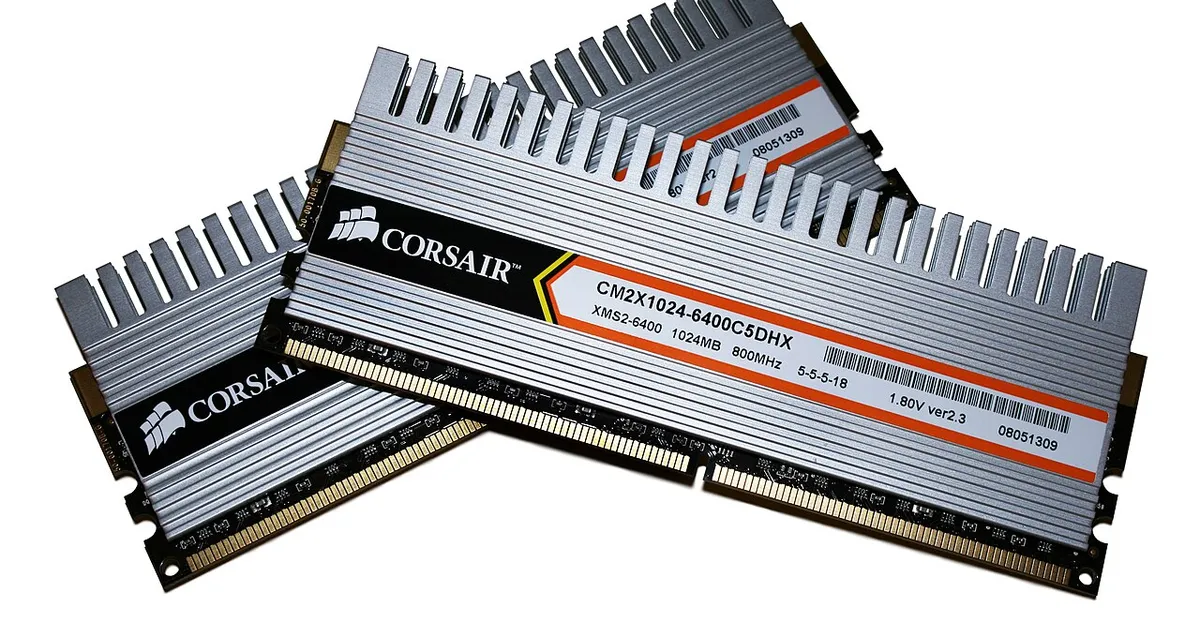
Photo by Victorrocha / Wikimedia Commons / CC BY 3.0
Most people upgrading a PC aren’t replacing every component at once — they’re deciding what to change first with a limited budget, and living with the rest for now. That makes prioritization the real skill, more than knowing which parts exist. A structured way of ranking potential upgrades tends to produce better outcomes than reacting to whichever component feels most outdated.
Diagnose before you rank anything
The starting point for any upgrade priority list is understanding where your current system is actually struggling, rather than assuming based on age or specs alone. A component that’s technically older isn’t automatically the one limiting your experience — what matters is which part is the practical constraint in the games and tasks you actually run. Spending your budget on the part that “seems old” instead of the part that’s actually holding you back is one of the most common ways an upgrade budget gets wasted.
Consider upgrades that unlock other upgrades
Some components are gatekeepers for others. Insufficient memory capacity, for example, can create performance problems that no other upgrade will fix, because the system is forced into slower fallback behavior regardless of how fast the CPU or GPU are. Similarly, an aging motherboard can prevent you from using a newer CPU at all, meaning a “CPU upgrade” quietly becomes a CPU-plus-motherboard-plus-possibly-memory upgrade. Recognizing these dependencies ahead of time helps you avoid budgeting for an upgrade that turns out to require two or three additional purchases to actually work.
Storage upgrades often have outsized, immediate impact
It’s easy to overlook storage in favor of CPU and GPU discussions, but for a system still running on older, slower storage, upgrading to faster storage can noticeably improve everyday responsiveness — load times, application startup, general system feel — for a comparatively modest cost. This kind of upgrade doesn’t move frame rate averages the way a GPU upgrade does, but it can meaningfully improve how a system feels to use day to day, which is worth weighing against upgrades that only show up in benchmark numbers.
Weigh upfront cost against how long the upgrade lasts
Some upgrades are effectively one-time purchases that last through several future changes — a case, a power supply with healthy headroom, a monitor — while others are tied more closely to a specific performance tier that will feel dated again in a few years, like the graphics card or CPU. When budget is tight, it’s worth asking not just “what will this improve right now” but “how long will this improvement hold up,” since a slightly more expensive but longer-lasting choice can be the better value over time even if it costs more today.
Avoid upgrading in a way that creates a new bottleneck
A budget upgrade plan should account for balance, not just the single component you’re most excited to replace. Pairing a significantly upgraded GPU with a CPU that can’t keep up, for instance, means part of that new GPU’s potential goes unused until the CPU is addressed too. It’s not that partial upgrades are wrong — most people upgrade incrementally — but it helps to go in aware that a big jump in one component can shift the bottleneck elsewhere rather than eliminate it.
A practical order of operations
A reasonable general approach is: fix anything causing outright instability or hard limitations first (like insufficient memory), then address the component most clearly limiting your actual usage, then consider upgrades that improve everyday feel even if they don’t show up in frame rate numbers, and finally revisit balance to make sure your upgraded system doesn’t just relocate the bottleneck. This order tends to produce a system that feels meaningfully better at each step, rather than one big purchase that only partially delivers.
Our picks: Graphics cards & SSDs
Shop on Amazon
Affiliate links.As an Amazon Associate I earn from qualifying purchases. Links below go to Amazon; prices and availability change, so check Amazon for current pricing.Affiliate disclosure
NVIDIA GeForce RTX 5070 Ti
16GB card that handles high-refresh 1440p and entry 4K.
Check price on Amazon
Illustrative photos: Photo by Timothy Borkowski / Wikimedia Commons / CC BY-SA 3.0; Photo by Dmitry Nosachev / Wikimedia Commons / CC BY-SA 4.0; Photo by Advanced Micro Devices, Inc. (AMD) / Wikimedia Commons / Attribution