When Should You Upgrade Your GPU vs Your CPU?
The two most expensive upgrade paths in a gaming PC often get chosen by instinct rather than diagnosis. A framework for figuring out which one will actually move the needle for you.
Main page for gaming pcs: Gaming PCs →
The two most expensive upgrade paths in a gaming PC often get chosen by instinct rather than diagnosis. A framework for figuring out which one will actually move the needle for you.
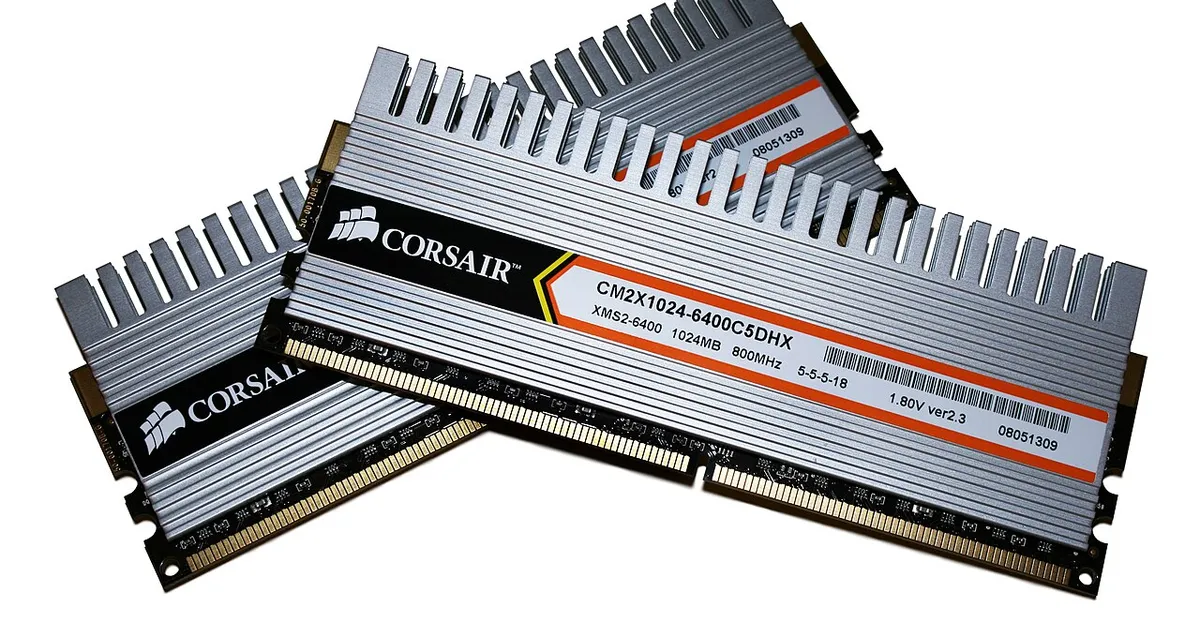
Photo by Victorrocha / Wikimedia Commons / CC BY 3.0
Of all the upgrade decisions in PC gaming, choosing between a new graphics card and a new processor is the one people get wrong most often — usually because it’s decided by budget or brand loyalty rather than by actually diagnosing what’s limiting performance in the first place. Getting this decision right starts with understanding what each upgrade actually changes.
Start with what’s actually limiting you today
Before deciding which component to upgrade, it’s worth establishing which one is currently holding your performance back, in the games and settings you actually use. A system that’s clearly GPU-limited — where lowering graphics settings meaningfully raises frame rate — stands to gain much more from a GPU upgrade than a CPU upgrade, because the CPU isn’t the thing running out of headroom. The reverse is also true: if lowering settings barely changes performance, the CPU is more likely the constraint, and a new graphics card may not deliver the improvement you’re expecting.
Resolution changes which upgrade pays off more
Your typical resolution and settings shift where the ceiling usually sits. At higher resolutions with demanding visual settings, the GPU tends to carry more of the workload, since it’s rendering more pixels and more visual complexity per frame — which tends to favor GPU upgrades. At lower resolutions, or in games that are less visually demanding but simulate a lot of independent activity, the CPU’s role becomes more central, which tends to favor CPU upgrades instead. There’s no universal answer here — it depends on how you actually play.
A GPU upgrade is usually the simpler, more isolated change
Swapping a graphics card is typically the more contained upgrade: check physical clearance, check power connector requirements, check that your power supply has enough capacity, and the rest of the system usually doesn’t need to change. A CPU upgrade is often less contained, because it can require a compatible motherboard, potentially different memory support, and sometimes a different cooler mounting standard. This doesn’t mean CPU upgrades should be avoided, but it’s a real practical difference worth weighing — a CPU upgrade can turn into a multi-part upgrade rather than a single swap.
Longevity plays a role too
Because a CPU and motherboard often stay together for multiple GPU upgrade cycles, some people prefer to invest a bit more in the CPU platform upfront, on the logic that it will support more than one future graphics card upgrade without needing to be touched again. Others prefer to prioritize the GPU now and treat the CPU platform as a later, separate project. Neither approach is objectively correct — it depends on how you expect to upgrade over time and how much you value not having to revisit motherboard and memory decisions repeatedly.
Don’t assume the flashier upgrade is the effective one
Graphics cards get more attention in gaming culture, which can bias people toward assuming a GPU upgrade will always be the impactful one. But if your current bottleneck genuinely sits with the CPU — because of the games you play, your resolution, or your settings — a new graphics card can underdeliver relative to its cost, simply because the CPU wasn’t able to feed it fast enough to take full advantage of the extra power. Matching the upgrade to the actual limitation, rather than to what feels like the more exciting purchase, is what makes the upgrade worth the money.
The decision, framed simply
Diagnose first, upgrade second. Understand whether your current experience is being held back more by rendering capability or by game-world simulation and frame preparation, factor in your resolution and settings, and weigh the practical scope of each upgrade path. That combination — not brand preference or which component feels more exciting — is what should drive the choice.
Our picks: Graphics cards & SSDs
Shop on Amazon
Affiliate links.As an Amazon Associate I earn from qualifying purchases. Links below go to Amazon; prices and availability change, so check Amazon for current pricing.Affiliate disclosure
NVIDIA GeForce RTX 5070 Ti
16GB card that handles high-refresh 1440p and entry 4K.
Check price on Amazon
Illustrative photos: Photo by Timothy Borkowski / Wikimedia Commons / CC BY-SA 3.0; Photo by Dmitry Nosachev / Wikimedia Commons / CC BY-SA 4.0; Photo by Advanced Micro Devices, Inc. (AMD) / Wikimedia Commons / Attribution