Free vs. Paid Streaming and Editing Software: OBS, DaVinci Resolve and More
What free tools like OBS Studio and DaVinci Resolve can do, when paid software is worth it, and hardware that pairs well with them.
What free tools like OBS Studio and DaVinci Resolve can do, when paid software is worth it, and hardware that pairs well with them.
Photo by Alexis Fam from Madison, United States / Wikimedia Commons / CC BY 2.0
Affiliate links.As an Amazon Associate I earn from qualifying purchases. Links below go to Amazon; prices and availability change, so check Amazon for current pricing.Affiliate disclosure
Starting a stream or a gaming channel doesn’t require expensive software. The best free tools are used by professionals, and paid software mostly adds convenience. Your Black Friday budget is often better spent on hardware like a microphone, a capture card or a Stream Deck. This guide compares the main options by features and design, not lab testing. Links go to Amazon’s current listings.
Quick answer
| Task | Free option | Paid option | Pay when… |
|---|---|---|---|
| Streaming and recording | OBS Studio | Streamlabs Ultra, XSplit | You want built-in themes, widgets and cloud features |
| Video editing | DaVinci Resolve | DaVinci Resolve Studio, Adobe Premiere Pro | You need advanced effects, more GPU acceleration or a team workflow |
| Quick clips | NVIDIA app / AMD Adrenalin, Xbox Game Bar | — | Rarely needed |
| Thumbnails | GIMP, Canva free tier | Photoshop, Canva Pro | You make many thumbnails |
OBS Studio (free)
OBS Studio is free, open-source and the standard for streaming and recording. It supports scenes, sources, filters, plugins and hardware encoding on NVIDIA, AMD and Intel GPUs.
- Strengths: powerful, lightweight, no watermarks, huge plugin library.
- Learning curve: setting up scenes and alerts takes some time. Many guides and templates are available.
Streamlabs and other paid options
Streamlabs (built on OBS) adds themes, alerts and widgets in one app, with paid features on top. It’s easier for beginners but heavier on system resources. Paid tiers add cloud storage, multistreaming and premium themes.
DaVinci Resolve (free)
DaVinci Resolve’s free version is a professional-grade editor with color grading, audio tools and effects. Most gaming YouTubers never need more.
DaVinci Resolve Studio (a one-time purchase) adds more GPU acceleration, extra effects, noise reduction and higher-resolution export options.
Adobe Premiere Pro
A subscription editor that fits well if you already use other Adobe apps or work with a team. For a solo gaming channel, the free DaVinci Resolve usually covers everything.
Where to spend your money instead
Hardware often improves a stream more than paid software:
- Microphone: a clear mic is the biggest quality upgrade. See USB vs XLR microphones.
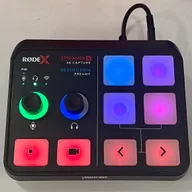
- Elgato Stream Deck MK.2: 15 programmable keys for scenes, mute and alerts. Works with OBS and Streamlabs.
- Elgato HD60 X: a capture card for streaming a PS5, Xbox or Switch 2 from your PC. See capture cards and audio interfaces.
- Lighting and webcam: see lighting, webcam and mic setup.
PC requirements
- Streaming: a modern GPU’s hardware encoder handles streaming with little impact on game performance.
- Editing: more RAM (32GB) and a fast SSD help a lot. See what to upgrade first.
A simple starter setup
- OBS Studio for streaming and recording.
- DaVinci Resolve for editing.
- A good USB microphone.
- A Stream Deck once you’re streaming regularly.
FAQ
Is OBS better than Streamlabs? OBS is lighter and more flexible; Streamlabs is easier for beginners with built-in widgets.
Is DaVinci Resolve really free? Yes, the standard version is free with no watermark. Studio is an optional paid upgrade.
Bottom line
Start with free OBS Studio and DaVinci Resolve, and spend your budget on a microphone, capture card or Stream Deck. Paid software is worth it only when you hit a specific limit. More gear in our Black Friday gaming gifts guide.
Our picks: Game credit & memberships & Streaming gear
Shop on Amazon
Affiliate links.As an Amazon Associate I earn from qualifying purchases. Links below go to Amazon; prices and availability change, so check Amazon for current pricing.Affiliate disclosure

Illustrative photos: Photo by Bryan Ochalla / Wikimedia Commons / CC BY-SA 2.0; Photo by Alexis Fam from Madison, United States / Wikimedia Commons / CC BY 2.0; Photo by TaurusEmerald / Wikimedia Commons / CC BY-SA 4.0; Photo by Peter Placzek / Wikimedia Commons / CC BY-SA 4.0