Black Friday Gaming Monitor Deals 2026: OLED, 1440p, 4K and 1080p Esports Picks
Which gaming monitors to watch on Amazon this Black Friday, from 180Hz 1080p and 1440p IPS to 360Hz QD-OLED and 4K OLED, and how to match one to your graphics card.
Main page for monitors: Gaming Monitors →
Which gaming monitors to watch on Amazon this Black Friday, from 180Hz 1080p and 1440p IPS to 360Hz QD-OLED and 4K OLED, and how to match one to your graphics card.

Photo: Markus Spiske markusspiske / Wikimedia Commons / CC0
Affiliate links.As an Amazon Associate I earn from qualifying purchases. Links below go to Amazon; prices and availability change, so check Amazon for current pricing.Affiliate disclosure
Monitors are one of the best things to buy on Black Friday, because a good one lasts through several graphics card upgrades. They’re also where a “deal” most often turns out to be the wrong screen for your PC. This guide compares popular models by design and listed specs, not lab testing. We don’t list prices, which change constantly during sale week; each link opens the current Amazon listing.
Quick answer
| Monitor | Size and resolution | Panel and refresh | Good for |
|---|---|---|---|
| AOC 24G4 | 24”, 1080p | IPS, 180Hz | Esports on a budget GPU |
| LG UltraGear 27GS75Q | 27”, 1440p | IPS, 180Hz | The all-round 1440p upgrade |
| MSI MAG 274QRF QD E2 | 27”, 1440p | Rapid IPS with quantum dot, 180Hz | Richer color at 1440p |
| Samsung Odyssey OLED G6 | 27”, 1440p | QD-OLED, 360Hz | Fast OLED for competitive and story games |
| ASUS ROG Strix XG27AQDMG | 27”, 1440p | Glossy WOLED, 240Hz | OLED contrast in a brighter room |
| Alienware AW3225QF | 32”, 4K | Curved QD-OLED, 240Hz | High-end 4K gaming |
| LG UltraGear 32GS95UE | 32”, 4K | WOLED, 240Hz (1080p at 480Hz mode) | 4K for story games, 480Hz for shooters |
| AOC CU34G2X | 34” ultrawide, 1440p | Curved VA, 144Hz | Affordable ultrawide immersion |
Step 1: match the monitor to your graphics card
A 360Hz monitor is wasted if your PC runs games at 90 FPS. Before Black Friday, check what frame rates you actually get:
- Entry-level GPU (RTX 5060 class): 1080p at 144–180Hz, or 1440p in lighter games.
- Mid-range GPU (RTX 5060 Ti 16GB / RTX 5070 class): 1440p at 165–240Hz is the sweet spot.
- High-end GPU: 1440p OLED at 240–360Hz for shooters, or 4K at 144–240Hz.
Our RTX 50-series deals checklist helps if you’re upgrading both.
1080p: the esports and budget option
At 24 inches, 1080p still looks sharp and is easy to drive at high frame rates. The AOC 24G4 is a typical example: a fast IPS panel at 180Hz. Buy 1080p if your graphics card is entry level or you play mainly esports games.
1440p IPS: the best all-round upgrade
A 27-inch 1440p monitor at 165–180Hz is the upgrade most gamers will notice most. The LG 27GS75Q and MSI MAG 274QRF QD E2 are frequent deals. See our budget 1440p monitor guide for more models.
OLED: the biggest jump in picture quality
OLED monitors offer near-instant response times and true blacks, and Black Friday is often when they hit their lowest prices.
- QD-OLED (Samsung, Alienware, MSI): vivid colors; black levels can look slightly gray in a bright room.
- WOLED (LG, many ASUS models): deeper blacks in bright rooms; some prefer the glossy finish.
- Burn-in: check the warranty. Several brands now cover burn-in for two or three years.
More in OLED gaming monitors explained.
4K and ultrawide
4K at 32 inches gives the sharpest image but needs a powerful GPU, or heavy use of DLSS or FSR. The LG 32GS95UE’s dual mode is useful if you also play shooters.
Ultrawide (21:9) is great for racing, flight and story games, but some games show black bars. Read is an ultrawide monitor right for you? before you buy.
Monitor deal checklist
- Exact model code: monitors with similar names can have different panels or refresh rates.
- Ports: DisplayPort for PCs; HDMI 2.1 for 4K 120Hz on PS5 or Xbox Series X.
- Stand and VESA: a height-adjustable stand matters; otherwise check VESA mounting for a monitor arm.
- Price history: compare with the recent low, not the “was” price. See how to know a monitor sale is worth it.
- Returns and dead pixels: check the return window and the brand’s pixel policy.
FAQ
Is Black Friday a good time to buy a gaming monitor? Yes. Monitors, especially OLEDs, are among the most heavily discounted items. Compare with the recent price history to be sure. See also the best times to buy a gaming monitor.
1440p or 4K? 1440p for high frame rates on a mid-range GPU; 4K if you have a high-end GPU and mostly play story games.
Bottom line
Choose the resolution and refresh rate your graphics card can actually drive, then pick the panel: IPS for value, OLED for picture quality. More deals on our Black Friday gaming deals hub.
Our picks: Gaming monitors
Shop on Amazon
Affiliate links.As an Amazon Associate I earn from qualifying purchases. Links below go to Amazon; prices and availability change, so check Amazon for current pricing.Affiliate disclosure
ASUS TUF Gaming VG27AQ
Popular 1440p high-refresh monitor that rarely disappoints.
Check price on Amazon

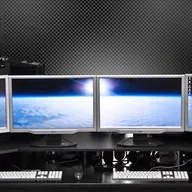
Illustrative photos: Photo by Lennybird / Wikimedia Commons / CC BY-SA 3.0; Photo by PantheraLeo1359531 / Wikimedia Commons / CC BY 4.0; Photo by Terabass / Wikimedia Commons / CC BY-SA 3.0