Aim Training: Routines, Free Tools and the Gear That Helps
How to build an aim training routine with free tools like Aim Lab and Kovaak's, and the mouse, pad and monitor setup that makes practice count.
Main page for competitive gaming: Esports →
How to build an aim training routine with free tools like Aim Lab and Kovaak's, and the mouse, pad and monitor setup that makes practice count.
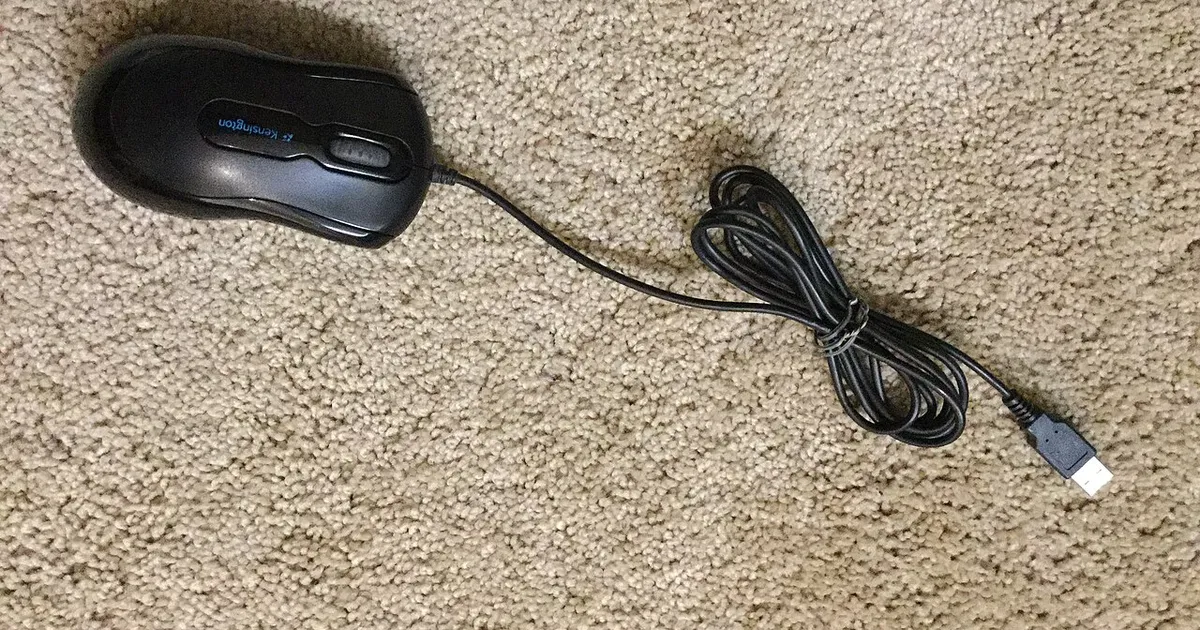
Photo by FASTILY / Wikimedia Commons / CC BY-SA 4.0
Affiliate links.As an Amazon Associate I earn from qualifying purchases. Links below go to Amazon; prices and availability change, so check Amazon for current pricing.Affiliate disclosure
Better aim comes mostly from consistent practice, a stable sensitivity and a setup that doesn’t fight you. Gear helps, but only after the basics. This guide covers routines, free tools and the gear worth considering, based on general practice rather than lab testing. We don’t list prices; links go to Amazon’s current listings.
Quick answer
| Priority | What to do |
|---|---|
| 1 | Pick one sensitivity and stick with it |
| 2 | Warm up 10–15 minutes before ranked |
| 3 | Train weaknesses: flicking, tracking, target switching |
| 4 | Use a large mouse pad and a mouse that fits your hand |
| 5 | Play on a high-refresh monitor |
Sensitivity
- Consistency matters more than the exact number.
- Lower sensitivity gives more precision for tactical shooters; higher suits tracking-heavy games.
- Match sensitivity across games with a converter if you play several shooters.
A simple routine
- Warm-up (5 min): easy tracking and large flicks.
- Focused practice (10–15 min): your weakest skill.
- In-game practice: deathmatch or range.
- Review: occasional clips of your fights.
See our pre-scrim warm-up routine.
Free tools
- In-game practice ranges in Valorant, CS2 and others.
- Workshop maps in CS2.
- Aim trainers on Steam, many with free versions.
Gear that helps
- Mouse: a light, well-fitting mouse like the Logitech G PRO X SUPERLIGHT 2. See budget gaming mice.
- Mouse pad: a large, consistent surface like the SteelSeries QcK Heavy XXL. See control vs speed mouse pads.
- Monitor: high refresh, like the BenQ ZOWIE XL2546K.
Setup basics
- Arm room: enough desk space for low sensitivity.
- Chair and desk height: relaxed shoulders and forearm on the desk.
- Low input lag. See reducing input lag.
Mindset
Aim improves in small steps. Track progress over weeks, not days. See competitive mindset for ranked improvement.
FAQ
Do aim trainers help? Yes, as part of a routine alongside in-game practice.
Will a better mouse improve my aim? A mouse that fits your hand helps consistency, but practice matters more.
Bottom line
Fix your sensitivity, warm up, practice weaknesses, and use a fitting mouse, big pad and high-refresh monitor. More in competitive gear explained.
Our picks: Competitive gear
Shop on Amazon
Affiliate links.As an Amazon Associate I earn from qualifying purchases. Links below go to Amazon; prices and availability change, so check Amazon for current pricing.Affiliate disclosure

Illustrative photos: Photo by Jacek Halicki / Wikimedia Commons / CC BY-SA 4.0; Photo by PantheraLeo1359531 / Wikimedia Commons / CC BY 4.0; Photo by Anirban Saha / Wikimedia Commons / CC BY-SA 4.0; Photo by Zephyris at English Wikipedia / Wikimedia Commons / CC BY-SA 3.0