How to Apply Thermal Paste Correctly
How much thermal paste to use, the application methods that work, how to clean off old paste, and when to replace it.
Main page for gaming pcs: Gaming PCs →
How much thermal paste to use, the application methods that work, how to clean off old paste, and when to replace it.
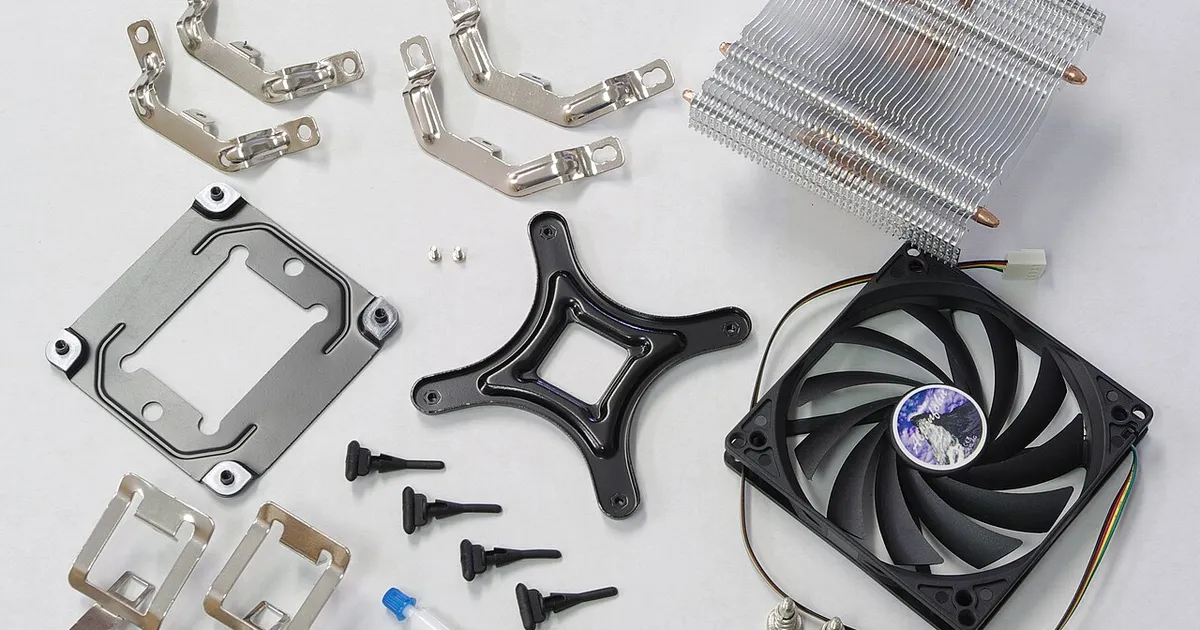
Photo by smial (talk) / Wikimedia Commons / FAL
Affiliate links.As an Amazon Associate I earn from qualifying purchases. Links below go to Amazon; prices and availability change, so check Amazon for current pricing.Affiliate disclosure
Thermal paste fills the tiny gaps between your CPU and cooler, helping heat transfer. Too little leaves gaps; too much is messy but rarely harmful. This guide explains how to apply it correctly, based on general practice rather than lab testing. Links go to Amazon’s current listings.
Quick answer
| Step | Detail |
|---|---|
| Clean | Remove old paste with 99% isopropyl alcohol and a lint-free cloth |
| Apply | A pea-sized dot in the center, or a thin X on larger CPUs |
| Mount | Place the cooler straight down and tighten screws evenly |
| Check | Temperatures under load should be reasonable for your CPU |
Good pastes include Noctua NT-H2 and ARCTIC MX-6.
Do you need to apply paste?
Many new coolers come with paste pre-applied. If so, you don’t need to add more. Remove the protective cover and install.
You need paste when:
- Reinstalling a cooler after removing it.
- Using a cooler without pre-applied paste.
- Repasting an older PC with high temperatures.
Step by step
- Power off and unplug the PC.
- Remove the cooler if repasting; twist gently to break the seal.
- Clean both surfaces with isopropyl alcohol until shiny.
- Apply paste:
- Pea-sized dot in the center for most CPUs.
- Thin X or five dots for larger chips like Intel LGA 1700/1851, which are rectangular.
- Mount the cooler straight down without sliding it.
- Tighten screws in a cross pattern, a few turns at a time.
Common mistakes
- Forgetting the plastic film on the cooler base.
- Using too much, so it squeezes over the edges (non-conductive pastes are harmless but messy).
- Spreading it unevenly with a finger.
- Reusing old paste after removing the cooler.
How often to replace it
Good paste lasts years. Replace it if temperatures rise noticeably after cleaning dust, or when you reinstall the cooler.
Laptops and GPUs
Repasting laptops and GPUs is more involved and may affect warranties. See hardware cleaning and cooling guide.
FAQ
How much thermal paste should I use? About a pea-sized amount for most CPUs.
Does the application pattern matter? Not much, as long as coverage is good. Larger CPUs benefit from an X or several dots.
Bottom line
Clean both surfaces, apply a pea-sized dot (or an X on larger CPUs), mount the cooler evenly, and check temperatures. More in how to install and maintain a CPU cooler.
Our picks: Graphics cards & Processors
Shop on Amazon
Affiliate links.As an Amazon Associate I earn from qualifying purchases. Links below go to Amazon; prices and availability change, so check Amazon for current pricing.Affiliate disclosure
NVIDIA GeForce RTX 5070 Ti
16GB card that handles high-refresh 1440p and entry 4K.
Check price on Amazon



Illustrative photos: Photo by Timothy Borkowski / Wikimedia Commons / CC BY-SA 3.0; Photo by Myself User:ZyMOS / Wikimedia Commons / CC BY-SA 4.0; Photo by Advanced Micro Devices, Inc. (AMD) / Wikimedia Commons / Attribution; Photo by Jacek Halicki / Wikimedia Commons / CC BY-SA 4.0; Photo by Ondřej Martin Mach / Wikimedia Commons / CC BY-SA 3.0