PC Dust Filters and a Cleaning Kit: Keeping a Gaming PC Cool for Years
How dust builds up in a gaming PC, which dust filters to add, and the simple cleaning kit that keeps temperatures down.
How dust builds up in a gaming PC, which dust filters to add, and the simple cleaning kit that keeps temperatures down.

Photo by 18bit / Wikimedia Commons / CC BY-SA 4.0
Affiliate links.As an Amazon Associate I earn from qualifying purchases. Links below go to Amazon; prices and availability change, so check Amazon for current pricing.Affiliate disclosure
Dust is the slow killer of gaming PC performance. It clogs heatsinks and fans, raising temperatures and noise until components throttle. Good dust filters and a simple cleaning routine keep a PC running cool for years. This guide covers what to buy and how to clean, based on general practice rather than lab testing. Links go to Amazon’s current listings.
Quick answer
| Item | Why |
|---|---|
| Magnetic PC dust filter mesh | Adds filters to intakes without them |
| DEMCiflex dust filters | Fine, case-specific filters |
| Electric air duster | Reusable alternative to canned air |
| Anti-static brush | Loosens dust from fins and fans safely |
Where dust gets in
Air enters through intake fans and gaps in the case. Most cases have filters on the front and bottom; some have none on the top or side. Positive pressure, with slightly more intake than exhaust, helps push dust out through unfiltered gaps.
Filters
- Check every intake has a filter. Add magnetic mesh to ones that don’t.
- Finer filters catch more dust but restrict airflow a little more.
- Clean filters every few weeks, or more often with pets.
Cleaning routine
Every few weeks: clean the intake filters by rinsing or vacuuming them (outside the PC).
Every 3–6 months:
- Shut down and unplug the PC. Press the power button to drain residual power.
- Take it outside or to a well-ventilated area.
- Hold fans still with a finger or tool before blowing them; spinning fans with air can damage them.
- Blow out dust from the CPU cooler, GPU heatsink, PSU intake and case fans with an air duster.
- Use a soft brush for stubborn dust on fins.
- Wipe surfaces with a microfiber cloth.
Avoid: household vacuums inside the case (static risk), and wet cleaning of components.
Signs your PC needs cleaning
- Higher temperatures than usual in the same games.
- Louder fans.
- Visible dust on filters and heatsinks.
- Thermal throttling in demanding games.
Laptops too
Laptops collect dust in their fans and heatsinks. Blow short bursts through the exhaust vents. See gaming laptop cooling pads and stands.
Other tips
- Keep the PC off the carpet, or on a stand.
- Replace thermal paste on older systems if temperatures stay high after cleaning. See how to install and maintain a CPU cooler.
FAQ
Is canned air bad for PCs? It’s fine if used carefully. Hold it upright and stop fans from spinning. Electric dusters are cheaper over time.
How often should I clean my gaming PC? Filters every few weeks; inside every 3–6 months, more often with pets.
Bottom line
Filter every intake, clean the filters regularly, and blow out the inside a few times a year. It keeps your PC cool, quiet and fast. More on our Black Friday PC upgrades guide.
Our picks: PC building essentials & Case fans
Shop on Amazon
Affiliate links.As an Amazon Associate I earn from qualifying purchases. Links below go to Amazon; prices and availability change, so check Amazon for current pricing.Affiliate disclosure
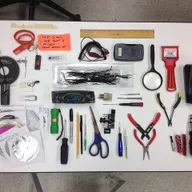
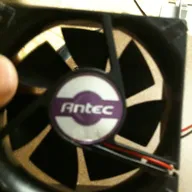

Illustrative photos: Photo by Bill Abbott / Wikimedia Commons / CC BY-SA 2.0; Photo by Mkhan4793 / Wikimedia Commons / CC BY-SA 3.0; Photo by 18bit / Wikimedia Commons / CC BY-SA 4.0