Black Friday PC Upgrades 2026: What to Buy First for More FPS and Faster Loading
Which gaming PC upgrade to buy this Black Friday: how to find your bottleneck, and when a graphics card, CPU, RAM, SSD, monitor or power supply gives you the biggest improvement.
Main page for gaming pcs: Gaming PCs →
Which gaming PC upgrade to buy this Black Friday: how to find your bottleneck, and when a graphics card, CPU, RAM, SSD, monitor or power supply gives you the biggest improvement.
Affiliate links.As an Amazon Associate I earn from qualifying purchases. Links below go to Amazon; prices and availability change, so check Amazon for current pricing.Affiliate disclosure
Black Friday is the best time of year to upgrade a gaming PC, but only if you buy the part that’s actually holding it back. A new graphics card won’t help much if an old CPU is the problem, and more RAM won’t fix low FPS if you already have enough. This guide explains how to find your bottleneck in a few minutes and which upgrade to buy first. We don’t list prices, because they change constantly during sale week; links go to the current Amazon listing.
Quick answer
| Your problem | Likely upgrade | Example to look at |
|---|---|---|
| Low FPS, GPU at 95–100% usage | Graphics card | NVIDIA GeForce RTX 5070 |
| Stutters, GPU well below 90% usage | CPU (and maybe the platform) | AMD Ryzen 7 9800X3D or, on AM4, Ryzen 7 5700X3D |
| Stutters with many apps open, 8–16GB RAM | RAM | A 32GB DDR5 kit or DDR4 kit |
| Slow loading, games on a hard drive | SSD | WD_BLACK SN850X |
| High FPS but it doesn’t feel smooth | Monitor | A 144Hz+ monitor at your resolution |
| Planning a big GPU upgrade | Power supply | Check wattage and connectors first |
Step 1: find the bottleneck
Before Black Friday, play your usual games with a monitoring overlay. Steam’s performance overlay, NVIDIA’s overlay or AMD’s Adrenalin overlay all show what you need:
- GPU usage near 100%: your graphics card is the limit. A GPU upgrade gives the most FPS.
- GPU usage well below 90% with low FPS: the CPU is probably the limit, especially in esports and simulation games.
- RAM use close to the total: you need more memory.
- Long load screens: check whether the game is installed on a hard drive.
Not sure how to read it? Our upgrade advisor guide for older PCs walks through typical cases.
Graphics card: the biggest FPS jump
If your GPU is the bottleneck, this is the upgrade that matters most. Pick it by your monitor’s resolution:
- 1080p: an RTX 5060 or an AMD/Intel equivalent. See graphics cards for 1080p.
- 1440p: an RTX 5060 Ti 16GB or RTX 5070 class card.
- Check VRAM, power and fit: our RTX 50-series deals checklist covers it.
CPU: smoother play and better minimum FPS
A CPU upgrade helps most in competitive shooters, strategy and simulation games, and with high-refresh monitors.
- On AM4 (Ryzen 3000/5000 boards): a drop-in Ryzen 7 5700X3D is one of the best-value upgrades, often after a BIOS update.
- On a new platform: AM5 with a Ryzen 7 9800X3D is a strong gaming choice, but it needs a new motherboard and DDR5. Read our CPU sales guide.
RAM: 32GB is the comfortable amount
16GB still runs most games, but 32GB leaves room for browsers, Discord and newer titles. Match the type (DDR4 or DDR5) to your motherboard and buy a matched two-stick kit. More in how much RAM you need for gaming.
SSD: faster loading, not more FPS
Moving games from a hard drive to an NVMe SSD makes load times much shorter. It won’t raise frame rates. See our Black Friday SSD deals guide.
Monitor: when the PC is already fast
If your PC already reaches 100+ FPS on a 60Hz screen, a higher refresh rate monitor is the upgrade you’ll notice most. See how to know a monitor sale is worth it and our budget 1440p monitor picks.
Power supply: check before a GPU upgrade
A new graphics card can need more wattage or a 12V-2x6 connector. Check your power supply’s wattage and connectors before buying the GPU, and budget for a new one if needed, such as an ATX 3.1 model.
Black Friday upgrade checklist
- Measure first: find the bottleneck with an overlay.
- Check compatibility: socket, RAM type, case length and PSU connectors.
- Compare price history: a price tracker shows if the deal is real.
- Buy from Amazon or the brand’s store for simple returns.
- Test promptly after delivery, within the return window.
FAQ
What’s the best single upgrade for gaming? Usually the graphics card, but only if it’s your bottleneck. Check GPU usage first.
Should I upgrade or buy a new PC on Black Friday? If your CPU, motherboard and RAM all need replacing, a prebuilt can be better value. See how to spot a genuine gaming PC deal.
Bottom line
Find the bottleneck first, then spend your Black Friday budget there: GPU for FPS, CPU for smoothness, RAM for multitasking, SSD for loading and a monitor when the PC is already fast. More picks on our Black Friday gaming deals hub.
Our picks: Prebuilt gaming PCs
Shop on Amazon
Affiliate links.As an Amazon Associate I earn from qualifying purchases. Links below go to Amazon; prices and availability change, so check Amazon for current pricing.Affiliate disclosure
Skytech Gaming PC RTX 5070
Prebuilt with standard parts that are easy to upgrade.
Check price on Amazon

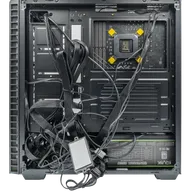
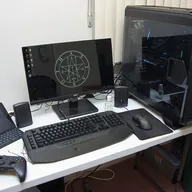
Illustrative photos: Photo by Gaming PC Bundle / Wikimedia Commons / CC BY-SA 4.0; Photo by PantheraLeo1359531 / Wikimedia Commons / CC BY 4.0; Photo by Brian Wong / Wikimedia Commons / CC BY-SA 2.0