Do You Need 64GB of RAM? DDR5 Kits for Gaming, Streaming and Creative Work
When 64GB of memory makes sense for a gaming PC, which workloads benefit, and 64GB DDR5 kits from Corsair, G.Skill and Kingston.
When 64GB of memory makes sense for a gaming PC, which workloads benefit, and 64GB DDR5 kits from Corsair, G.Skill and Kingston.
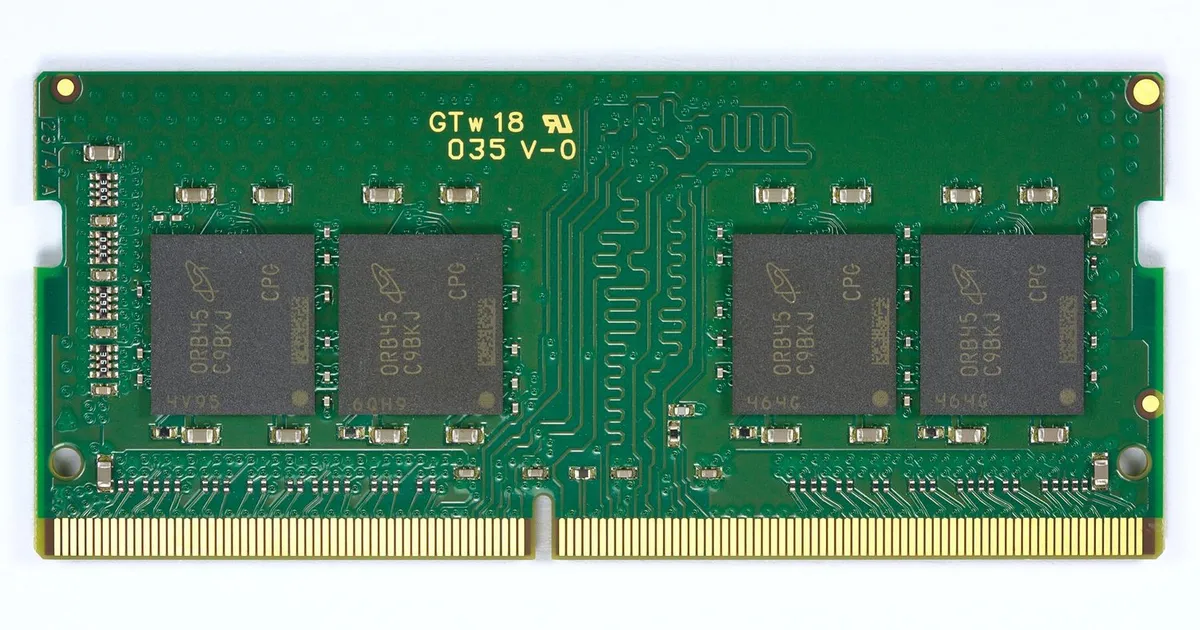
Photo by D-Kuru / Wikimedia Commons / CC BY-SA 4.0
Affiliate links.As an Amazon Associate I earn from qualifying purchases. Links below go to Amazon; prices and availability change, so check Amazon for current pricing.Affiliate disclosure
32GB of RAM is the comfortable amount for gaming in 2026. 64GB is more than most games need, but it can help if you stream, edit video, run virtual machines or keep lots of apps open while gaming. This guide explains who benefits and compares popular 64GB DDR5 kits by listed specs, not lab testing. We don’t list prices; links go to Amazon’s current listings.
Quick answer
| Use | RAM to buy |
|---|---|
| Gaming only | 32GB (2x16GB) |
| Gaming + Discord + browser | 32GB |
| Gaming + streaming on one PC | 32GB, 64GB if you also edit |
| Video editing, 3D, VMs, heavy mods | 64GB (2x32GB) |
Kits to consider
| Kit | Configuration | Notes |
|---|---|---|
| Corsair Vengeance DDR5 64GB 6000 | 2x32GB | Low-profile heatsink, good cooler clearance |
| G.Skill Trident Z5 RGB 64GB DDR5 | 2x32GB | RGB, taller heatsink |
| Kingston FURY Beast 64GB DDR5 | 2x32GB | Often good value |
Two sticks, not four
Buy 64GB as two 32GB sticks, not four 16GB sticks. Four DDR5 sticks are harder for the memory controller to run at high speeds, so you often have to lower the speed. Two sticks also leave room to upgrade later.
Speed and timings
- AM5 (Ryzen 7000/9000): DDR5-6000 CL30 is the common sweet spot.
- Intel (Core Ultra 200S, 12th–14th gen): DDR5-6000 to 6400 works well on most boards.
- Enable EXPO or XMP in the BIOS so the RAM runs at its rated speed.
Check that the kit’s speed matches your motherboard’s supported list.
Does 64GB improve gaming FPS?
Generally no, unless a game was running out of memory. Most games run the same on 32GB and 64GB. The benefits come from multitasking and creative work.
Who benefits from 64GB
- Streamers who edit recordings in DaVinci Resolve or Premiere.
- Heavily modded games like Skyrim, Minecraft modpacks or simulation titles.
- Virtual machines and development work.
- Large browser and app workloads alongside games.
What to check
- DDR5 vs DDR4: must match your motherboard. See DDR4 RAM for AM4 and older Intel builds.
- Heatsink height: tall RGB sticks can block large air coolers.
- EXPO (AMD) or XMP (Intel) profiles.
- First boot can take longer with DDR5 while memory training runs.
More in how much RAM you need for gaming.
FAQ
Is 64GB overkill for gaming? For gaming alone, yes. For gaming plus creative work, it can be worth it.
Can I add another 32GB kit later? You can, but four sticks may run slower. Buying 2x32GB at once is more reliable.
Bottom line
Buy 32GB for gaming, 64GB (2x32GB) if you stream and edit or run heavy workloads. More upgrade advice in what to upgrade first.
Our picks: Memory
Shop on Amazon
Affiliate links.As an Amazon Associate I earn from qualifying purchases. Links below go to Amazon; prices and availability change, so check Amazon for current pricing.Affiliate disclosure
G.Skill Trident Z5 Neo RGB DDR5-6000 32GB
EXPO-tuned kit made for Ryzen, with RGB.
Check price on AmazonKingston FURY Beast DDR5 32GB 6000MHz
Low-profile kit that clears big air coolers.
Check price on Amazon
Illustrative photos: Photo via Wikimedia Commons / CC BY-SA 3.0; Photo by Victorrocha / Wikimedia Commons / CC BY 3.0