DDR4 RAM for AM4 and Older Intel Builds: Corsair Vengeance LPX, G.Skill Ripjaws V and Crucial Pro
The best DDR4 speeds for Ryzen 5000 and Intel 12th to 14th gen systems, how to add RAM to an existing PC, and three popular kits.
The best DDR4 speeds for Ryzen 5000 and Intel 12th to 14th gen systems, how to add RAM to an existing PC, and three popular kits.
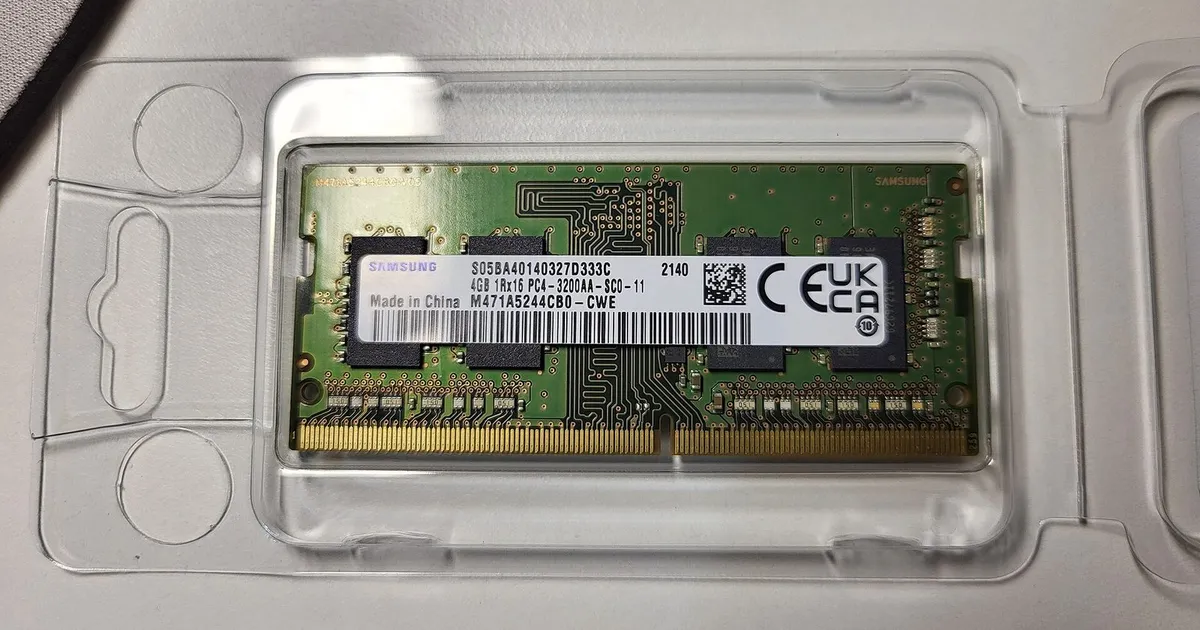
Photo by VincentLR / Wikimedia Commons / CC BY-SA 4.0
Affiliate links.As an Amazon Associate I earn from qualifying purchases. Links below go to Amazon; prices and availability change, so check Amazon for current pricing.Affiliate disclosure
If you have an AM4 Ryzen system or an older Intel build with DDR4, upgrading to 32GB of DDR4 is one of the cheapest ways to reduce stutter in modern games. DDR4 is mature and inexpensive. This guide compares popular kits by listed specs, not lab testing. We don’t list prices; links go to Amazon’s current listings.
Quick answer
| Kit | Speed | Best for |
|---|---|---|
| Corsair Vengeance LPX 32GB DDR4 3600 | 3600 | AM4 and Intel, low-profile for cooler clearance |
| G.Skill Ripjaws V 32GB DDR4-3600 | 3600 | AM4 sweet spot; check the CL rating |
| Crucial Pro 32GB DDR4 3200 | 3200 | Older Intel boards, simple compatibility |
Which speed to buy
- AM4 (Ryzen 3000 and 5000): DDR4-3600 with CL16 or CL18 is the common sweet spot, matching the CPU’s internal fabric speed.
- Intel 10th–14th gen DDR4 boards: 3200–3600 works well. Some older or budget Intel chipsets limit memory speed; check your board.
- Older systems: check the motherboard’s supported speed list.
Lower CL (CAS latency) at the same speed is slightly faster.
Buy 2x16GB
Two 16GB sticks give dual-channel performance. If you have 2x8GB now, it’s usually best to replace them with a matched 2x16GB kit rather than mixing kits.
Enable XMP or DOCP
After installing, enable XMP (Intel) or DOCP/EXPO (AMD) in the BIOS so the RAM runs at its rated speed. Without it, DDR4 runs at a slower default.
Is upgrading DDR4 still worth it?
Yes, if your platform is staying for a while. A cheap 32GB kit paired with a CPU upgrade like the Ryzen 7 5700X3D can extend an AM4 PC’s life by years. See cheap upgrades for older gaming PCs.
If you’re planning a new platform soon, put the money toward DDR5 instead. See 64GB DDR5 kits.
What to check
- DDR4, not DDR5: they’re not interchangeable.
- Heatsink height: low-profile kits fit under large air coolers.
- Supported speed on your motherboard.
- Matching kits: don’t mix brands or speeds if you can avoid it.
Laptops
Laptops use smaller SO-DIMM memory. See gaming laptop RAM and SSD upgrades.
FAQ
Is 3600 or 3200 better for Ryzen? 3600 is the usual sweet spot on Ryzen 3000 and 5000.
Will 32GB improve my FPS? It reduces stutter in games that use more than 16GB, especially with browsers and Discord open.
Bottom line
For AM4 and older Intel builds, a 2x16GB DDR4 kit at the right speed is a cheap, effective upgrade. More in how much RAM you need for gaming.
Our picks: Memory
Shop on Amazon
Affiliate links.As an Amazon Associate I earn from qualifying purchases. Links below go to Amazon; prices and availability change, so check Amazon for current pricing.Affiliate disclosure
G.Skill Trident Z5 Neo RGB DDR5-6000 32GB
EXPO-tuned kit made for Ryzen, with RGB.
Check price on AmazonKingston FURY Beast DDR5 32GB 6000MHz
Low-profile kit that clears big air coolers.
Check price on Amazon
Illustrative photos: Photo via Wikimedia Commons / CC BY-SA 3.0; Photo by Victorrocha / Wikimedia Commons / CC BY 3.0